Chapter 5 Manual Function
41
5.2 Continuous Moving Function
When in the manual interface, press 【F2】to enter the continuous-moving function
interface. At this moment, the system will move toward the specified direction if any
directory key is pressed and then released, and when the directory key or stop key is
pressed the system will stop.
5.3 Fixed-length Moving Function
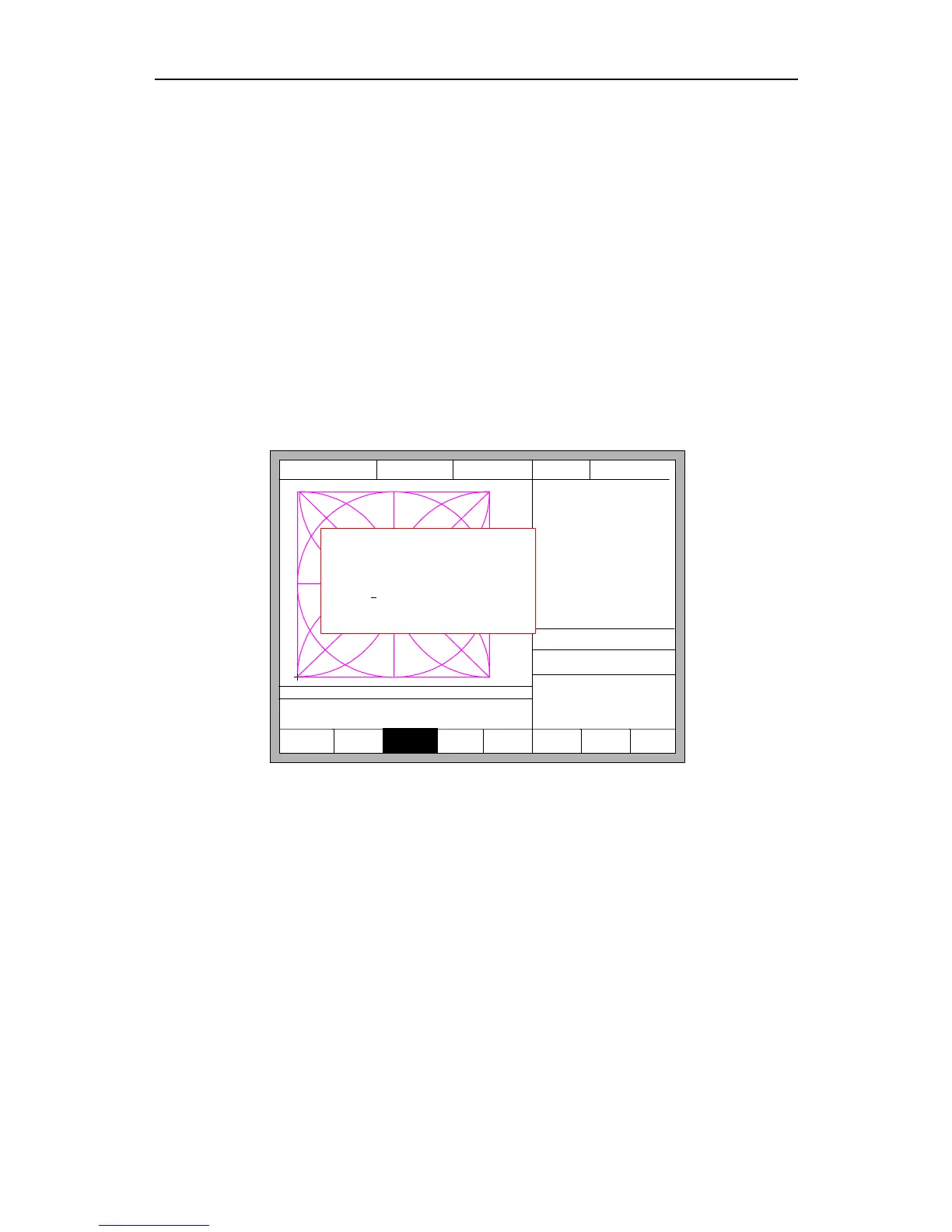
In the manual interface, press 【F3】 to enter the interface of fixed-length moving,.
The system prompts to input the fixed length:
F1 KeepMov
F2
ContiMove
F3
StepMove
F4
Speeddown
F5 Speedup
F7
Recover
FLSK F2200T
Version 3.3.71.1
Speed:
00000
File:
SHAPE_43.TXT
Status:
Stop
Current Line/Hole:
00000/00000
+X:500.00 -X:0.00 +Y:500.00 -Y:0.00
X:+000000.0
Y:+000000.0
7:G01 X500.00 Y0
8: G01 X0 Y-500.00
●Ignition s
●LowHeat s
●HighPreheat s
●Pierce1 s
●Pierce2 s
●Pierce3 s
●TorchUp s
●TorchDn s
●THC En
●Blow s
CutSpeed 【X】1000.00 Kerf【N】1.20
ManualSpeed【Y】3000.00 Angle 0.00
Manual 【F】 StepMov
StepDis【G】 5.00 Flame Cu 【M】
Input the step distance
5.00
Fig 5.2 Input the fixed length
After inputting the fixed length, press 【ENTER】. Press any direction key and then
release, the system will move the fixed length toward the direction, in the process of
moving, when any direction key or stop key is pressed, the system will stop moving.
5.4 Breakpoint Recovery
To guarantee that the breakpoint could work correctly, you need to satisfy the
following conditions:
1) When the system is paused, the system will automatically regard the paused point as
the current breakpoint and remember it.



 To Next Page