Chapter 4 Part Option
31
4.3 Angle Adjustment
Press F2, the system will prompt:
F1- steel plate adjust
F2- enter angle
Press F1 to adjust steel plate
Press F2 to enter angle directly
Press ESC to exit angle adjusting
4.3.1 Steel Plate Adjustment
After entering steel plate adjustment menu, the system will prompt:
X-start Y-OK ESC-exit
Adjust X:+00000.00
Adjust Y:+00000.00
Angle +00000.00
Here, you can manually move the cutting tip to the edge of one side of steel plate or a
corner of the plate. When the cutting tip moved to a good position, press 【X】 key to set
the current point as the starting point of correction.
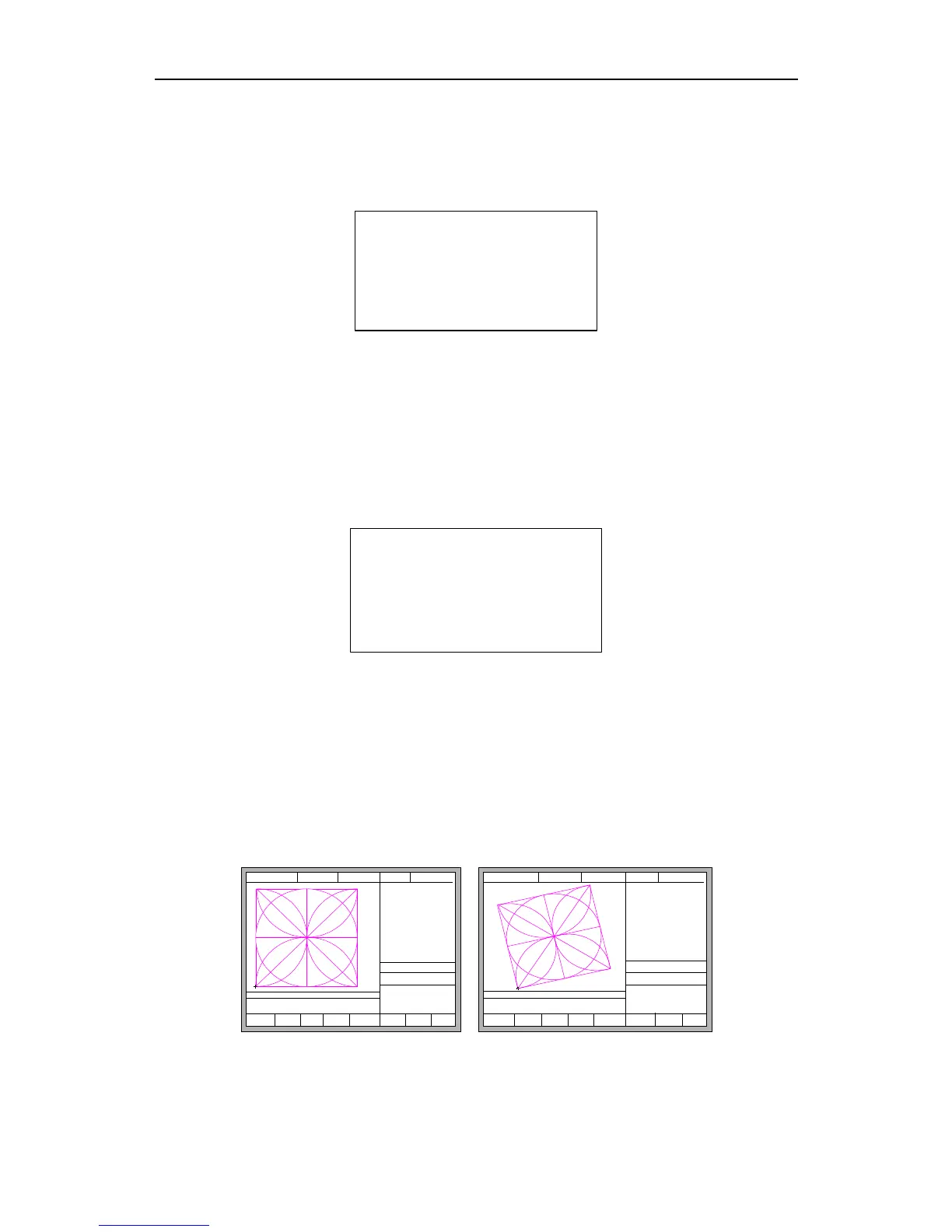
And then manually move along the cutting tip, as long as moving to the edges of the
side. After ensuring the two points far enough and two points at the same side of the plate
in the same line and press 【Y】. The system will automatically calculate the current offset
angle of plate, and then automatically rotate graphics.
FLSK F2200T
Version 3.3.71.1
Speed:
00000
File:
SHAPE_43.TXT
Status:
Stop
Current Line/Hole:
00000/00000
Operate Mode:
PartOption
X:+000000.0
Y:+000000.0
【X】 Xmirror
【Y】 Ymirror
F8 OK
F1
StartPoint
F2 Angle F3 Array F4 Scale
F5
SelLinePierce
F6 EditFile F7 Revert
CutSpeed 【X】1000.00 Kerf【N】1.20
ManualSpeed【Y】3000.00 Angle 0.00
Manual 【F】 keepMov
StepDis【G】 5.00 Flame Cu 【M】
+X:500.00 -X:0.00 +Y:500.00 -Y:0.00
F6 EditFile F7 Revert
FLSK F2200T
Version 3.3.71.1
Speed:
00000
File:
SHAPE_43.TXT
Status:
Stop
Current Line/Hol e:
00000/00000
+X:500.00 -X: 0.00 + Y:500.00 -Y:0.00
Operate Mode:
PartOpt ion
X:+000000.0
Y:+000000.0
【X】 Xmirror
【Y】 Ymirror
CutS peed 【X】1000 .00 Kerf【N 】1.20
Manu alSpeed 【Y】3000 .00 Angle 0.00
Manu al 【F 】 ke epMov
Step Dis 【G 】 5. 00 Flame Cu 【M】
F1
StartPo int
F2 Angle F3 Array F4 Sc ale
F5
SelLinePierce
F8 OK
Fig 4.4 before adjusting Fig 4.5 after adjusting
After adjusting, the system will ask whether to return to the start point, if press



 To Next Page