RESTRICTED USE ONLY Fargo Electronics, Inc.
HDP600 High Definition Card Printer/Encoder User Guide (Rev. 2.3)
3-56
Installing the HDP600 Series Card Lamination
Module
Tools Needed: #2 Phillips screwdriver, Torx T-10 screwdriver
Parts Included: Card Lamination Module (D860105), Phillips
4-40 Flathead Screws (X2) and Torx T-10 0.5M3X5 Screws
(X2)
Estimated Repair Time: Ten (10) minutes
Steps Procedure
1
Caution: Turn off the Printer and unplug the power cord from the
Printer.
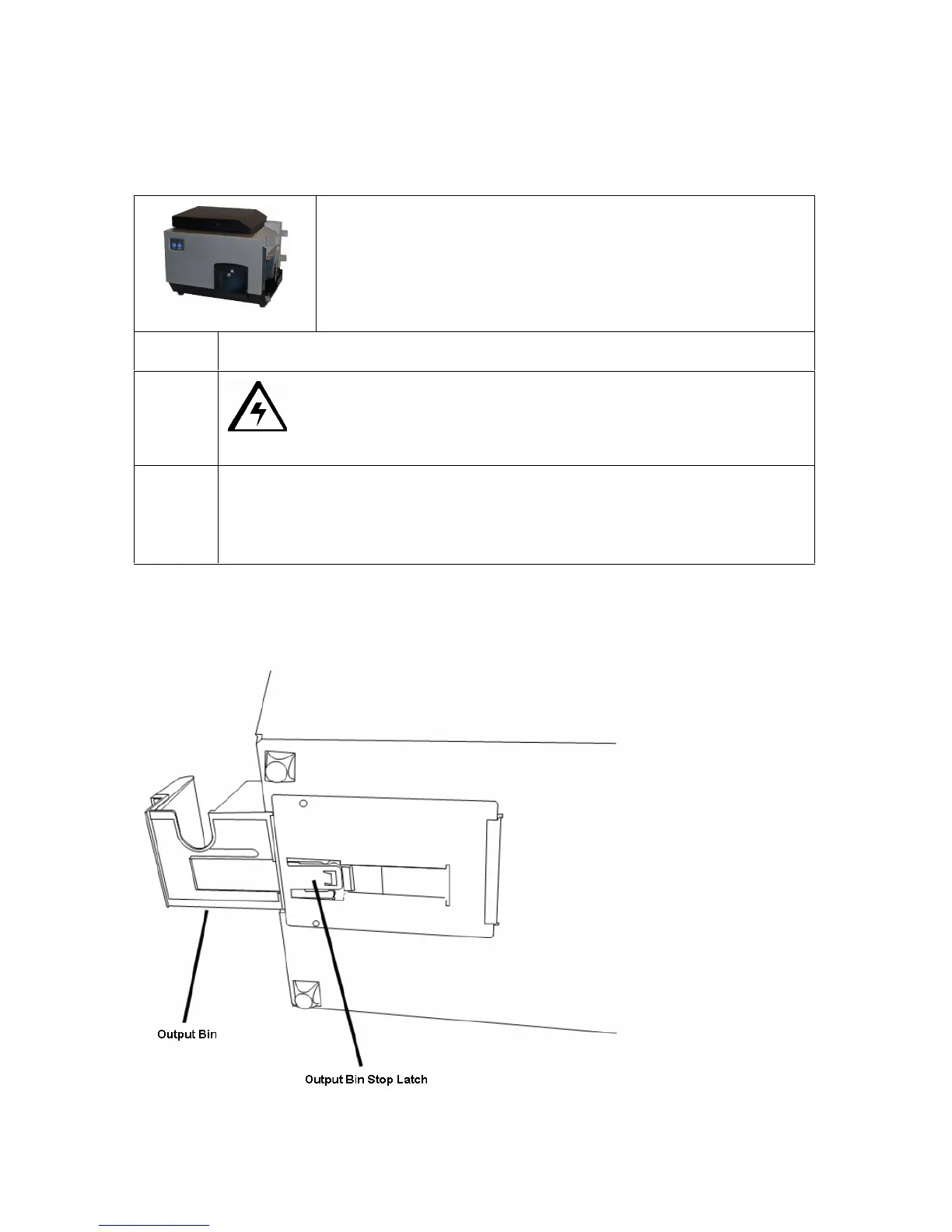
2 Remove the Lamination-Ready Output Bin (D850290) from the Baseplate
(D860060) by pulling out on the Stop Latch on the Baseplate Access Cover
and then pulling out the Bin. See Display A (below) and Display B (next
page).
Continued on the next page
Display A – Output Bin and Output Bin Stop Latch












 To Next Page