RESTRICTED USE ONLY Fargo Electronics, Inc.
HDP600 High Definition Card Printer/Encoder User Guide (Rev. 2.3)
7-56
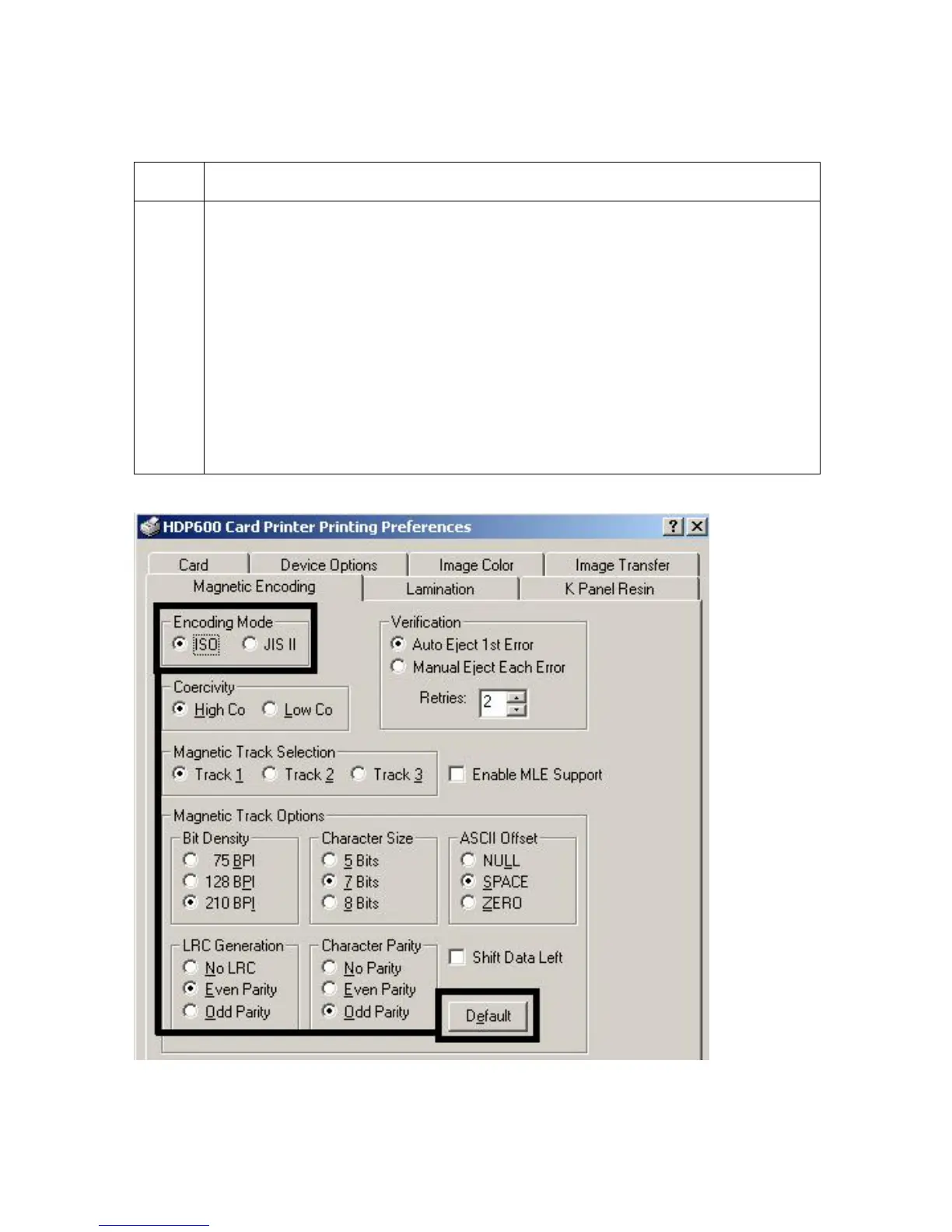
Using the Encoding Mode option (continued)
Step Procedure
1 Select the ISO Standard Encoding Module with a dual-coercivity (high or low)
encoding head. (Note: By default, the Printer Driver is set to encode according
to ISO standards onto high-coercivity Magnetic Stripes.)
OR
Select the JIS II Standard Encoding Module commonly used in Japan. Select
the JIS II mode to encode only Track 2.
(Note #1: The JIS II option provides encoding compatibility with the JIS C
6220 Type II cards commonly used in Japan. No encoding customization
options are available with the JIS II mode.)
(Note #2: A JIS II Magnetic Head must be installed in the Printer to use any of
the JIS II options in the Driver.)












 To Next Page