RESTRICTED USE ONLY Fargo Electronics, Inc.
HDP600 High Definition Card Printer/Encoder User Guide (Rev. 2.3)
7-17
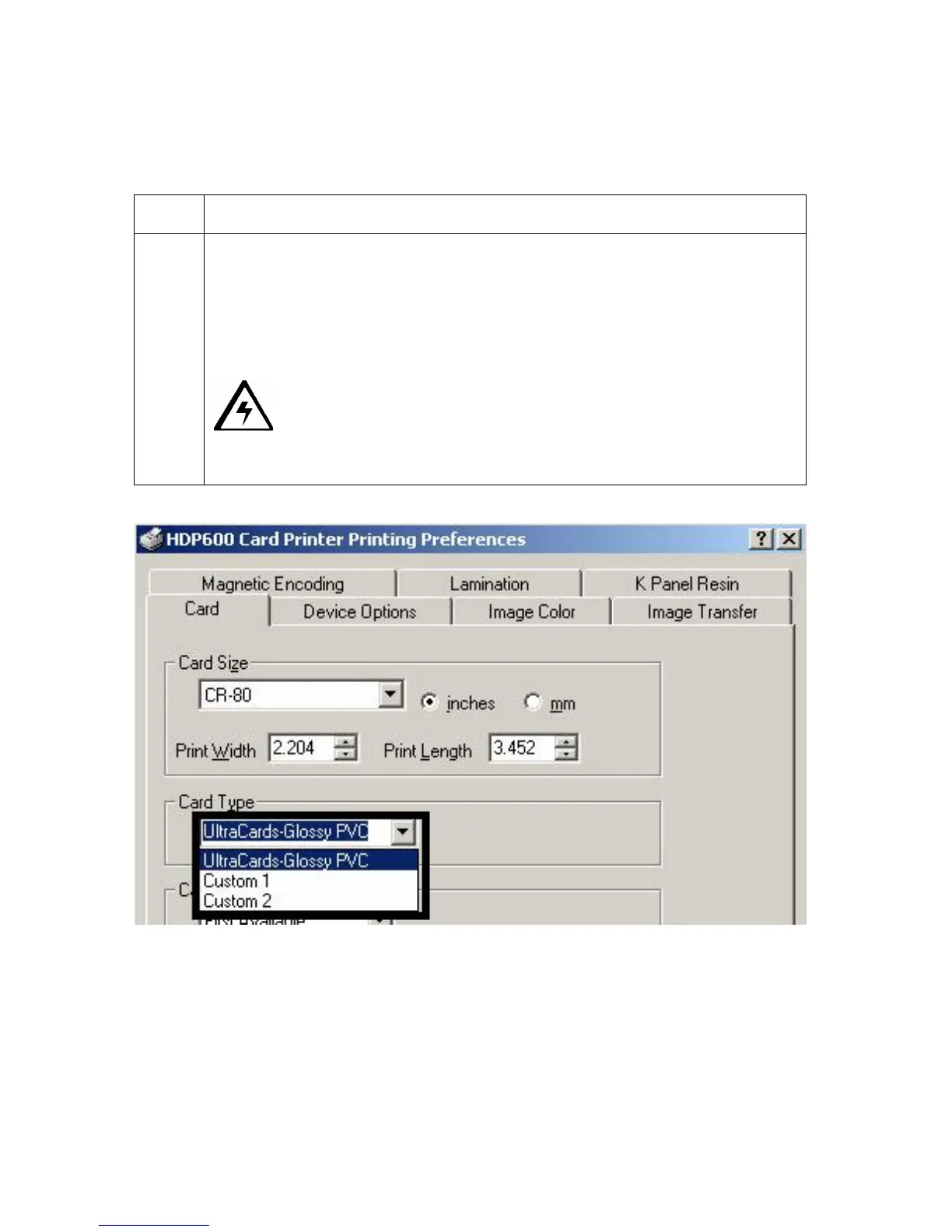
Selecting the Card Type (all HDP600 Printers)
Select the appropriate card type according to the composition of the card stock.
Step Procedure
1
Select UltraCards-Glossy PVC if using Fargo UltraCard III stock or any
other similar card stock.
Custom 1 and Custom 2 allows custom default Dwell Time and Transfer
Temperature selections to be saved. These selections are found under the
Image Transfer tab and have a direct effect the transfer of the Lamination
material onto different card styles.
Caution: If the appropriate option is not selected, the wrong Dwell
Time and temperature may be used during the image transfer process, which
may result in poor adhesion of the HDP Film or warping of the card.)












 To Next Page