RESTRICTED USE ONLY Fargo Electronics, Inc.
HDP600 High Definition Card Printer/Encoder User Guide (Rev. 2.3)
3-61
Installing the HDP600 Series Card Lamination Module (continued)
Step Description
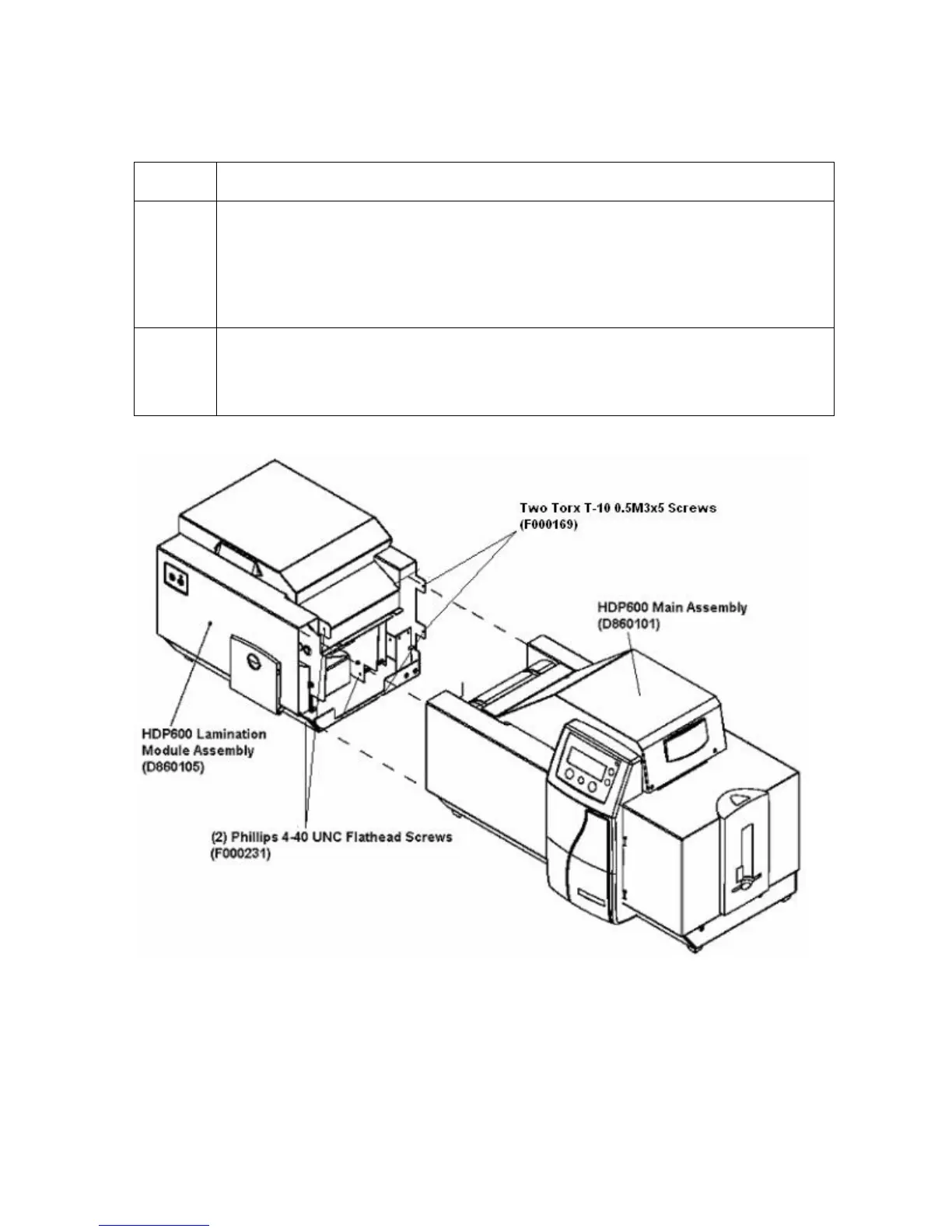
6 a. Fasten the two (2) Torx T-10 0.5M3 X 5 Screws (F000169) into the Rear
Cover, as shown below.
b. Fasten the Laminator Module (D860105) to the Printer (D860101) with the
two (2) Phillips 4-40 UNC Flathead Screws (F000231) inserted into the
base and in the Front Cover tab, as shown below.
7 a. You have completed installing the Lamination Module Hardware Upgrade.
b. Go to Steps 8 to 12 on the next page for the remaining steps in this specific
installation procedure.












 To Next Page