RESTRICTED USE ONLY Fargo Electronics, Inc.
HDP600 High Definition Card Printer/Encoder User Guide (Rev. 2.3)
7-13
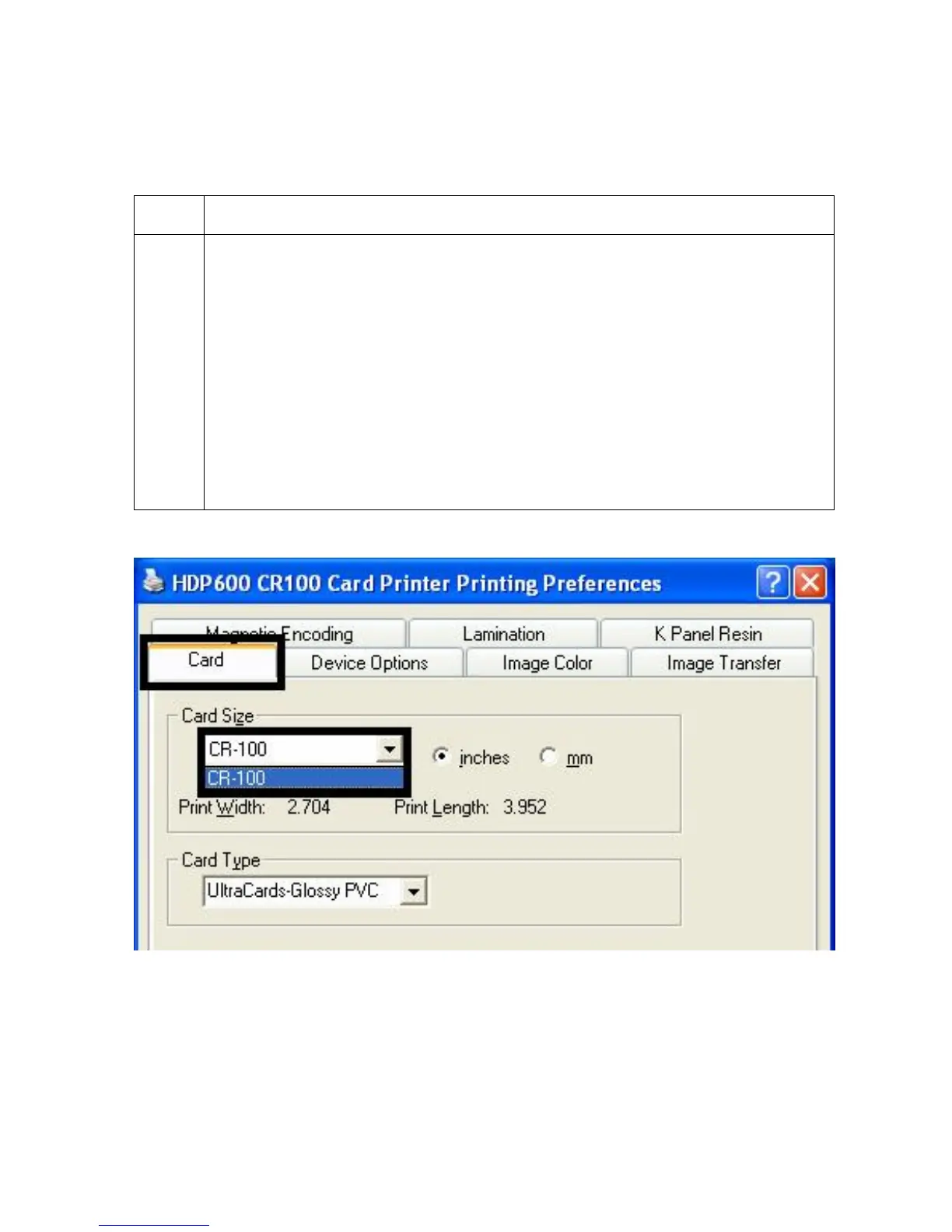
Using the Card tab (HDP600 CR100/HDP600-LC
CR100)
Step Procedure
1 Select the appropriate card size option from three (3) standard card sizes.
CR-100
OR
One (1) custom size is available.
(Note: The dimensions of the total print area for each card size will appear in
the Print Width and Print Length boxes. These print area dimensions are .04"
(1mm) larger than the actual card size. This is so the Printer can overprint
images to ensure they will appear Edge-to-Edge when transferred to the card.
For this reason, when designing a card format, always set the card size or page
size within the card design program to the exact Print Length and Width
dimensions listed in the Printer Driver.)












 To Next Page