RESTRICTED USE ONLY Fargo Electronics, Inc.
HDP600 High Definition Card Printer/Encoder User Guide (Rev. 2.3)
3-70
Printing a Test Print Image
Step Procedure
1 d. From your computer’s startup menu, select Settings > Printers and Faxes
(Windows XP) or > Printers (Windows 2000).
e. Double click on the HDP600 Card Printer under the Printers window.
f. Select Printing Preferences under the Printer drop-down menu. This will bring
up the HDP600 Printing Preferences window.
2
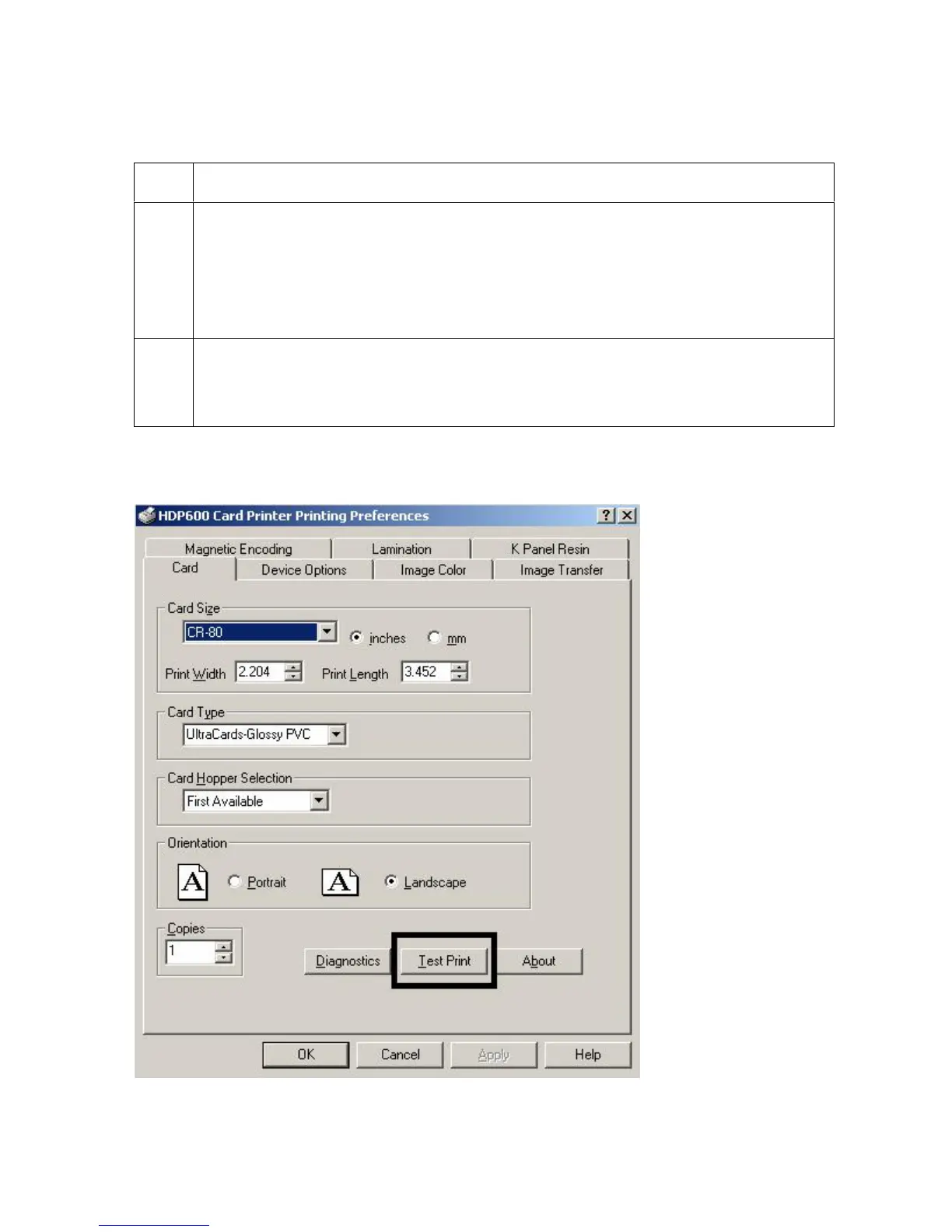
c. Select the Card tab, then click on the Test Print button, as shown in Display A
on the next page.
d. When the Test Print button is selected, an image is copied to the Printer.
Display A - HDP600 Printer Driver Card Tab:












 To Next Page