RESTRICTED USE ONLY Fargo Electronics, Inc.
HDP600 High Definition Card Printer/Encoder User Guide (Rev. 2.3)
7-44
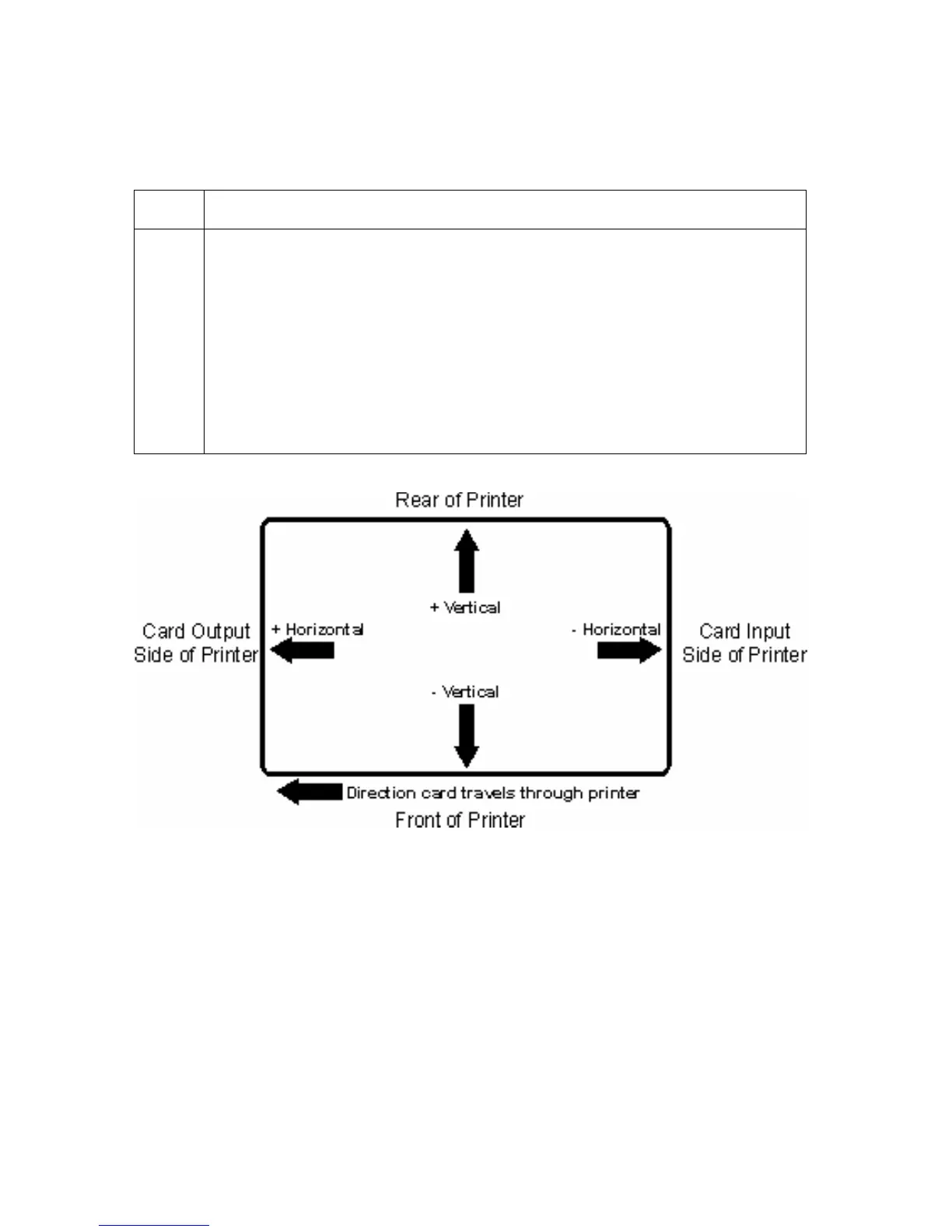
The display (below) represents how the printed image will move in relation to the fixed card
position as positive and negative image placement values are entered.
Step Procedure
2
Use the Vertical adjustment to move the image toward the rear of the Printer
if a positive number is entered and toward the front of the Printer if a negative
number is entered.
OR
Use the Horizontal adjustment to move the image toward the card output
side of the Printer if a positive number is entered and toward the card input
side of the Printer if a negative number is entered.
(Note: The maximum value for the Vertical and Horizontal adjustments is
±100 Pixels (10 Pixels = 0.03 (.8mm).)












 To Next Page