RESTRICTED USE ONLY Fargo Electronics, Inc.
HDP600 High Definition Card Printer/Encoder User Guide (Rev. 2.3)
7-72
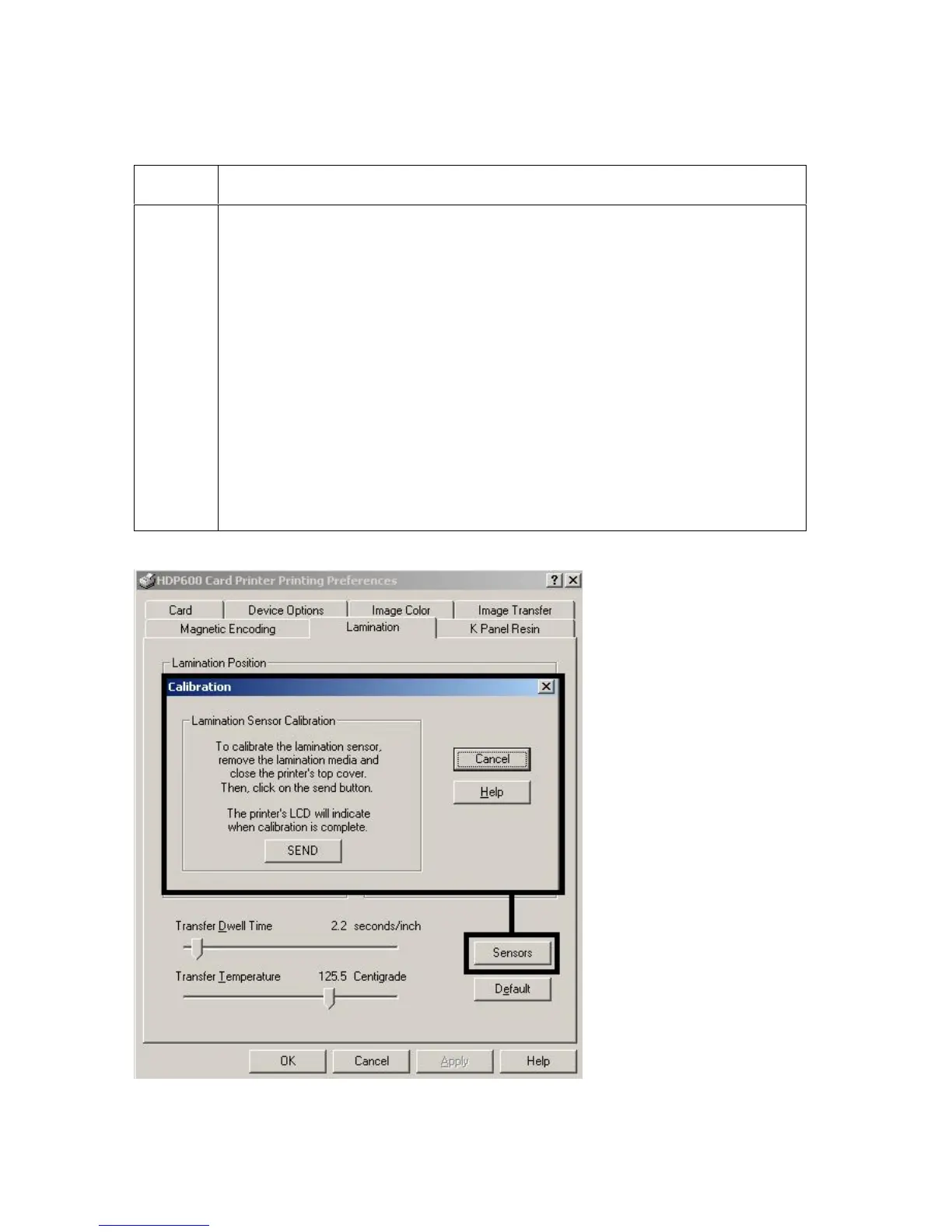
Selecting the Sensors button and Defaults button
Step Procedure
1
Select the Lamination Tab's Sensors button to display options for
calibrating the Card Lamination Module’s Lamination Sensor. The
Lamination Sensor is what detects the start of each PolyGuard patch
throughout the roll. This Sensor may occasionally need to be recalibrated.
If the Lamination Module seems to skip PolyGuard patches or wind the
PolyGuard roll until the Lamination Module's LED flashes, recalibrate
the Lamination Sensor according to the instructions given the in the
Calibration window.
Be sure the Printer is powered ON and that the Lamination Module's
Top Cover and Lamination Station are closed when calibrating. (Note:
This Sensor is not used if applying Thermal Transfer Film
overlaminate.)
The material must be loaded into the Laminator and the Lam material
mark must not be over Sensor.












 To Next Page