RESTRICTED USE ONLY Fargo Electronics, Inc.
HDP600 High Definition Card Printer/Encoder User Guide (Rev. 2.3)
11-4
Reviewing the Printer Setup (continued)
Step Procedure
3 Be sure to run this test after each adjustment.
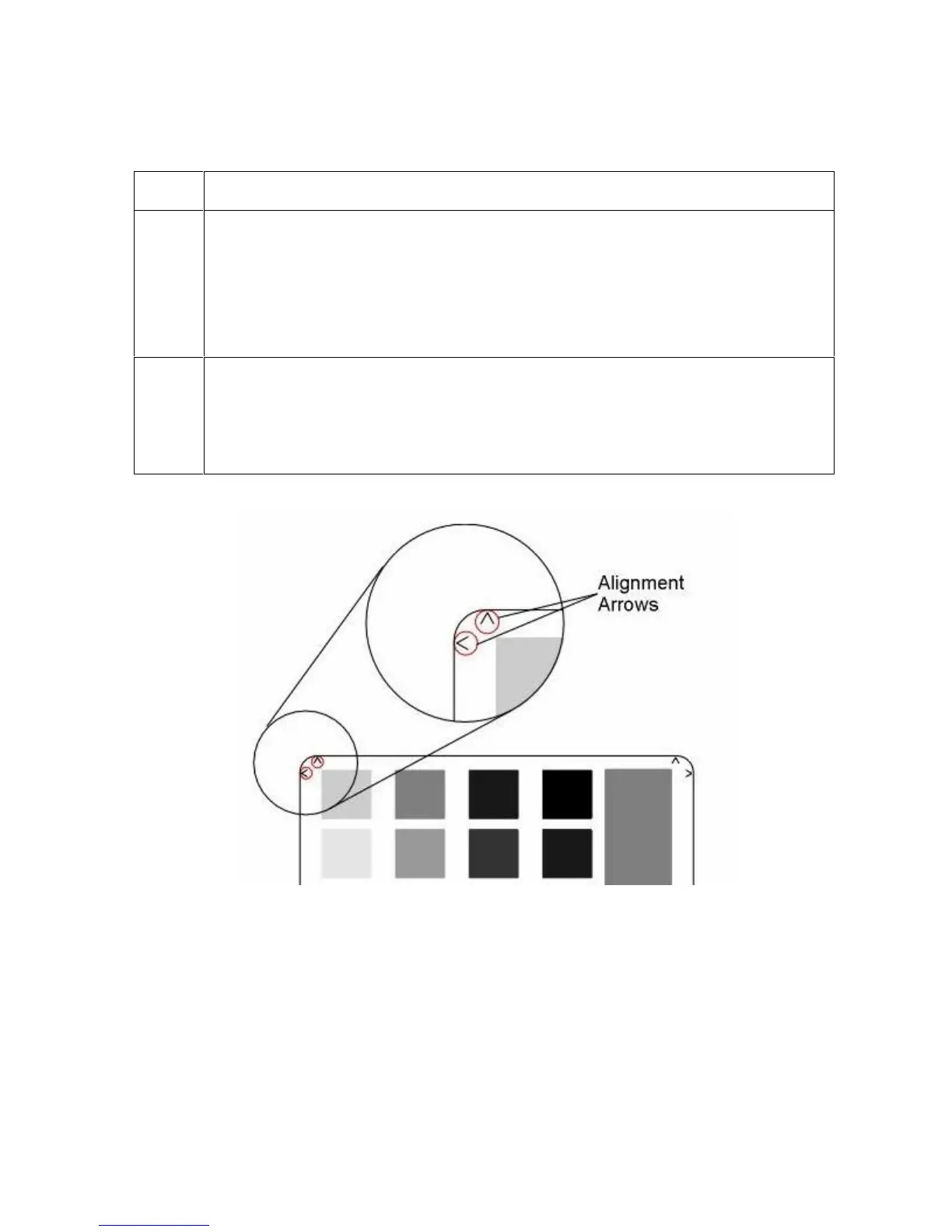
Run the Alignment Test Image by selecting the following options: MENU, PRINT
TEST IMAGE and ALIGNMENT TEST. All HDP images must have an extra 0.04
in. (1mm) over bleed on all sides of the card. The Outer Alignment Arrows should
fall in this area when the image is properly centered; they will be left off of the
card when transferred. See the display below.
4
a. Choose MENU, Setup Printer and the setting to be changed.
b. Change the value and press Save to save the value.
c. If the settings are lost due to replacing the Main Print Board, set the starting
values to the settings listed on the label inside of the Printer.












 To Next Page