HDP8500 Service Manual, PLT-01583, 1.1
© 2013 HID Global Corporation/ASSA ABLOY AB. All rights reserved.
109
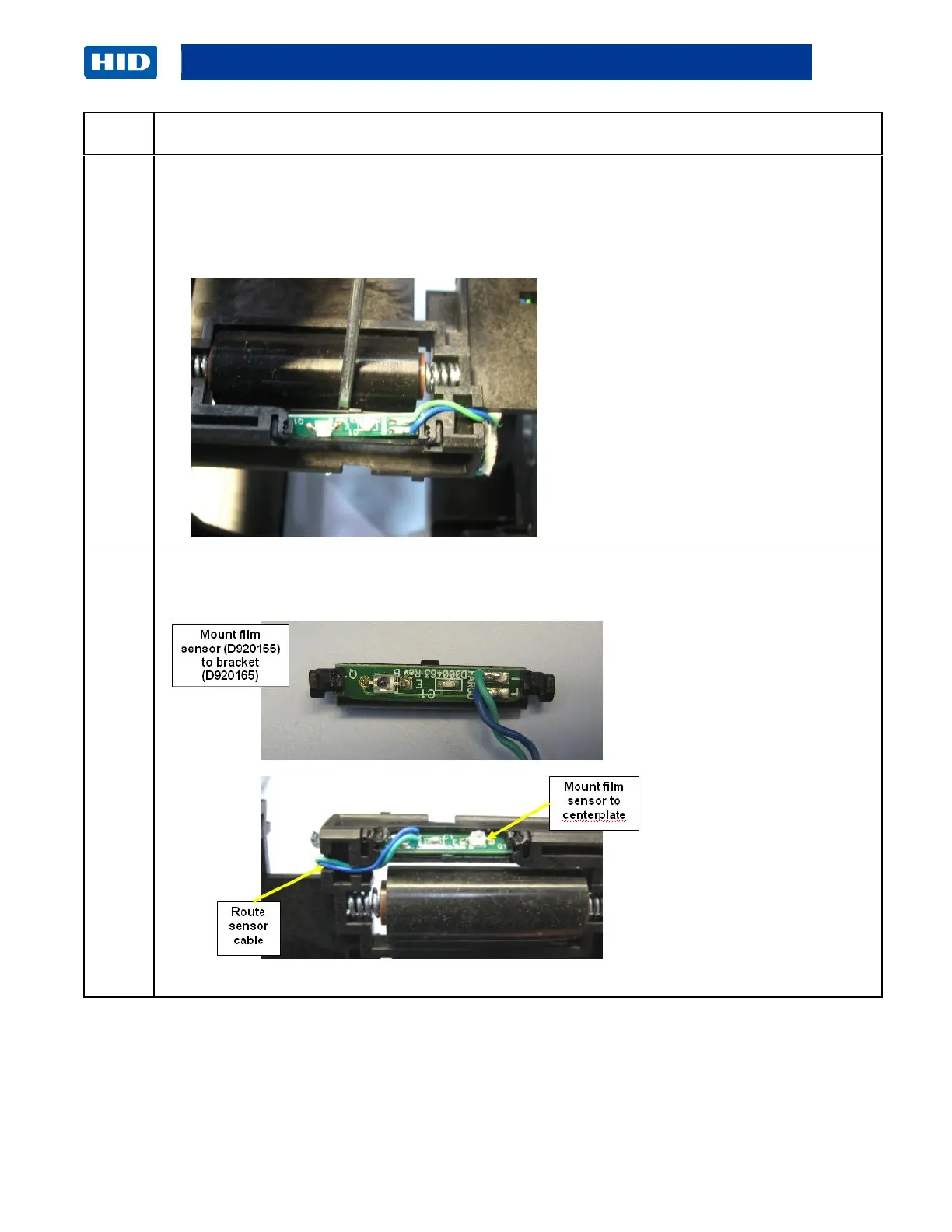
To remove Lower Sensor (D920155), repeat Step 1 to 4. (Note: The second drive roller,
gear, pulley needs to be removed first for easy access.)
a. Remove the metal roller (D920137) by sliding out.
b. Loosen the Sensor cable, grab the Sensor/cable and pull it out.
c.
Replace Sensors. (Note: The Sensor Board slides into the Frame holding tabs. Ensure that
the wires feed over the Roller.)
Continued next page



 To Next Page