HDP8500 Service Manual, PLT-01583, 1.1
© 2013 HID Global Corporation/ASSA ABLOY AB. All rights reserved.
39
Remove/Replace the Auxiliary Board (A920221-10)
Tools needed: T10 Torx Driver
Estimated Time: 15 minutes
Preparation: Remove Rear/Top Cover
Important: This procedure can only be performed by
authorized service personnel.
Note: Removing this assembly is required for many
procedures.
Caution: Power off the Printer by unplugging the power cord from the Printer.
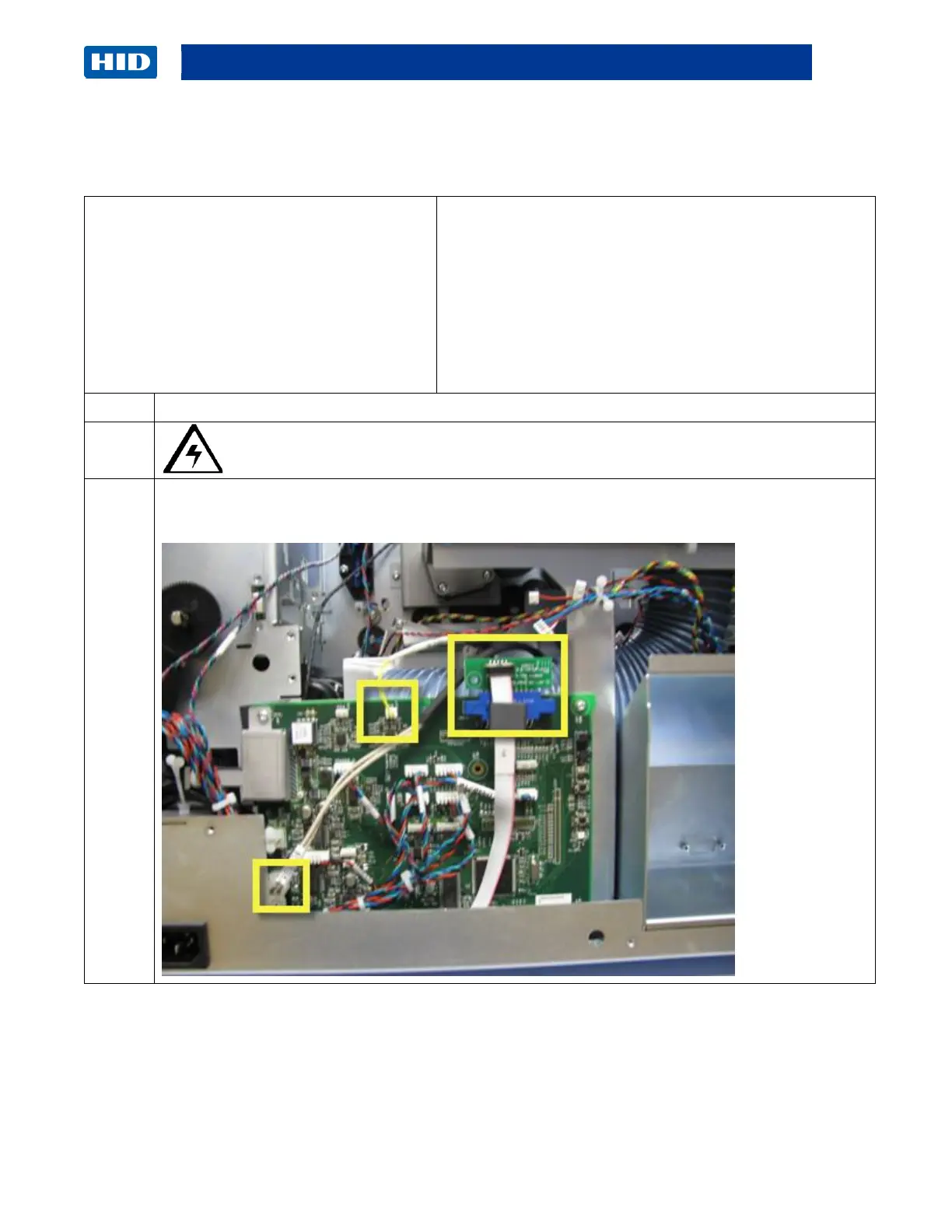
Unplug the RTD Wire Cable, Heater Wire Cable, and Interconnect Cable (with small com
board D940171) from the Auxiliary Board (A920221-10).



 To Next Page