EasyManua.ls Logo

Fargo HDP8500 - Remove;Replace the Film Take-Up Motor (D900484-01) and Ribbon Take-Up Motor (D900484-01)

Fargo HDP8500
141 pages
Print Icon
To Next Page IconTo Next Page
To Previous Page IconTo Previous Page
Loading...
HDP8500 Service Manual, PLT-01583, 1.1
© 2013 HID Global Corporation/ASSA ABLOY AB. All rights reserved.
60
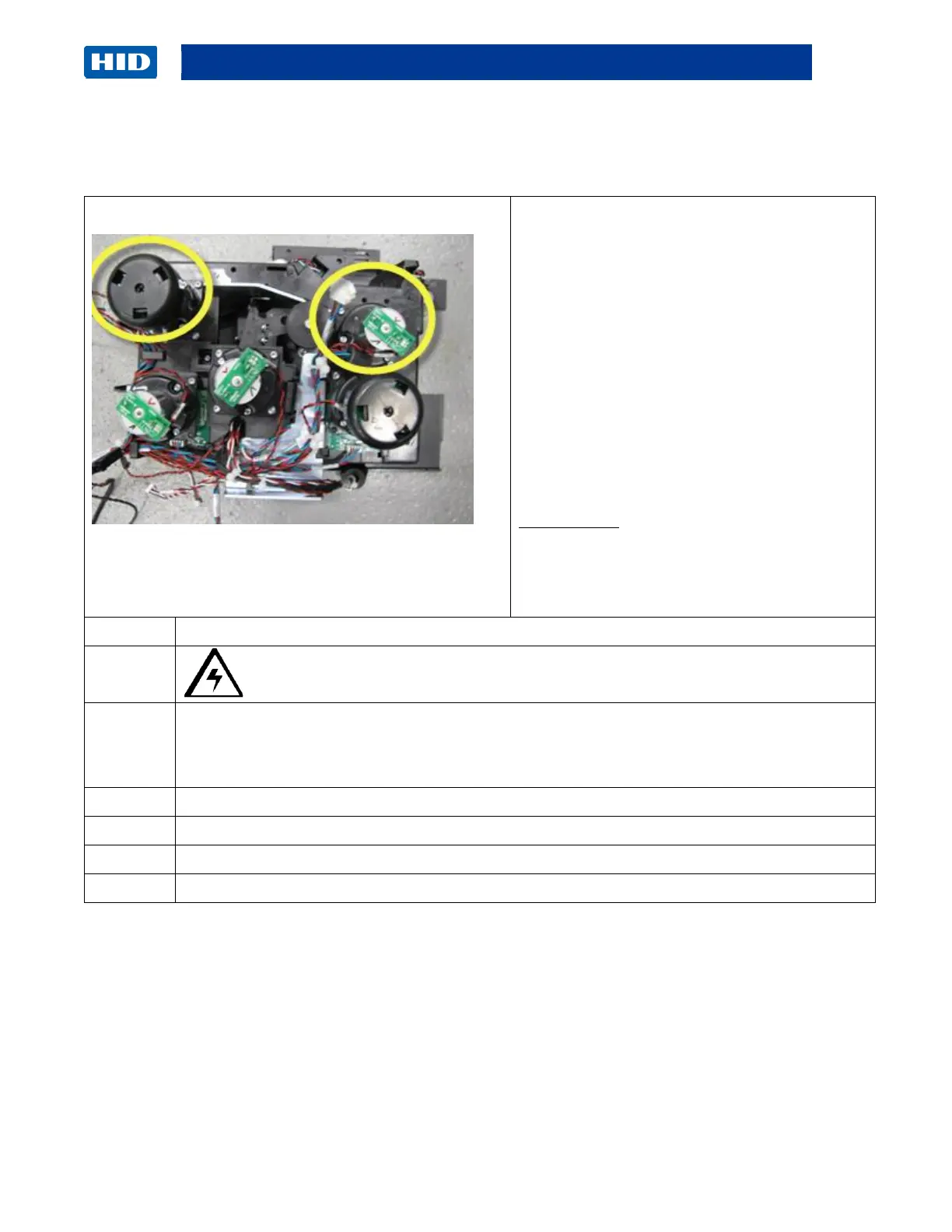
Remove/Replace the Film Take-Up Motor (D900484-01) and Ribbon Take-Up
Motor (D900484-01)
Tools needed: T10 Torx Driver
Estimated Time: 20 minute
The same procedure is used for both Motors.
Preparation: Remove the Covers.
Remove the Auxiliary board.
Remove the Fan Box/ Bracket
Important: This procedure can only be
performed by authorized service personnel.
Suggestion: Lay the printer on the front side
for ease of accessing the motors.
IMPORTANT NOTE: When replacing the
Film Take-up Motor make note of the number
listed on the label of the new motor. Add this
number to the Advanced Settings in the
Printer Driver TOOLBOX.

Step
Procedure
1
Caution: Turn OFF the Printer and unplug the power cord from the Printer.
2
Detach the Sensor wire from the Motor. Applies to the Film Take-Up Motor and the Ribbon
Take-Up Motor
3
Remove the four (4) screws that hold the Motor to the Frame.
4
Pull out the Motor.
5
Replace the Film or Ribbon Take-Up Motor.
6
Reverse the instructions to re-assemble. See the next page.

Table of Contents

Other manuals for Fargo HDP8500

Related product manuals