HDP8500 Service Manual, PLT-01583, 1.1
© 2013 HID Global Corporation/ASSA ABLOY AB. All rights reserved.
98
Lamination Module Remove/Replace Procedures
Important: These procedures can only be performed by authorized service personnel.
Use this procedure for the replacements of all parts. All Covers must be removed to access the parts
within the lamination module. All media must be removed for these procedures.
The Lamination Module may be completely removed from the Printer for ease of access.
Caution: Turn OFF the Printer and unplug the power cord from the Printer.
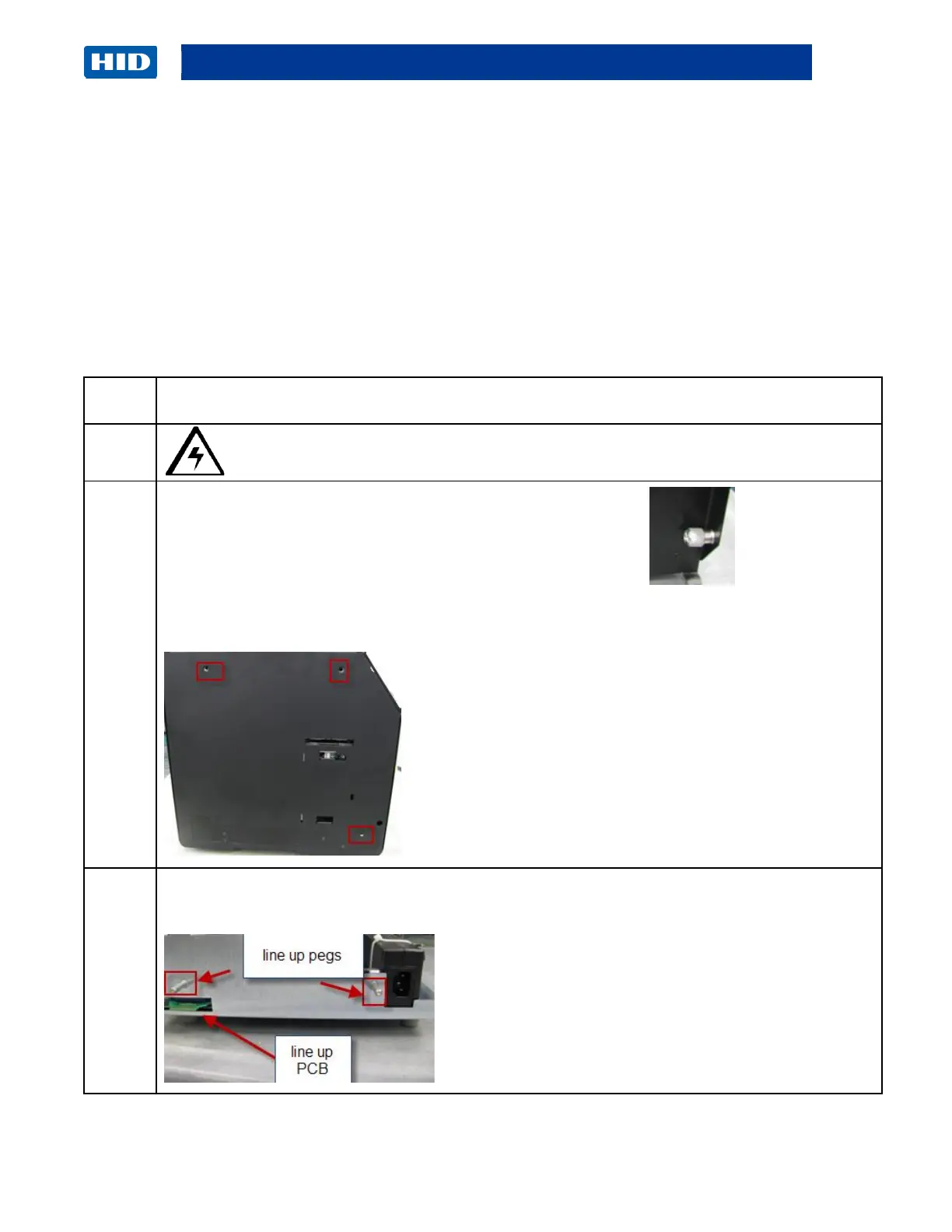
Inside the Lamination Module cover there are 3 thumb screws that secure the
Printer to the Lamination Module. Loosen these by hand.
Printer shows Lamination Module attachment hole placement.
There are 2 pins and 1 PCB board which will connect the two modules together. Pull the 2
modules apart.



 To Next Page