HDP8500 Service Manual, PLT-01583, 1.1
© 2013 HID Global Corporation/ASSA ABLOY AB. All rights reserved.
13
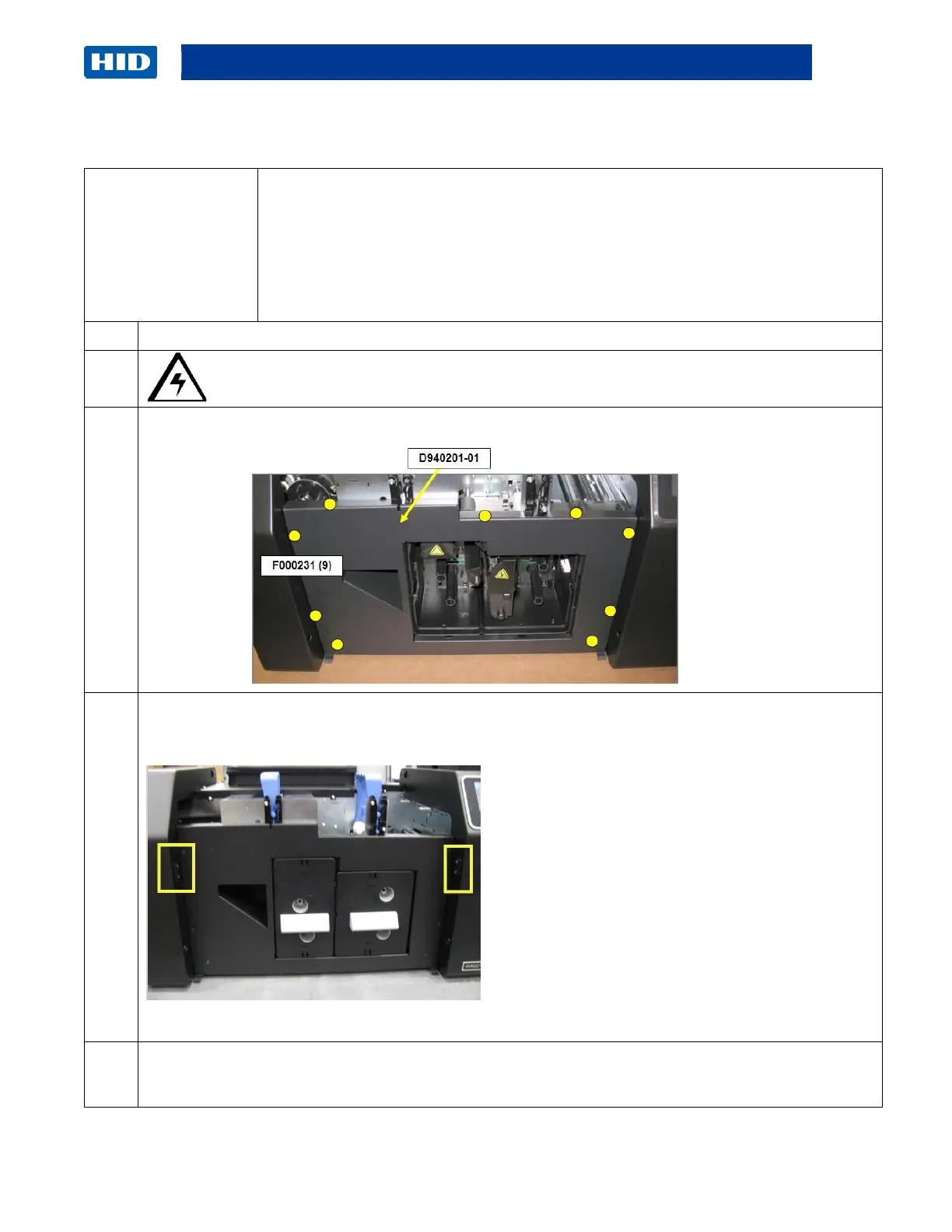
Remove/Replace the Front Panel Cover (D940201-01)
Tools needed: Philip driver
Estimated Time : 10 minutes
Important: This procedure can only be performed by authorized service
personnel.
Caution: Power off the Printer by unplugging the power cord from the Printer.
Remove the (9) screws (F000231) from the front cover panel
(D940201-01)
Remove the 2 Door Centering Guides (D940292) from the Input Cover in order to have
clearance.
Lift up the Front Cover Panel and off of the frame.
Reverse the instructions to re-assemble or install a new cover. Start all 9 screws first, and then
tighten all 9 screws down.



 To Next Page