HDP8500 Service Manual, PLT-01583, 1.1
© 2013 HID Global Corporation/ASSA ABLOY AB. All rights reserved.
24
Main Printer Modules Removal
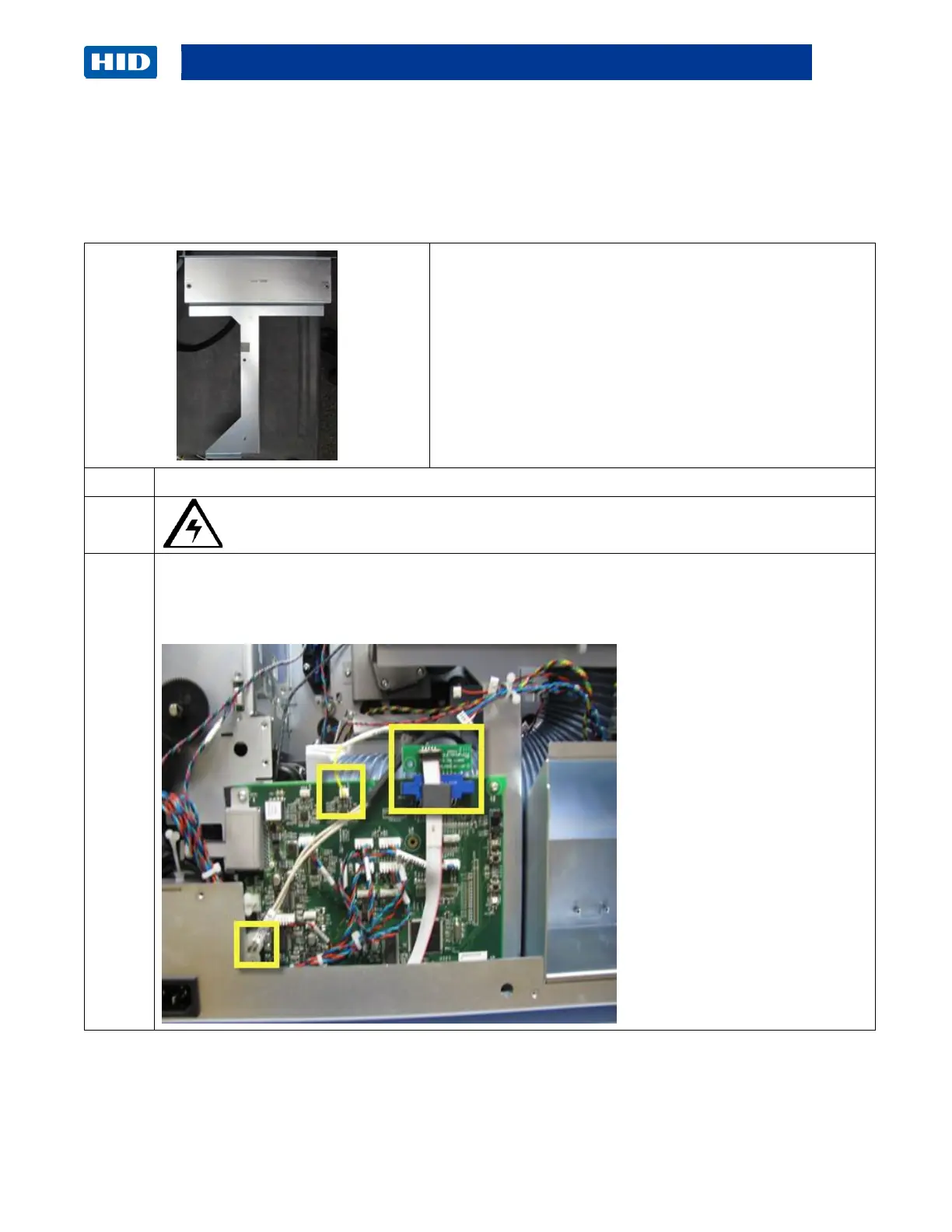
Remove the Fan Box/Bracket Assembly (D940005)
Tools needed: T10 Torx Driver
Estimated Time: 20 minutes
Preparation: Remove Rear/Top Cover.
Important: This procedure can only be performed by
authorized service personnel.
Note: Removing this assembly is required for many
procedures.
Caution: Turn OFF the Printer and unplug the power cord from the Printer.
Remove the Auxiliary Board (A920221-10)
Unplug the RTD Wire Cable, Heater Wire Cable, and Interconnect Cable (with small com
board D940171) from the Auxiliary Board (A920221-10).



 To Next Page