FARO
®
Laser Scanner Manual
100
Chapter 7: Controller Software
7.4.6 On-Site Registration
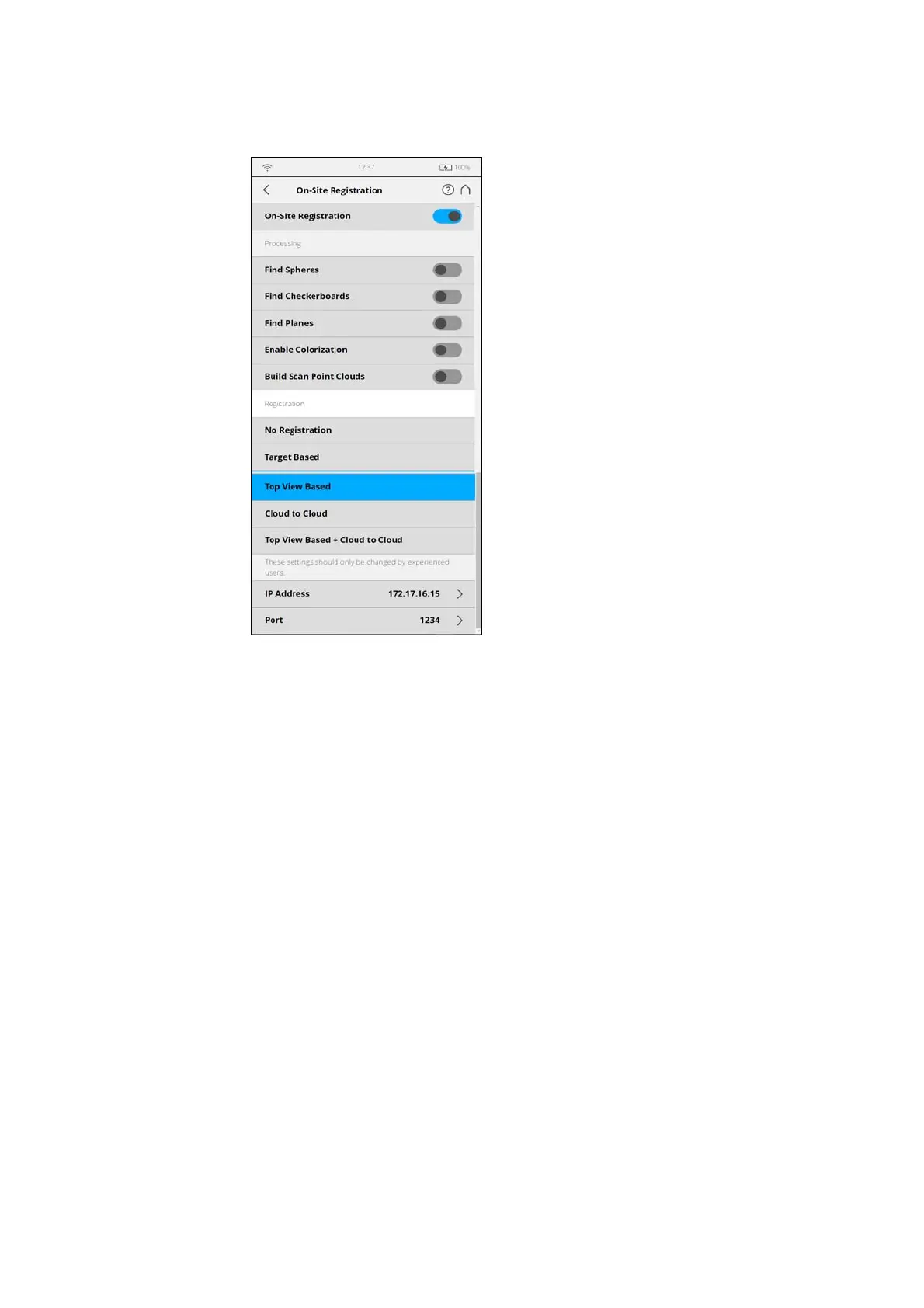
Figure 7-74: On-Site Registration Settings
This page displays the available settings to upload, process, and register
scans on a connected SCENE instance.
All uploaded scans will be continuously processed and registered according to
the following settings.
Please refer to the
Processing and Registration chapters in SCENE manual
for details on the processing and registration related settings.
Processing The Processing section contains settings that define important processing
options that can be run remotely on SCENE after the scans have been
uploaded.
Find Spheres
Slide to turn this option ON to automatically detect spheres in the uploaded
scans. Select this setting when you use spheres as external targets for a
target based registration.
Find Checkerboards
Turn this option ON to automatically detect checkerboards in the uploaded
scans. Select this setting when you use checkerboards as external targets for
a target based registration.



 To Next Page