FARO
®
Laser Scanner Manual
123
Chapter 8: Special Scanning Modes
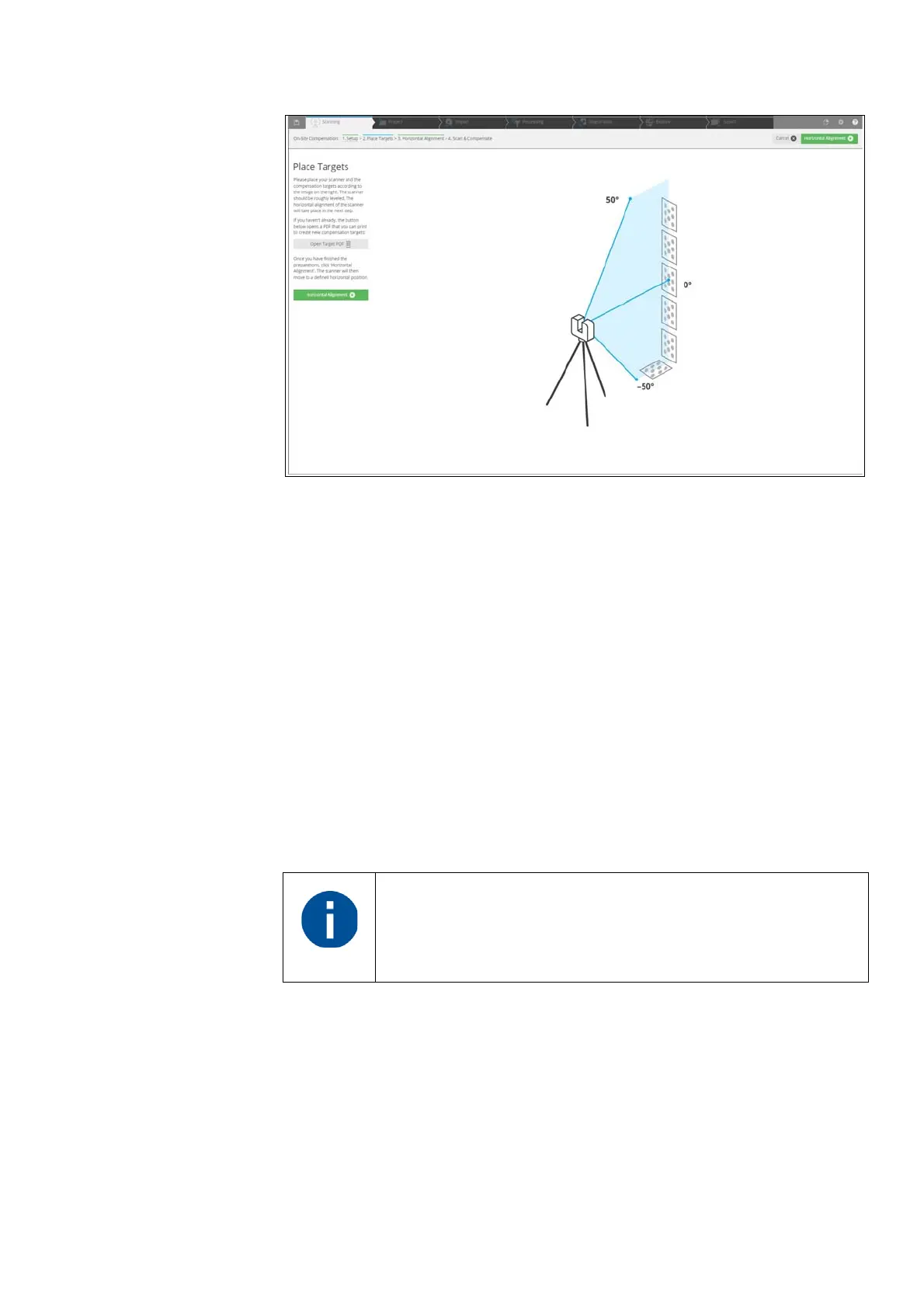
Figure 8-95: Place Targets
8.3.5 Place target
Print target sheets
On your Computer 1. In the Place Targets page, a picture is shown that describes how to place
the targets and the scanner for the compensation.
2. If the 6 Target Sheets are not available, click the Open Target PDF button
in the toolbar.
3. Select among the DIN/ISO A4 format, or US letter format. Your standard
PDF viewer will open, showing the target PDF sheet.
4. Print at least 6 marker sheets.
On Site Place at least 6 Target sheets on site as follows:
• The target sheets must be placed in a vertical range of -50° to +50° from
the scanner device. Please note that under some circumstances, +50° can
only be achieved if the target is placed on the ceiling.
• Distribute the target sheets uniformly over the specified range. At least one
board must be close to the horizon (0°).
We recommend that you glue the target sheets on suitable,
rigid plates, especially if On-Site Compensation is done at an
outdoor location.



 To Next Page