FARO
®
Laser Scanner Manual
37
Chapter 6: Getting Started
Select the year field in the list to change the year, then use the buttons on the
left or on the right to set the date.
Proceed accordingly with the month and the day fields.
Discard Changes - Tap to discard your changes.
6.5.5 Setting the Unit of Length and the Temperature Scale
You can change the units scale under Home > Manage > General Settings >
Units.
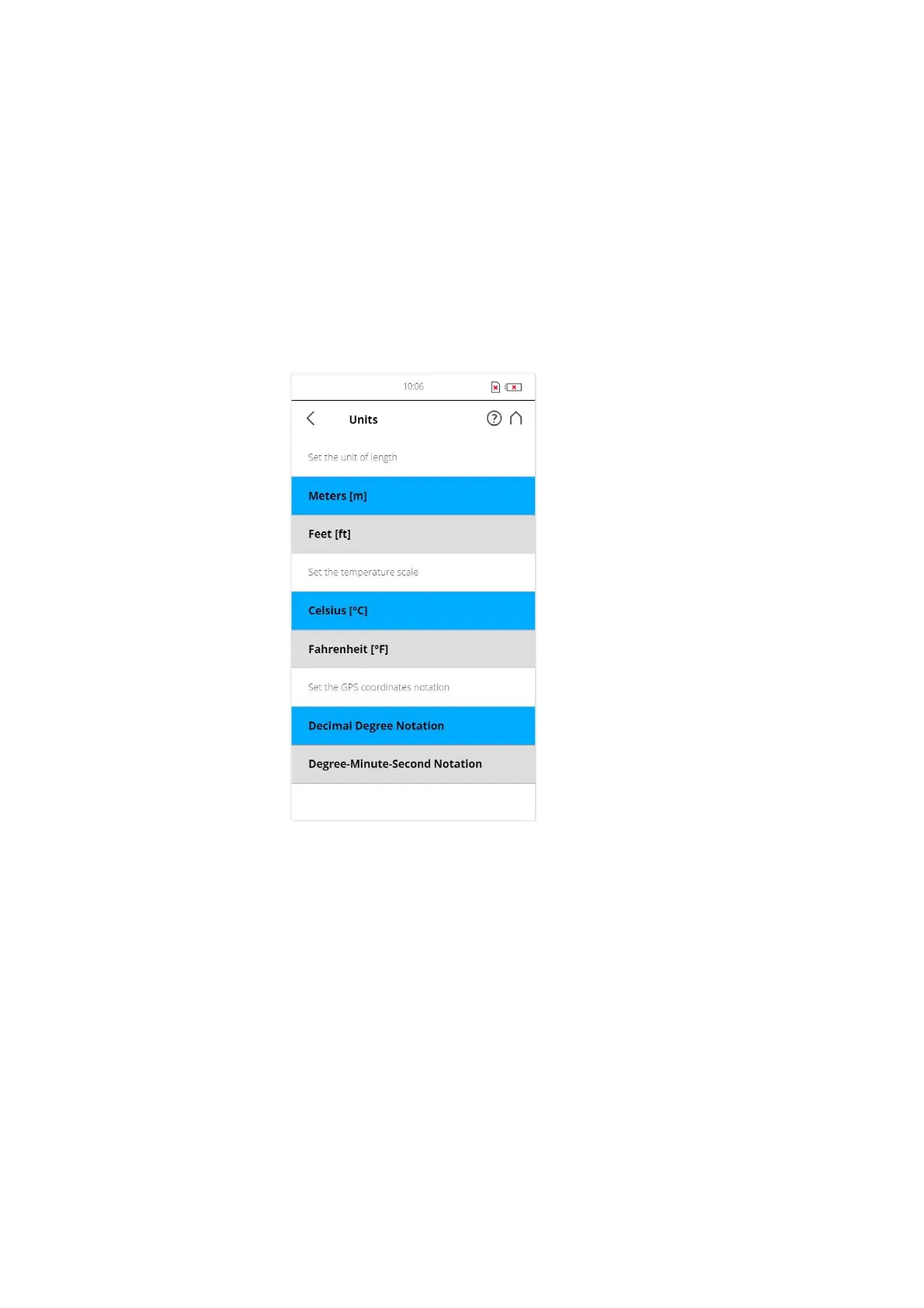
Figure 6-20: Change Unit of Length
Lengths will be displayed by the controller software either in meters or in feet.
Select the favored unit of length by tapping the corresponding button.
Temperatures will be displayed either in Celsius or in Fahrenheit scale. Select
the favored temperature scale by tapping the corresponding button.
GPS coordinates are either displayed in decimal degree notation (e.g.
+34.9823450 °E) or in degree-minute-second notation (e.g. 34º 58' 56.44'' E).
6.5.6 Entering Scanner Information
You can specify a scanner name and the owner of the FARO Laser Scanner.
Starting from the Home screen, go to
Home > Manage > General Settings >
Scanner Details.



 To Next Page