FARO
®
Laser Scanner Manual
102
Chapter 7: Controller Software
Port
The port number of the computer running SCENE is automatically updated.
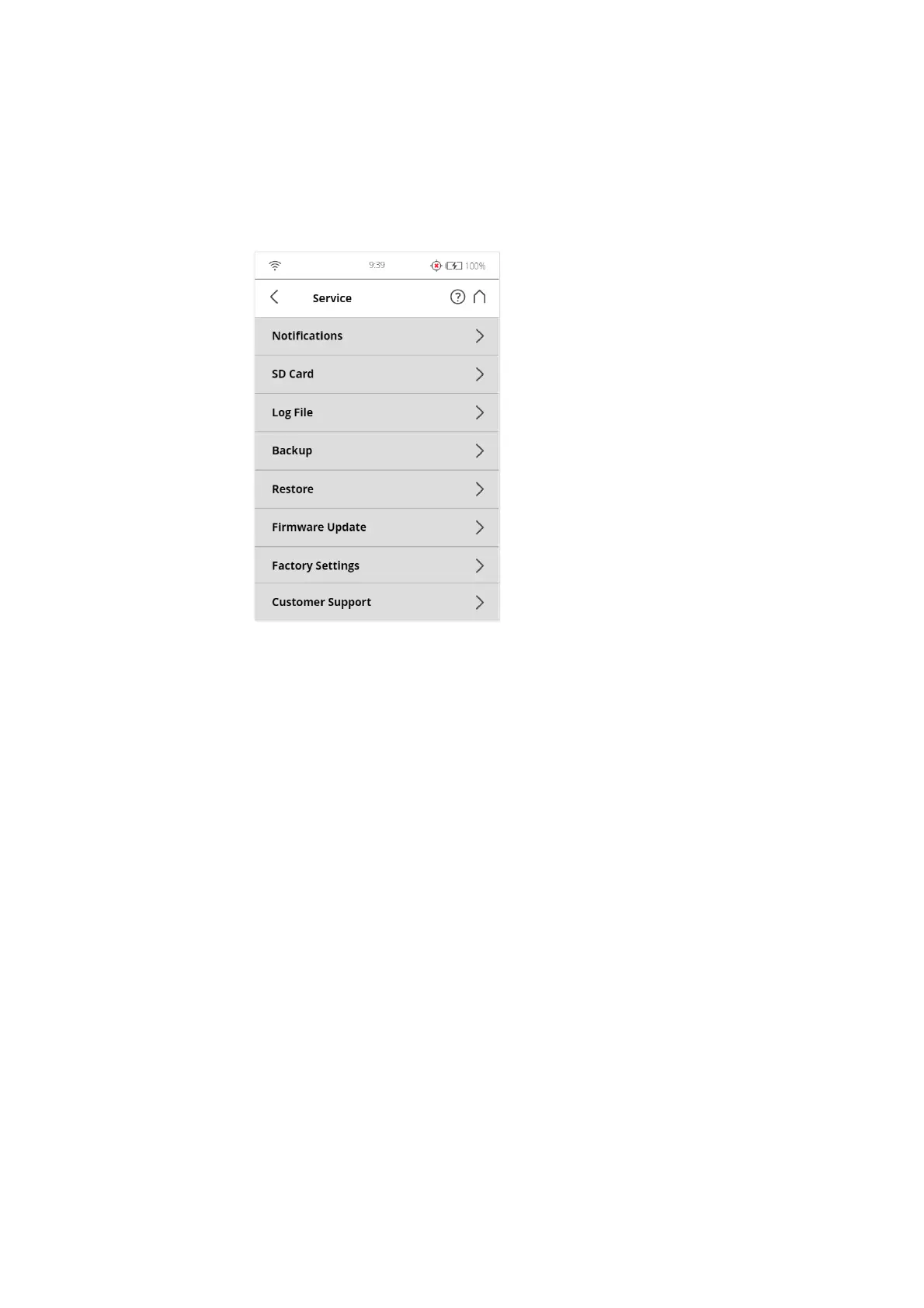
7.4.7 Service
Figure 7-75: Service
Errors & Warnings - Tap the Notifications button in the navigation bar to
receive warnings and other status messages. This button will not be enabled if
there are no warnings or errors. See
Errors and Warnings on page 103.
SD Card - View details about the currently inserted SD card or format the SD
card. See
SD Card on page 103.
Log file -Export the log file to the SD card. See
Log File on page 104.
Backup - Backup scan profiles, operators, color themes, and scanner
parameters as scanner snapshots to the SD card. See
Backup on page 104.
Restore - Restore scan profiles, operators, color themes, and scanner
parameters from scanner snapshots or restore scanner snapshots that have
been created with SCENE. See
Restore on page 105.
Firmware update - Update the scanner with new firmware versions. See
Firmware Update on page 107.
Factory Settings - Reset the scanner to its factory settings. See
Factory
Settings
on page 108.
FARO Customer Support - View the FARO Customer Support contact data.
Command Prompt - Command prompt to send commands to the scanner.
This function is for FARO Service purposes only.



 To Next Page