FARO
®
Laser Scanner Manual
55
Chapter 7: Controller Software
The exact charge state of the battery can be viewed under Home > Manage >
General Settings >
Power Management (see Power Management on
page 90).
If the charge state of the battery is below 25 percent, you will get a warning.
Please switch to the spare battery as soon as possible.
If the charge state of the battery reaches 10 percent, the FARO
®
Laser
Scanner will stop scanning and will automatically shut down.
7.1.2 Navigation Bar
Figure 7-34: Navigation Bar
Back - returns you to the previous screen.
The name of the screen that is currently shown.
Errors and Warnings - this button only appears if warning or errors are
present. Tapping the button opens a screen that informs about details of
the existent warnings or errors. See
Errors and Warnings on page 103.
Help - opens the online help of the currently active screen and provides
access to the User Manual. See
Online Help and Notifications on
page 111.
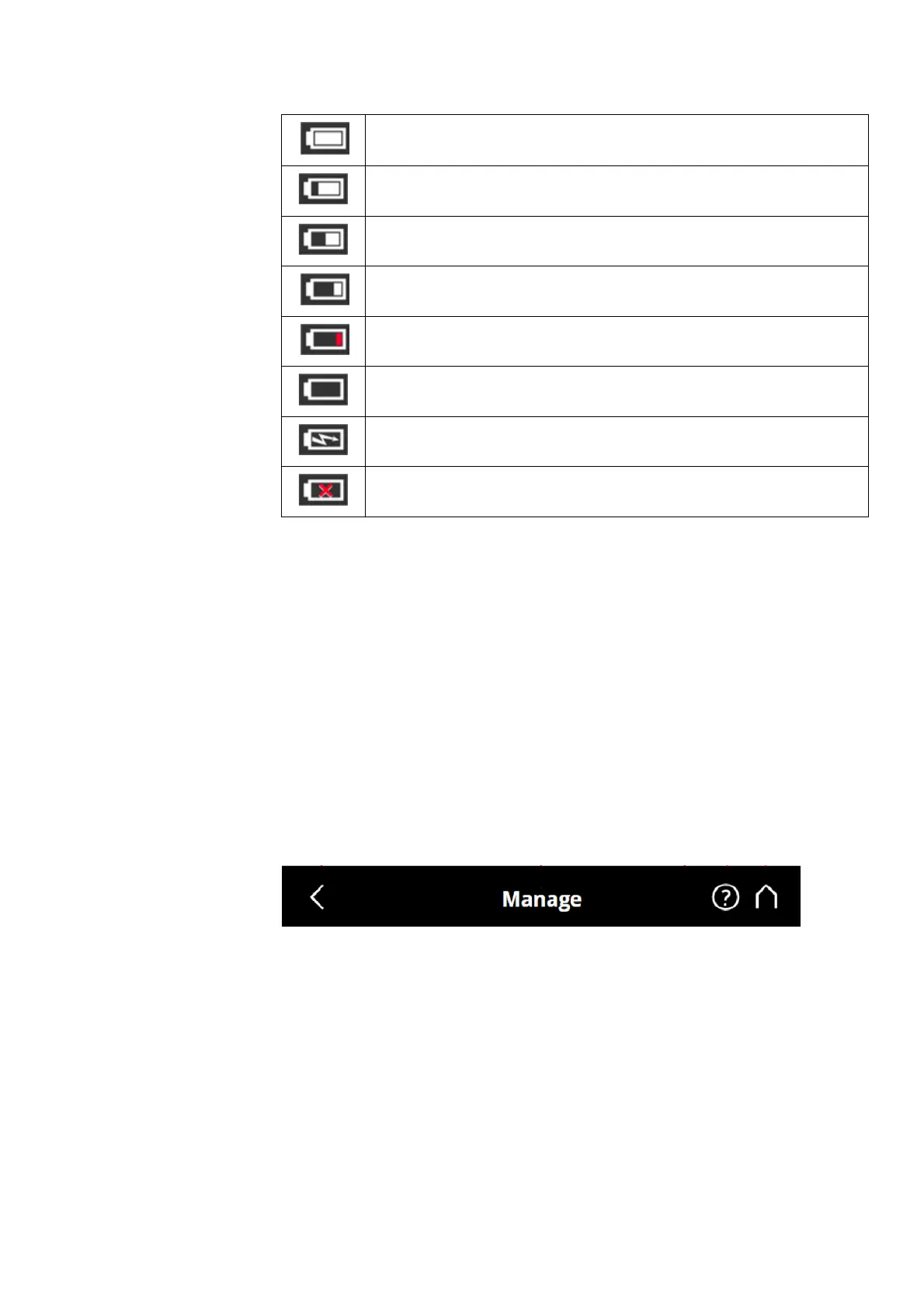
Battery is fully charged.
Charge state > 75% and < 100%.
Charge state > 50% and < 75%.
Charge state > 25% and < 50%.
Charge state > 10% and < 25%, you should switch the batter as soon as
possible.
Battery is almost empty; FARO
®
Laser Scanner will automatically shut down
within the next minutes.
Battery is charging.
No battery in the FARO
®
Laser Scanner.



 To Next Page