FARO
®
Laser Scanner Manual
118
Chapter 8: Special Scanning Modes
Scan Controls
At the bottom of the screen three Scan Controls are available:
• Parameters: Tap to view the Parameters page.
• Start Scan: Tap to start a scan.
• Cluster: Tap to switch to Project or Cluster selection.
8.2.3 List Page
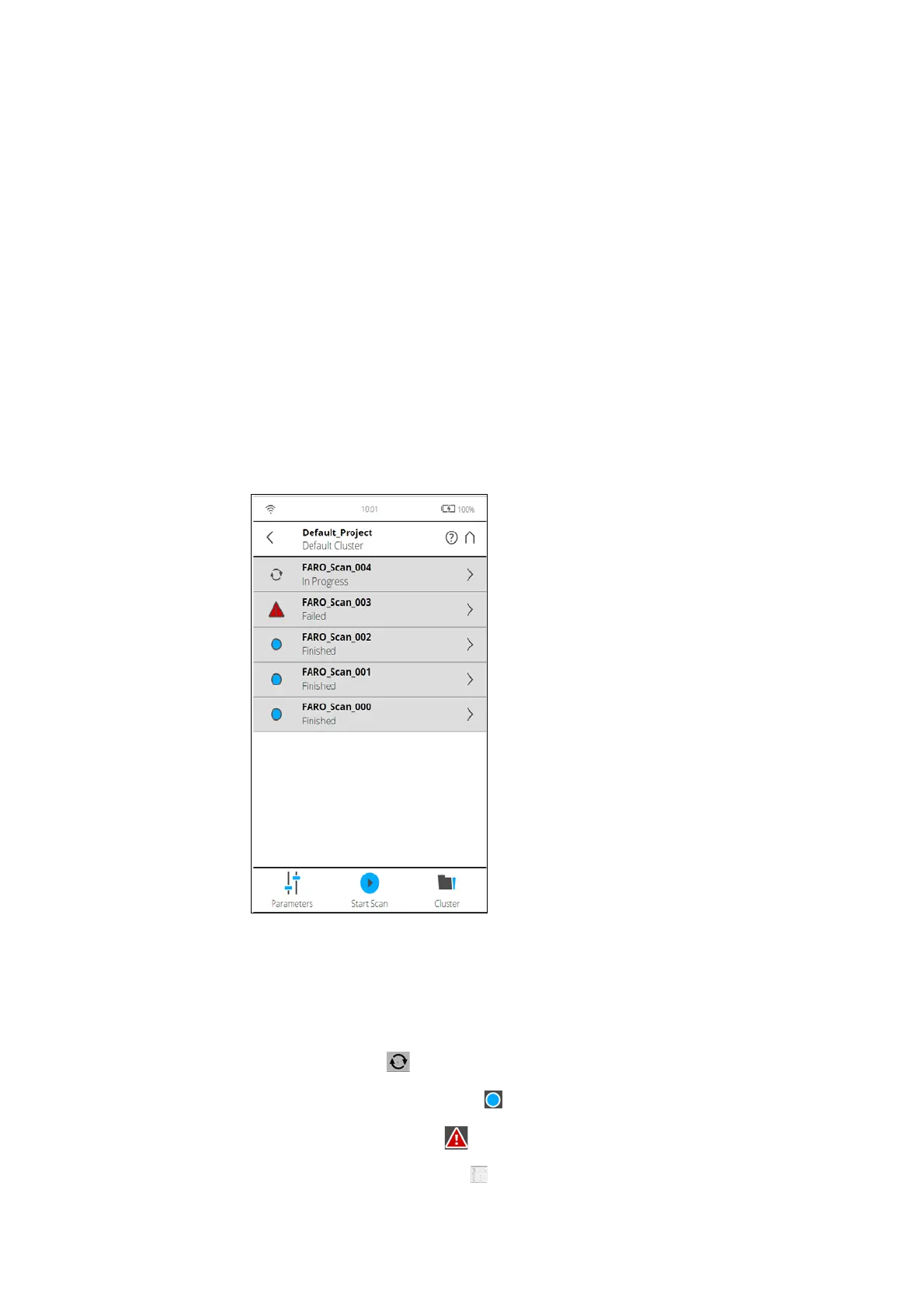
The list page shows a list of all scans in the current cluster/project. In large
screens, the list is shown left to the map. In small screens, the list can be
accessed by clicking the status bar below the map. The on-site registration
status of each scan is shown on the left of the page. Tap on the right arrow to
view the
Scan Details page for the particular scan.
Figure 8-91: List Page
Every list item for a scan contains the following information:
• The status indicator displays the scan name and status of the scan as
follows:
• Processing: The scan is in progress.
• Registration Successful: The scan is completed.
• Registration Failed:
• Waiting for Processing The scan has to be processed.



 To Next Page