FARO
®
Laser Scanner Manual
110
Chapter 7: Controller Software
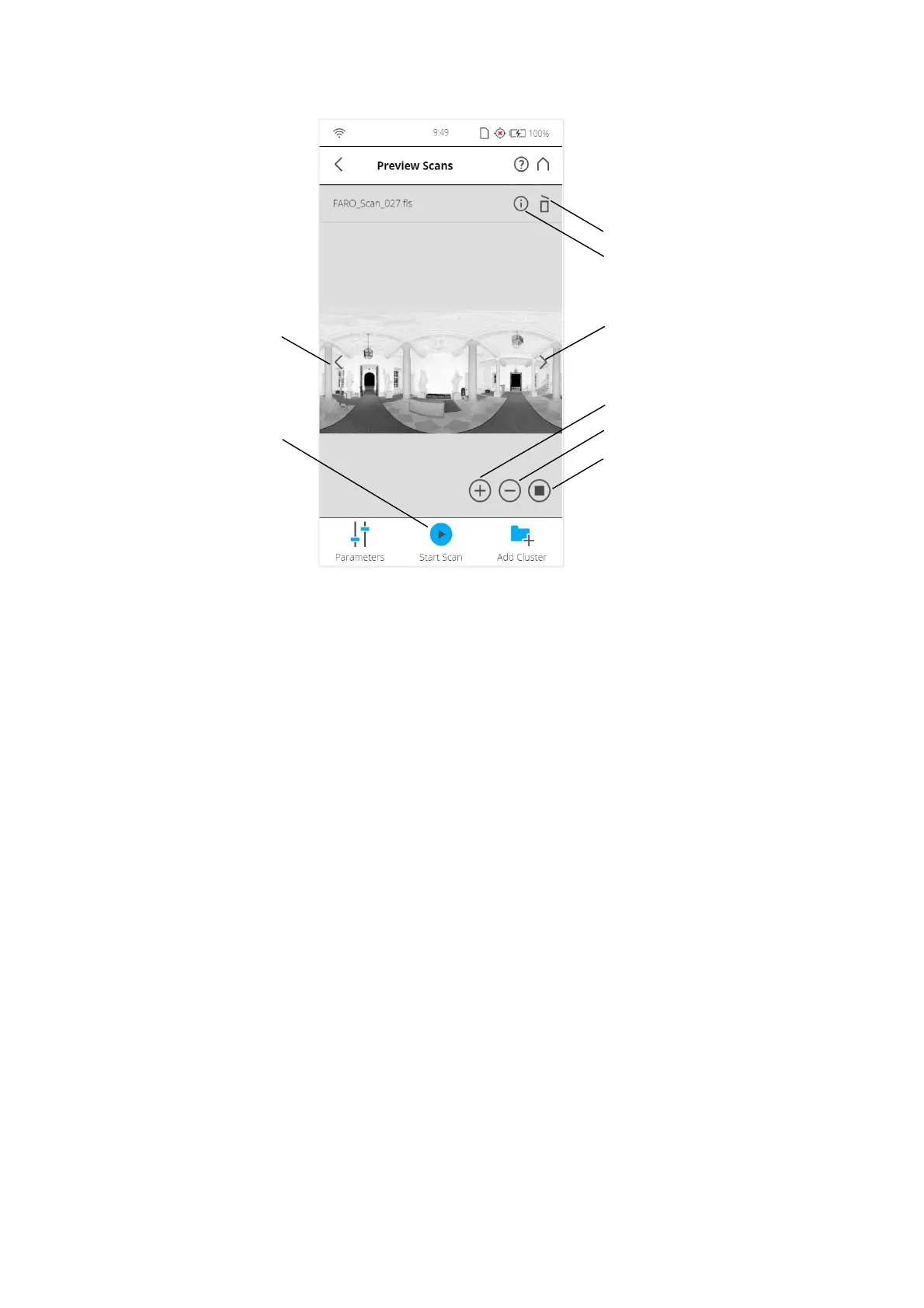
Figure 7-83: Zoomed Preview of a Scan
Previous button - Shows the preview picture of the previous scan.
Next button - Shows the preview picture of the next scan.
Zoom in button - Zooms the picture in.
Zoom out button - Zooms the picture out.
Reset zoom button - Zooms the picture to its original size. Button is only
visible if the picture is zoomed in.
Start Scan button - Starts a scan or resumes the previous scan.
Delete button - Deletes the currently displayed scan from the SD card.
Info - Tap to view the scan properties. A warning or error icon on the
button indicates that there was a warning or an error during recording the
viewed scan. More information can be seen in the Scan Properties. This
includes the parameters and settings used to record the scan as well as
information about potential warnings or errors that might have had
occurred during scanning.



 To Next Page