FARO
®
Laser Scanner Manual
136
Chapter 9: Maintenance
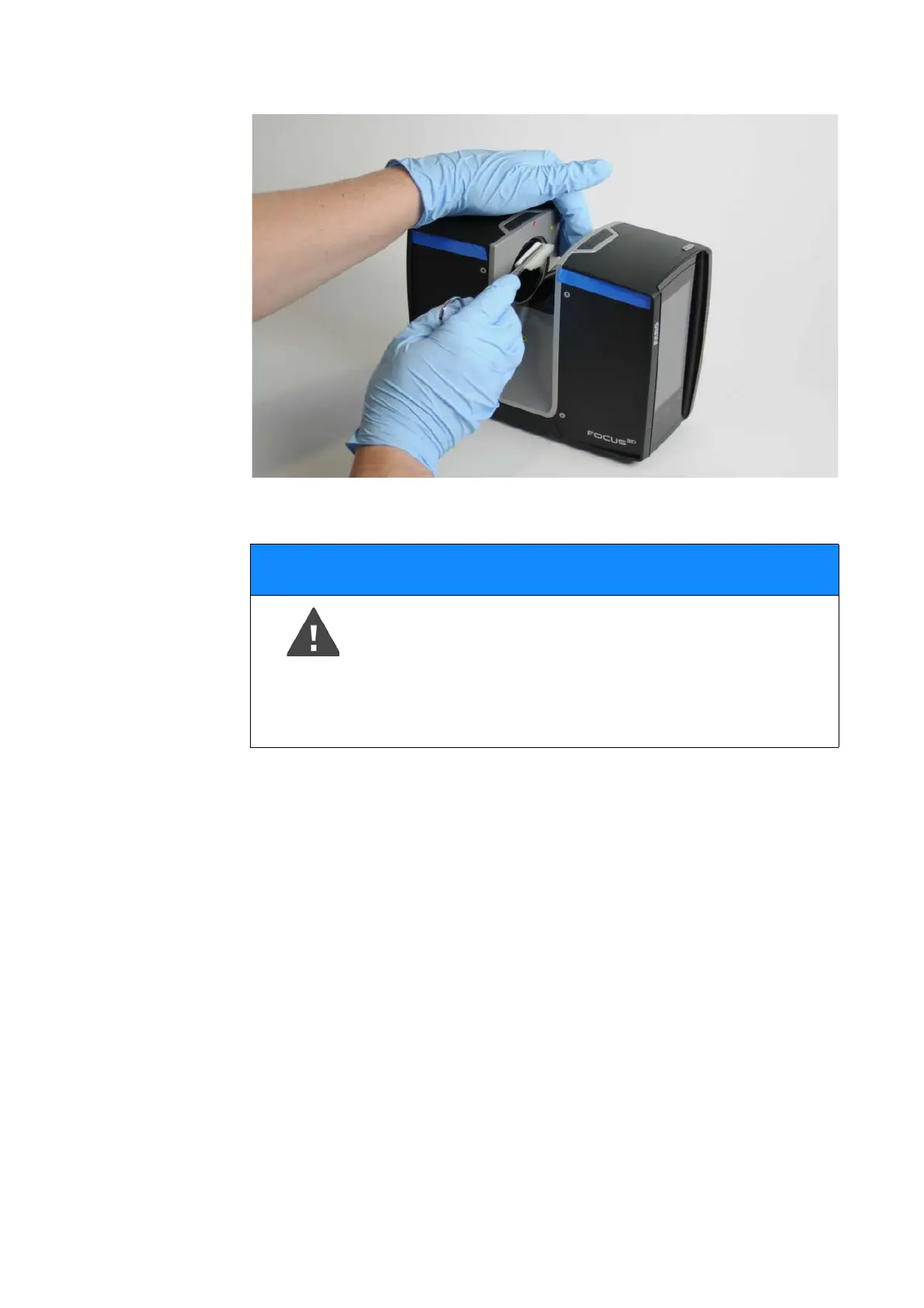
Figure 9-107: Cleaning sensor cover with pad and isopropyl alcohol or
cleaning fluid
6. With a single, constant linear motion from one end to the other, gently wipe
the mirror or sensor cover glass with the cleaning pad (Pictures 8 and 9).
7. After each cleaning cycle, discard the cleaning pad and prepare a new pad
as described above.
8. Repeat the cleaning such that the full mirror or sensor cover aperture has
been wiped once.
9. Check cleaning status by visual inspection.
10.Prepare another cleaning pad with isopropyl alcohol or optics cleaning fluid
(Ref. [2], recommended) to finalize the procedure.
11.Gently wipe the whole mirror surface with low pressure and in linear
direction once.
12.Check cleaning status by visual inspection. Ensure that no contamination is
left. Otherwise repeat cleaning by isopropyl alcohol or optics cleaning fluid,
if necessary.
NOTICE
Damage of the scanner‘s mirrors and lenses
• Ensure to avoid any contamination of the cleaning tissue!
• Do not apply pressure when wiping, as this might cause
damage to the optical surface!



 To Next Page