FARO
®
Laser Scanner Manual
57
Chapter 7: Controller Software
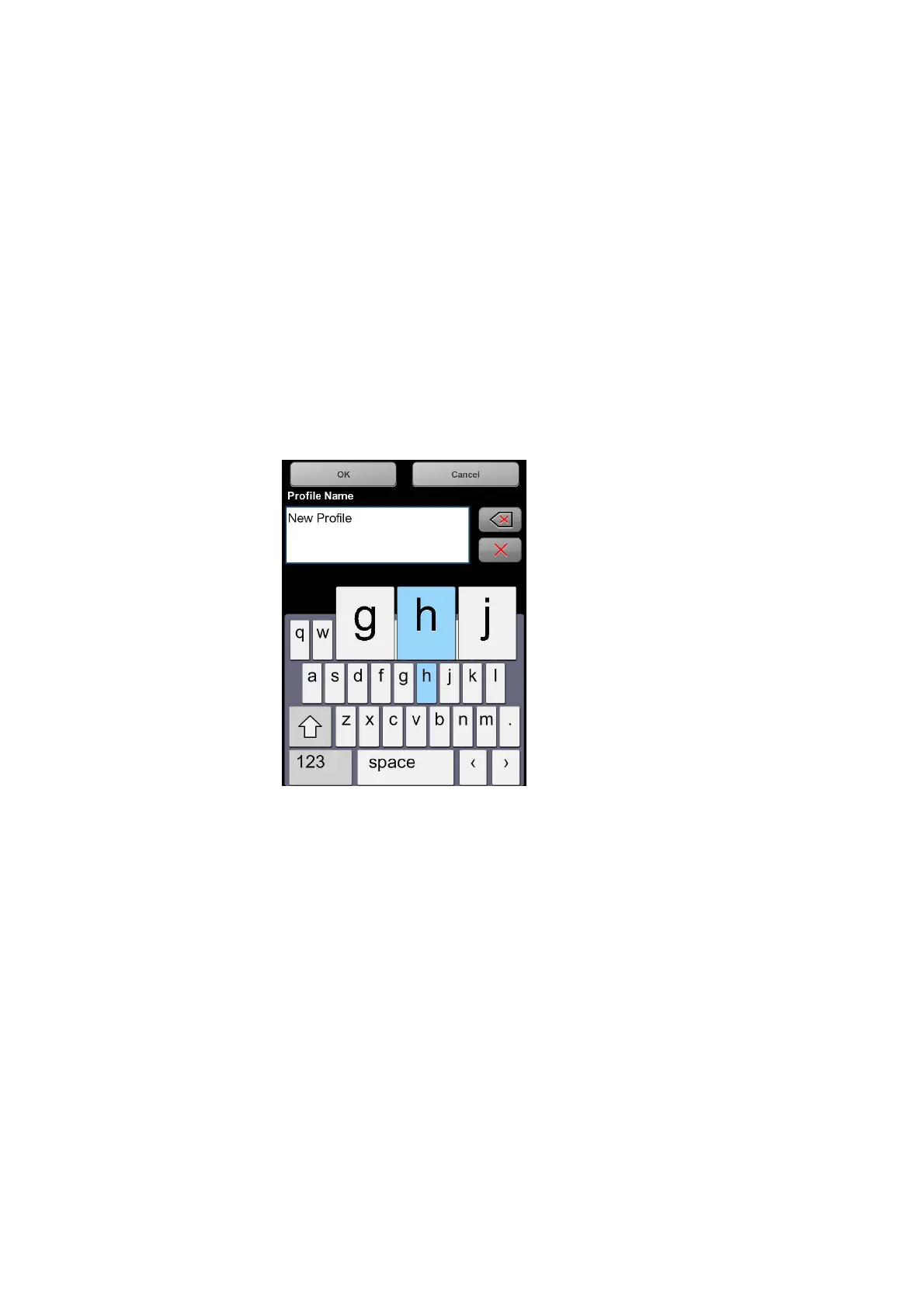
Key to toggle keyboard between standard and special characters
Moves the cursor in the text field right or left
Delete key - deletes the complete text
Backspace
OK key - applies your input and returns to the previous screen
Cancel key - returns to the previous screen without applying your changes
Tapping on a character of the keyboard will enlarge it as well as its
neighboring characters. Select among the enlarged characters by
dragging your finger a bit to the right or to the left. The selected character
will be highlighted.
Figure 7-36: Onscreen Keyboard


 To Next Page