FARO
®
Laser Scanner Manual
74
Chapter 7: Controller Software
Selecting a Scan Project
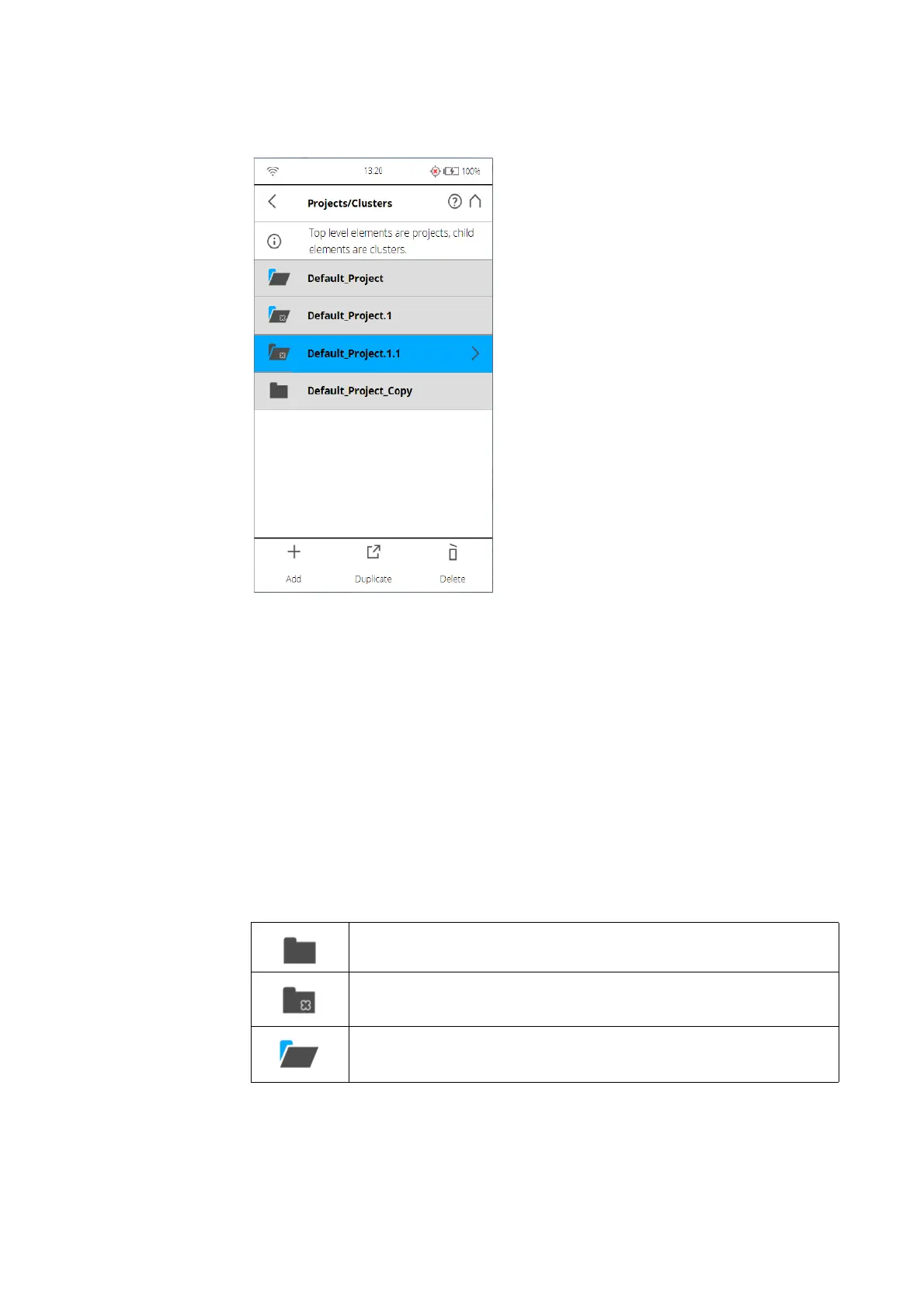
Figure 7-52: Project List
The project list contains the currently selected project and all further projects
stored on the SD card.
To select a project, tap its button in the list. The selected project will be
highlighted. To view or change details of the selected project, tap its button
once more.
To display available clusters of a project, select it and the list will be expanded.
Proceed accordingly with further clusters.
If the list of projects exceeds the screen size, scroll the list up or down with the
buttons on the bottom.
Description of the icons on the project buttons:
Project
Cluster
Project has clusters which are currently shown (list is expanded
accordingly)



 To Next Page