FlyThisSim TouchTrainer® Set-up Guide
Copyright FlyThisSim LLC 2013 Page 15
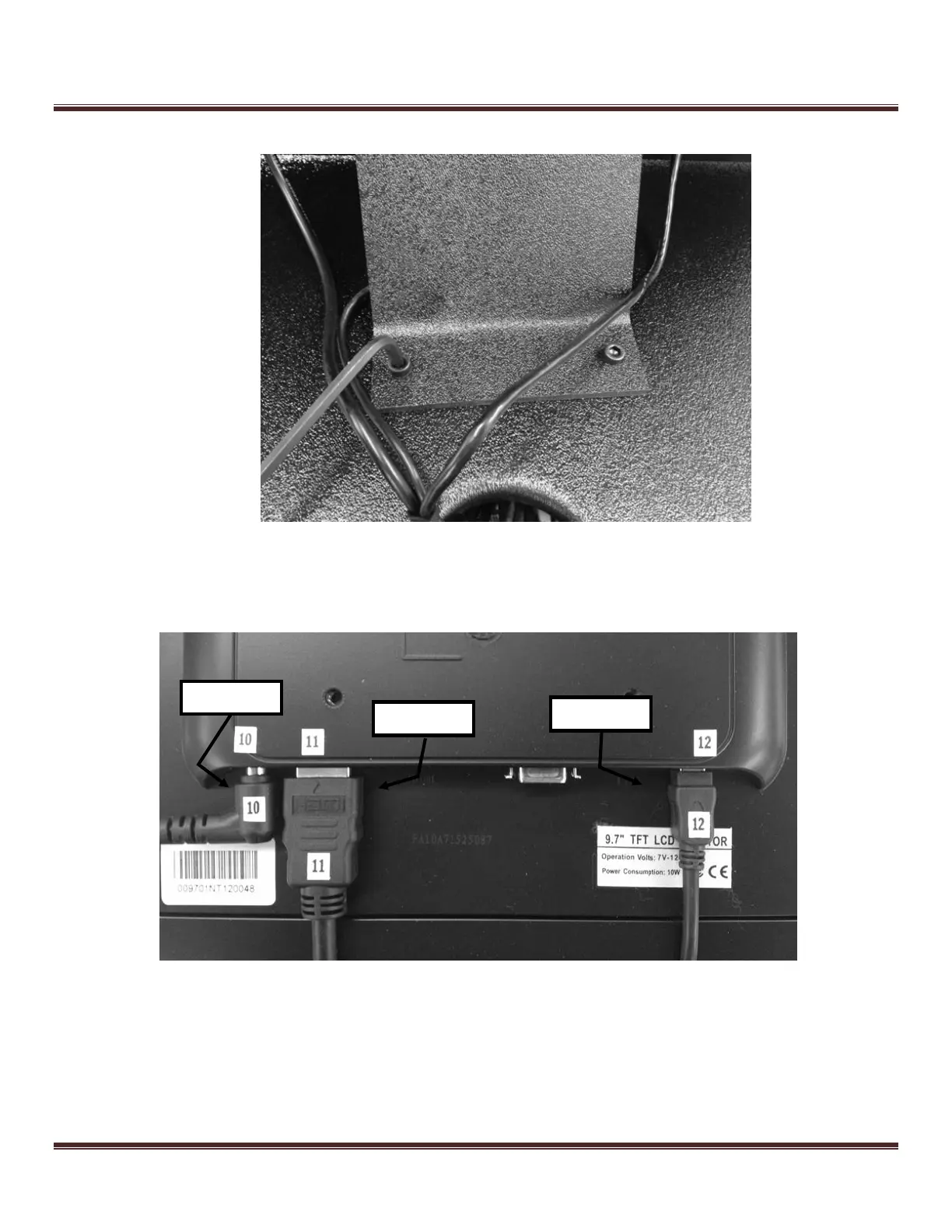
3) Using the supplied Allen wrench, secure the MAIN monitor bracket to the base using M6x15 bolts (Figure 11).
Figure 11: Affixing the MAIN monitor bracket to the base
TouchTrainer® AUX Monitor
1) Connect the power, DVI, and USB cables to the AUX monitor (Figure 12).
Figure 12: Connecting cables to the AUX monitor



 To Next Page