Page 18 Copyright FlyThisSim LLC 2013
TouchTrainer® Yoke and TPM Panel
If your TouchTrainer® does not come with a yoke and/or a TPM panel, skip this section.
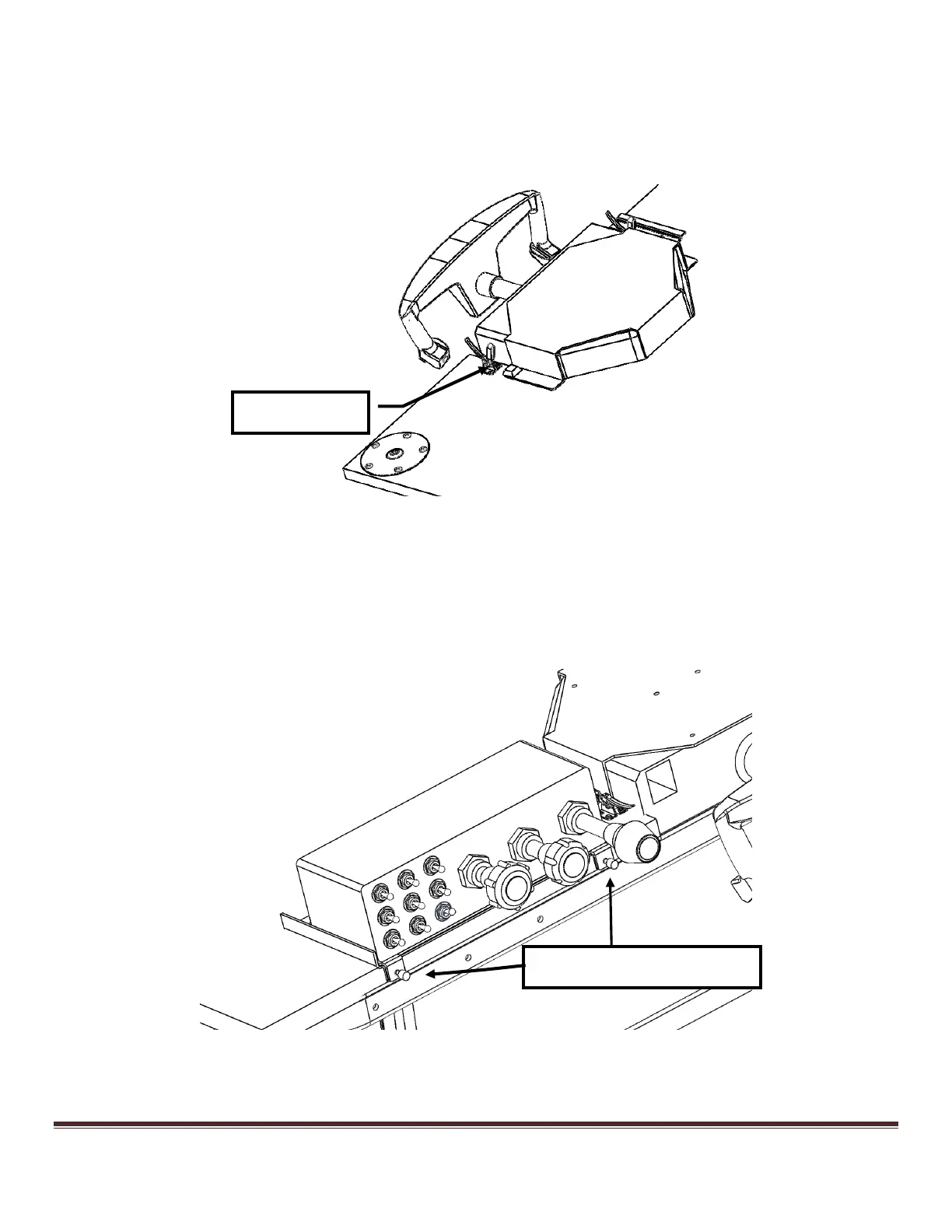
1) The table has a slot cut for the Yoke, and a catch bracket on top. Slide the yoke into place and flip the toggle
clamps on the underside of the table to hold the yoke in place, as shown below, then connect the USB cables
appropriately to the cable labeled “Yoke A”.
Figure 17: Installing the Yoke (View from under the table)
2) The TPM panel comes pre-attached to a bracket with two captive screws that fits into a bracket on the right side
of the table. Slide the TPM panel into its slot on the underside of the table, as shown below, tighten the two
captive screws, and then connect the USB cables appropriately to the cable labeled “Single B”.
Figure 18: Installing the TPM
TPM Bracket Captive Screws



 To Next Page