FlyThisSim TouchTrainer® Set-up Guide
Copyright FlyThisSim LLC 2013 Page 31
Cirrus Perspective Start-Up Procedure
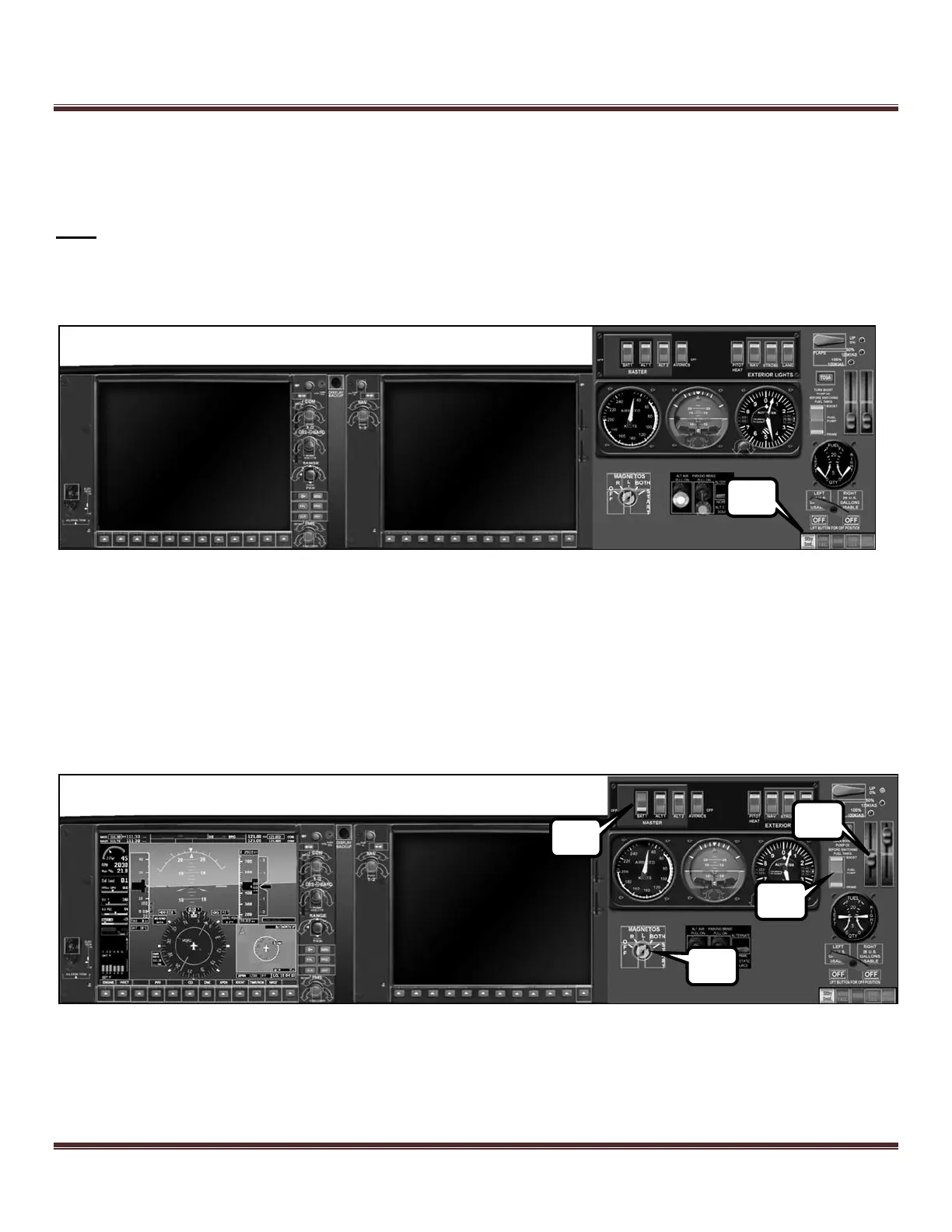
Follow the guide step-by-step, pressing the button that matches the corresponding step in the procedure (i.e. press the
button labeled “1” in the picture below when working on step 1).
Note: Because the button layouts are not exactly the same across all systems, the following pictures may not match your
layout. The correct buttons will still be available, just not necessarily as shown in the pictures.
1) If the standby instruments and electrics panel are not visible (such as that depicted below), press the Stby Inst.
button.
Figure 42: Cirrus Perspective Panel with no power
2) Tap BAT1 switch to power up the essential bus.
3) Tap FUEL PRIME once (do not press and hold). After some time, tap FUEL BOOST.
4) Using the hardware controls, adjust mixture to FULL RICH (all the way to the top), and THROTTLE (1/8
th
from
the bottom). Verify the correct position on the auxiliary monitor.
5) To start the engine, Tap the START once (do not press and hold). The starter will disengage and switch to BOTH
magnetos after a few seconds. If engine does not start, check your throttle/mixture settings and tap the START
touch area again.
Figure 43: Cirrus Perspective Panel after engine start



 To Next Page