Page 64 Copyright FlyThisSim LLC 2013
5. The touch feature on the AUX display is not working
a. Click Start All Programs eGalaxTouch Configure Utility.
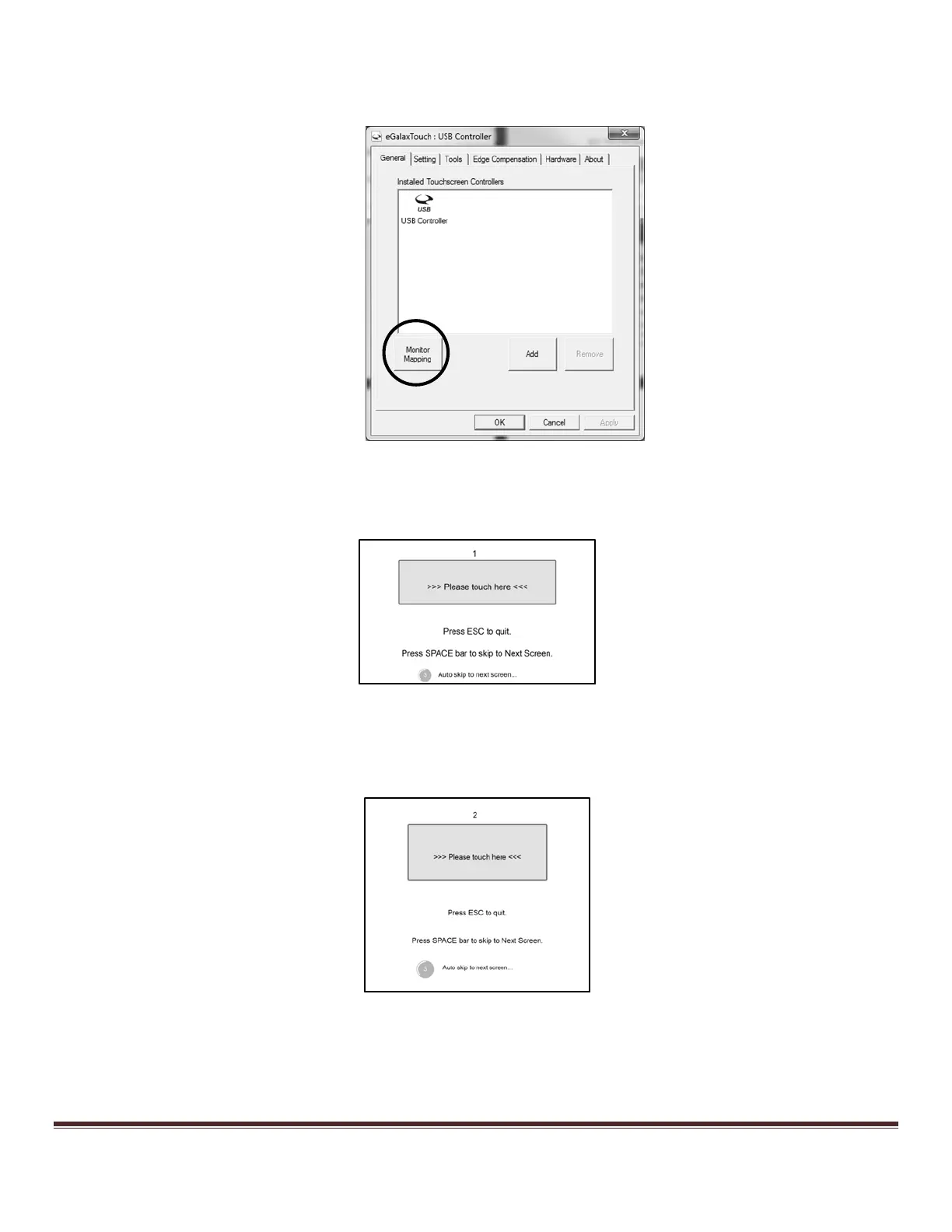
b. Under the General Tab, click Monitor Mapping (Figure 88).
Figure 88: eGalaxTouch Configure Utility
c. The MAIN display (1) will show the image in Figure 89
d. . Press the space bar to skip to the next screen.
Figure 89: Main display Monitor Mapping. Press the space bar on this screen
e. The AUX display (2) will show the image in Figure 90. Tap with your finger to map the AUX
display.
Figure 90: Aux Display Monitor Mapping. Tap the screen to map this display



 To Next Page