FlyThisSim TouchTrainer® Set-up Guide
Copyright FlyThisSim LLC 2013 Page 59
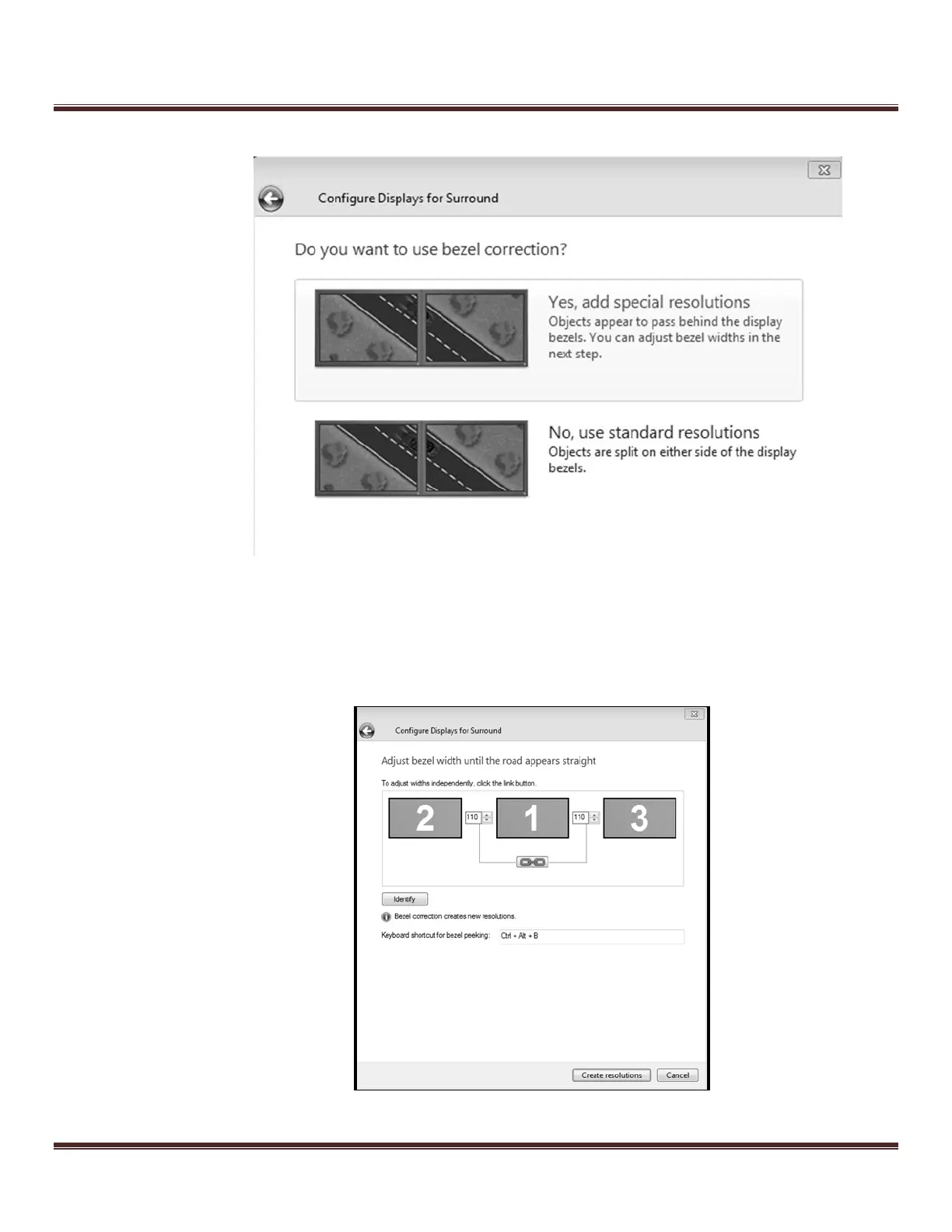
h. Next, select the “Yes, add special resolutions” option from the menu.
Figure 82: Bezel Correction Selection
i. Next, type in 110, as shown, in the bezel width adjustment prompts, and click Create Resolutions.
The screen will go dark momentarily.
He The
Figure 83: Bezel Width Adjustment Menu



 To Next Page