FlyThisSim TouchTrainer® Set-up Guide
Copyright FlyThisSim LLC 2013 Page 21
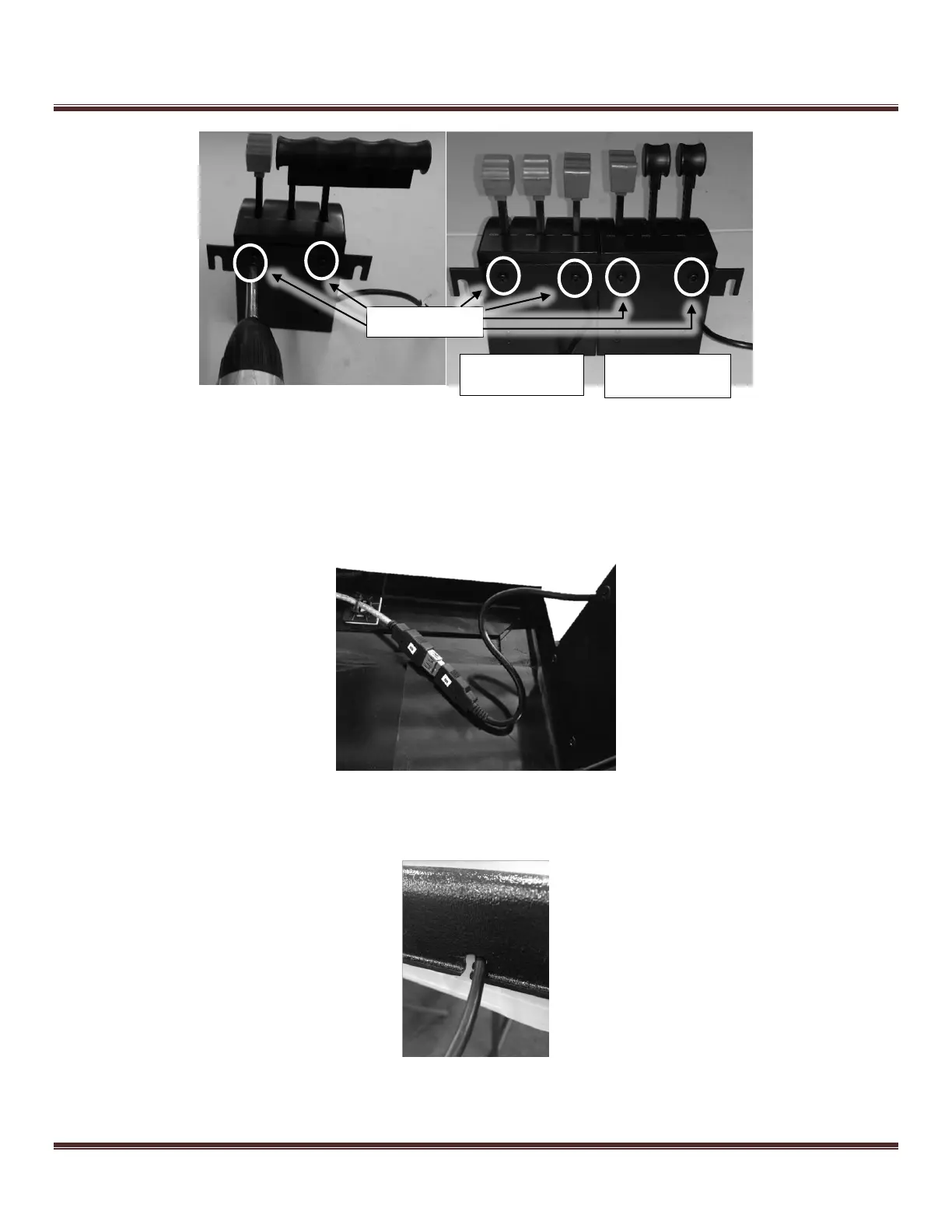
Figure 22: Views from the Rear of the Single and Twin Throttles
Once you have the bracket attached to the appropriate throttle for your aircraft, you are now ready to attach it to the
TouchTrainer® Base. Before setting the throttle onto the thumbscrews, you must connect the cable. If you purchased a
table with your TouchTrainer®, only do step 1.
1) Attach the throttle USB cable to the USB port labeled “B” on the underside of the base.
Figure 23: Connecting the throttle USB cable
2) Push the throttle cable into the notch in the base (Figure 24)
Figure 24: Pushing the throttle cable through the notch in TouchTrainer® base
3) Now place the throttle onto the thumbscrews and tighten for rigidity.
Throttle With Cable
Labeled “Single B”
Throttle With Cable
Labeled “Twin C”



 To Next Page