PostBase Vision
140
16.9.2 Adjust moistening level
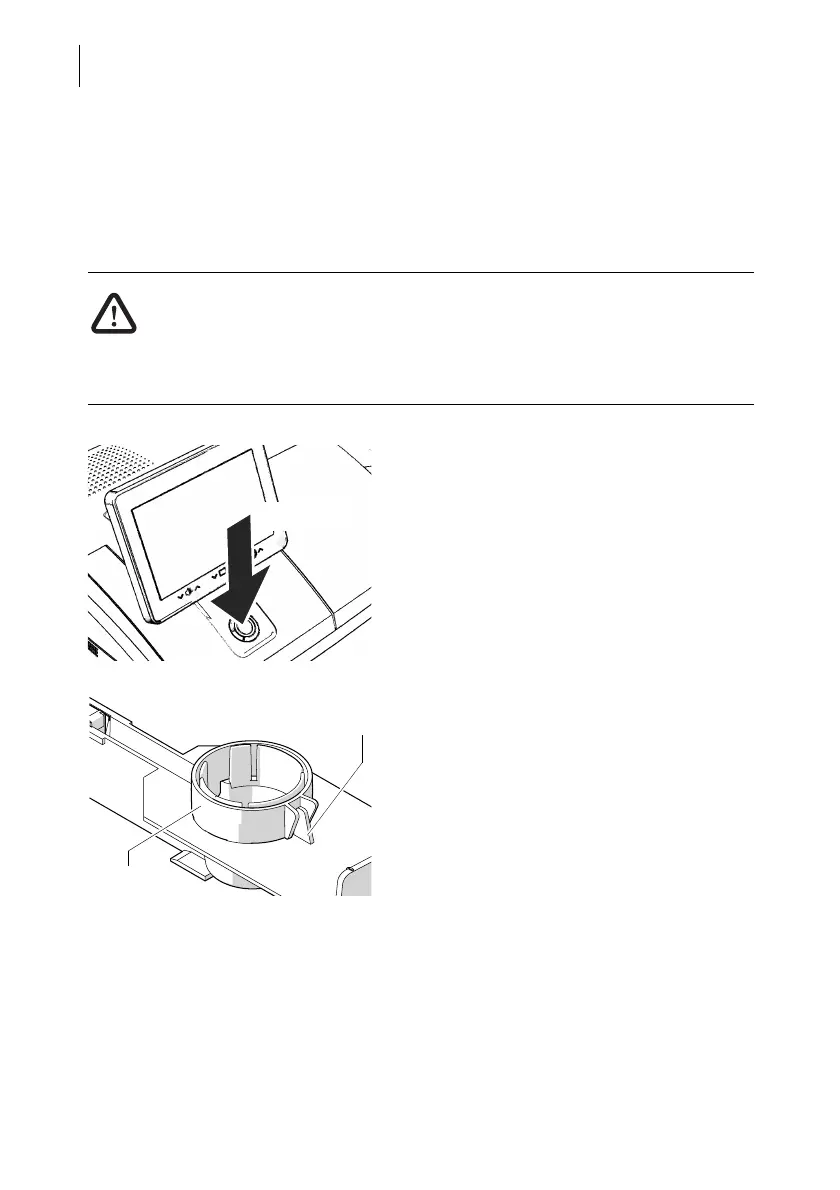
With the help of the supplied spacer ring, the moistening level can be adapted to the
letters accordingly. Depending on the position of the spacer ring, moistening of the
envelope flaps can be reduced or increased.
Warning! Electrical hazards due to short circuits.
Be extremely careful when handling the sealant tank and tray to prevent spilling
any liquids. Make sure not to wetten any parts connected to the mains. If this
should happen, immediately pull the power plugs. Have the PostBase Vision
mailing system checked by the Customer Support before using it again.
• Switch the mailing system off.
• Remove sealant tank out of the housing
(for further information see chapter 16.9.1
on page 137).
At the rear of feeder:
• Carefully pull the sealant tray out to the
back (see page 142).
Normal moistening
With this setting, you achieve best results in
most cases.
• Position the spacer ring so that the teeth
are facing down and the lug on the tray is
placed between the guides. The teeth have
to nip into the cut-outs of the tray.



 To Next Page