PostBase Vision
48
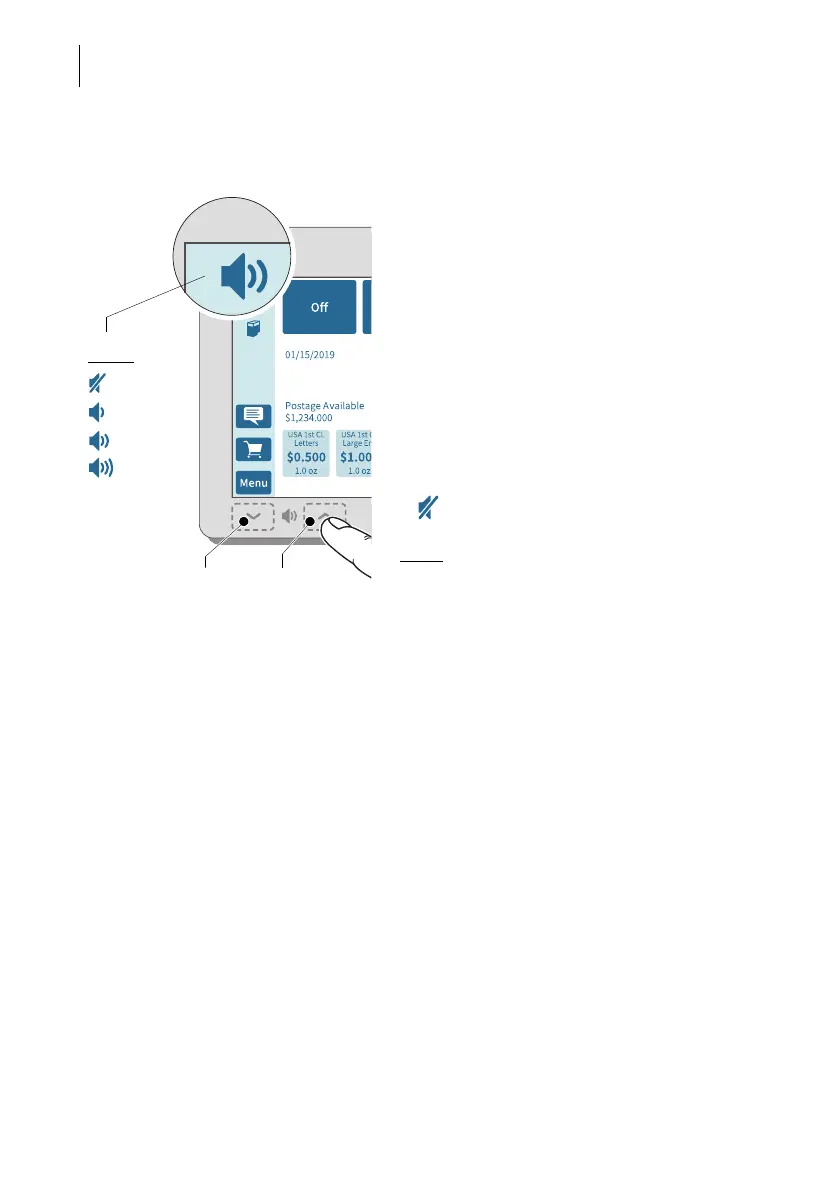
4.6 Setting the volume
You can see the current volume setting for
the sound signals in the menu bar at the top
left.
To adjust the volume, press the sensitive
areas to the left and right of the speaker icon
on the display frame.
• Press and hold the desired function (louder
or quieter) until the test signal is at the
desired volume.
Turning off the speaker
• Turn the volume “down” until you see the
icon.
Note:
The sound signal volume when the
system starts is fixed and cannot be
changed.
Quieter
Louder
Display:
Off
Quiet
Normal
Maximum



 To Next Page