Setting the meter imprint
61
5.5 Test print – testing the meter imprint settings
Using a test print, you can assess the settings for the meter imprint.
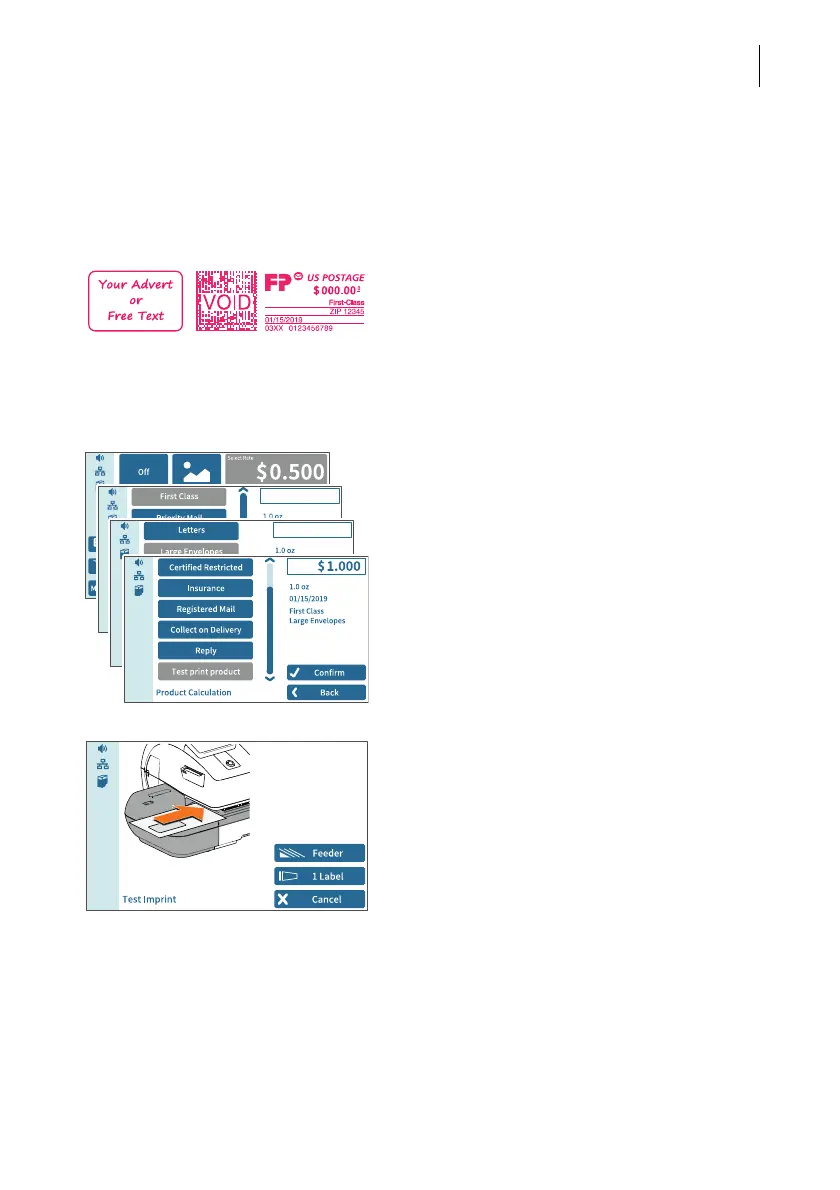
Test print (example) The indication VOID overprinting the data
matrix symbol as well as the postage value
$000.000 identify the test print as an invalid
meter imprint.
You must never dispatch test prints to the
USPS.
Test prints are not logged in the registers.
Setting a test print
• Set the desired parameters for the meter
imprint (advert, date, imprint offset etc.).
In the Home screen:
• Tap postage.
• Set the desired product.
Once all necessary mailing data are set, you
can perform a test print. The T
EST PRINT
PRODUCT option is shown at the end of the
additional services list.
• Choose T
EST PRINT PRODUCT.
PostBase Vision prompts you for a test print.
Print test print on a label
•Tap 1L
ABEL to print the test print on a
label.
PostBase Vision generates the test print and
prints it on a label.



 To Next Page