Setting the meter imprint
59
5.3 Advertising imprints
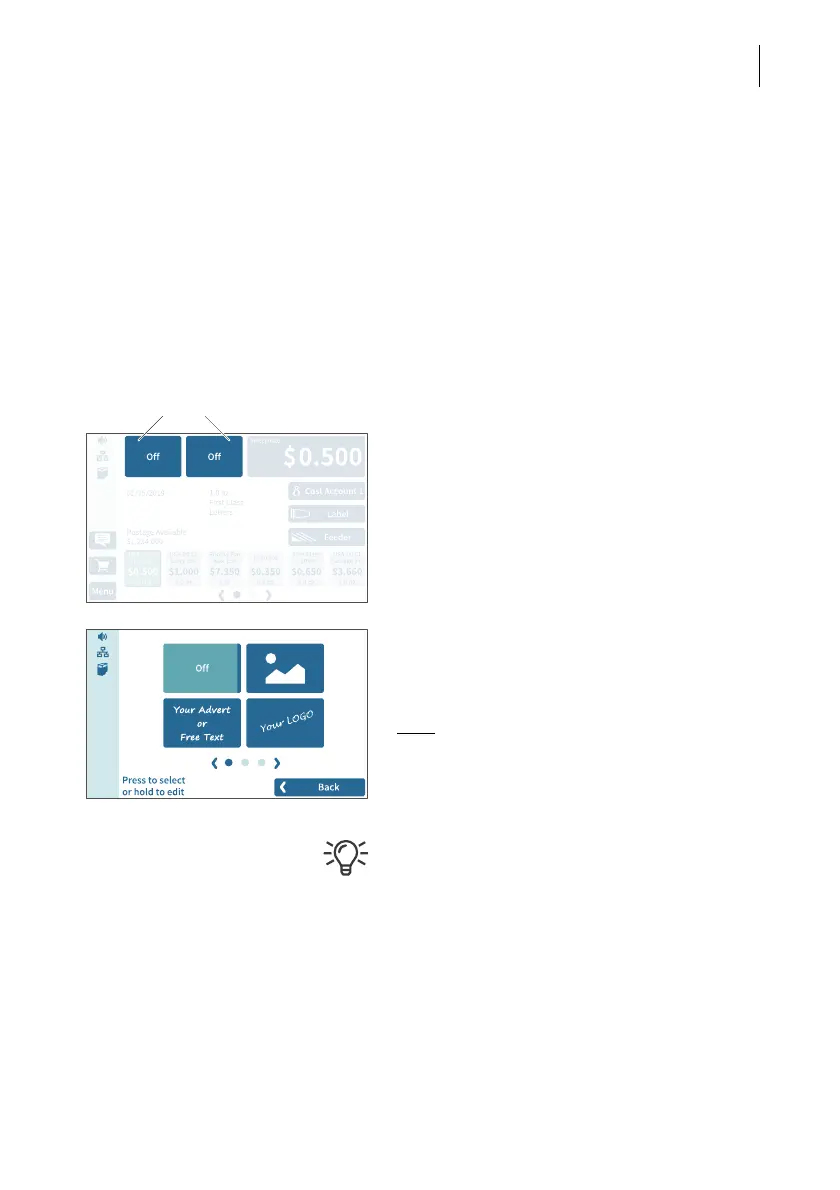
When metering, PostBase Vision can print up to two advertising imprints of your
choice on the mail pieces. Advertising imprints may include:
– Graphical adverts
–Text
– Information encrypted as QR code.
You can print the advertisement in any order.
Setting an advertising imprint
In the Home screen:
• Tap one of the two advertising imprint
buttons.
PostBase Vision opens a selection list with
all available advertising imprints.
• Tap the desired advertising imprint.
PostBase Vision returns to the Home screen.
The advertising imprint is set for metering.
Note
: Long texts may be cut off on the button
in the Home screen.
• Set the second advertising imprint in the
same way.
Refer to chapter 11 to learn how to enter,
change and delete texts and QR codes.



 To Next Page