PostBase Vision
52
5.1 Postage / USPS product
PostBase Vision sets the postage, i.e. the price for the postal product using the
chosen mailing data (destination, type, mail piece dimensions, and additional
services if applicable), in conjunction with the displayed weight.
You simply select the mailing data step by step in the product menu. The built-in scale
is available for weighing the items.
The different ways to set the product are described below:
– The easiest way to set the product is via shortcut. Refer to chapter 5.1.1.
– To read the step-by-step instructions on how to select mailing data, refer to
chapter 5.1.2.
– You can learn how to determine the weight of your mail pieces with the built-in scale
in chapter 5.1.3.1.
– Differential weighing – an optional weighing mode for the built-in scale – can be
used for conveniently presorting your outgoing mail according to postage classes.
Read more about it in chapter 5.1.3.3.
– For mail pieces whose weight exceeds the scale’s weighing range, enter the weight
manually. Read more about it in chapter 5.1.3.2.
5.1.1 Setting the product using a shortcut
Depending on the equipment, you can call up to 20 shortcuts directly from the Home
screen. Typical postal products are already saved at the factory in the postage meter
as shortcuts. When new tariffs are introduced, PostBase Vision also automatically
updates the shortcuts.
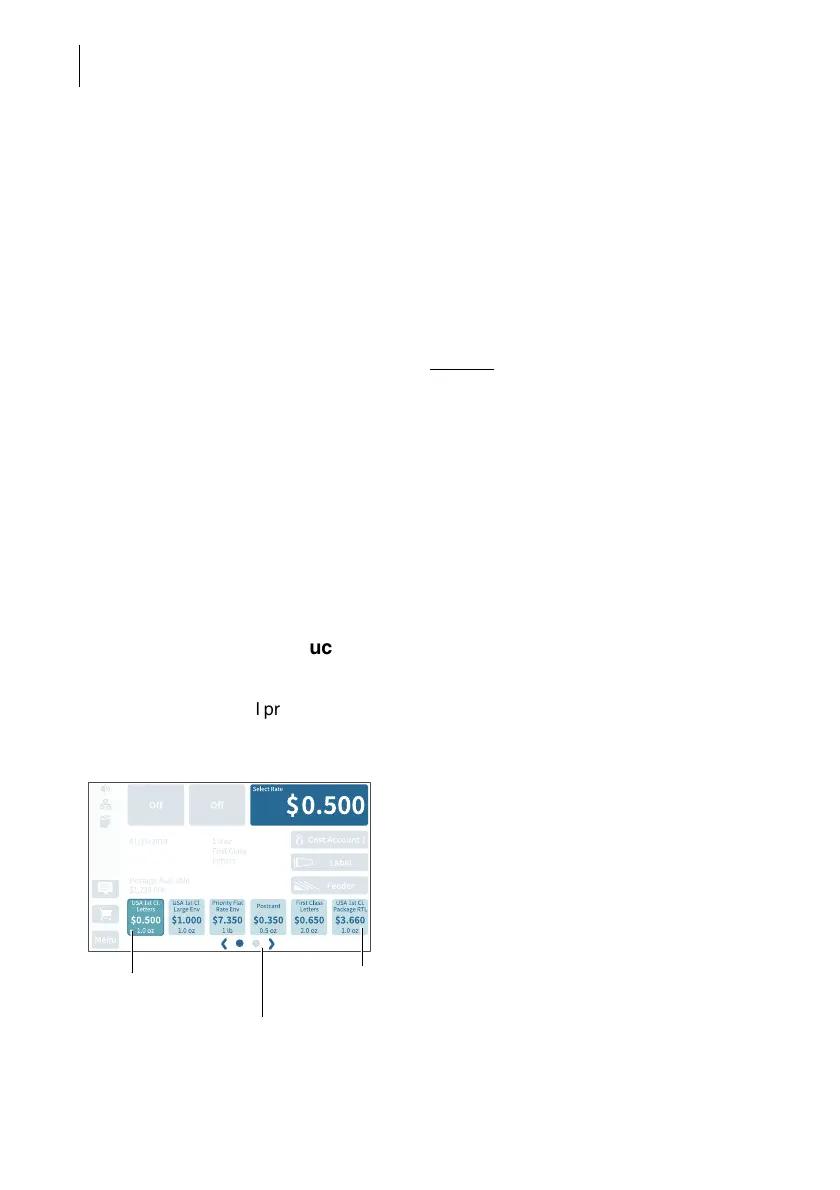
Available shortcuts
You can see the shortcuts available on your
mailing system below in the Home screen. If
more than 5 shortcuts are assigned, arrows
and dots for navigation appear below the
shortcuts.
You can
– use the arrows to scroll the shortcut list
– to jump directly to one screen, tap the cor-
responding dot
– swipe the shortcut list to the right or left.
Selected
shortcut
Available
shortcuts
Screen navigation
for the shortcut list



 To Next Page