PostBase Vision
76
6.4 Metering labels
Thanks to the integrated label feeder, PostBase Vision can automatically feed and
print self-adhesive metering labels to be attached to mail pieces. A detailed descrip-
tion on how to insert labels is provided in chapter 4.7.
Caution! We recommend that you only use the metering labels that can be
ordered through Francotyp-Postalia. The manufacturer FP has established
reliability, safety and applicability. The manufacturer cannot assess the
reliability, safety and applicability for products not approved by FP, and
therefore not vouch for such products.
We can only guarantee correct label processing with the use of FP approved
products.
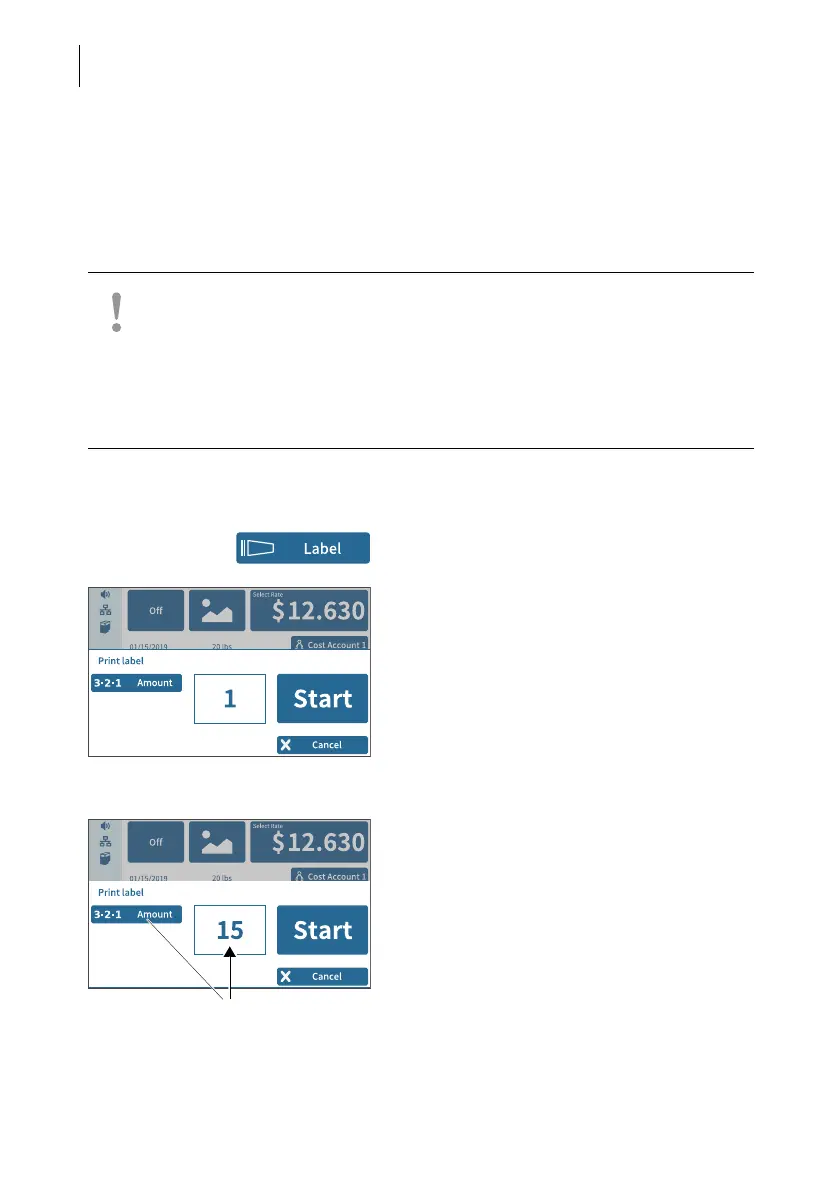
Metering a label
• In the Home screen, tap L
ABEL.
PostBase Vision opens the pop-up
“Print label”.
• Press S
TART to print the set meter imprint
onto the label.
Metering several identical labels
• In the Home screen, tap L
ABEL.
PostBase Vision opens the pop-up
“Print label”.
• Open the setting menu for the amount of
labels by tapping A
MOUNT.
• Entered the desired amount of labels and
confirm with OK.
• Press START to print the set number of
labels.



 To Next Page