Displaying and printing registers
81
7 Displaying and printing registers
The PostBase Vision mailing system saves important parameters and information on
used postage in registers. You can view and print the register states.
• Open the M
ENU.
• Choose R
EGISTERS.
The P
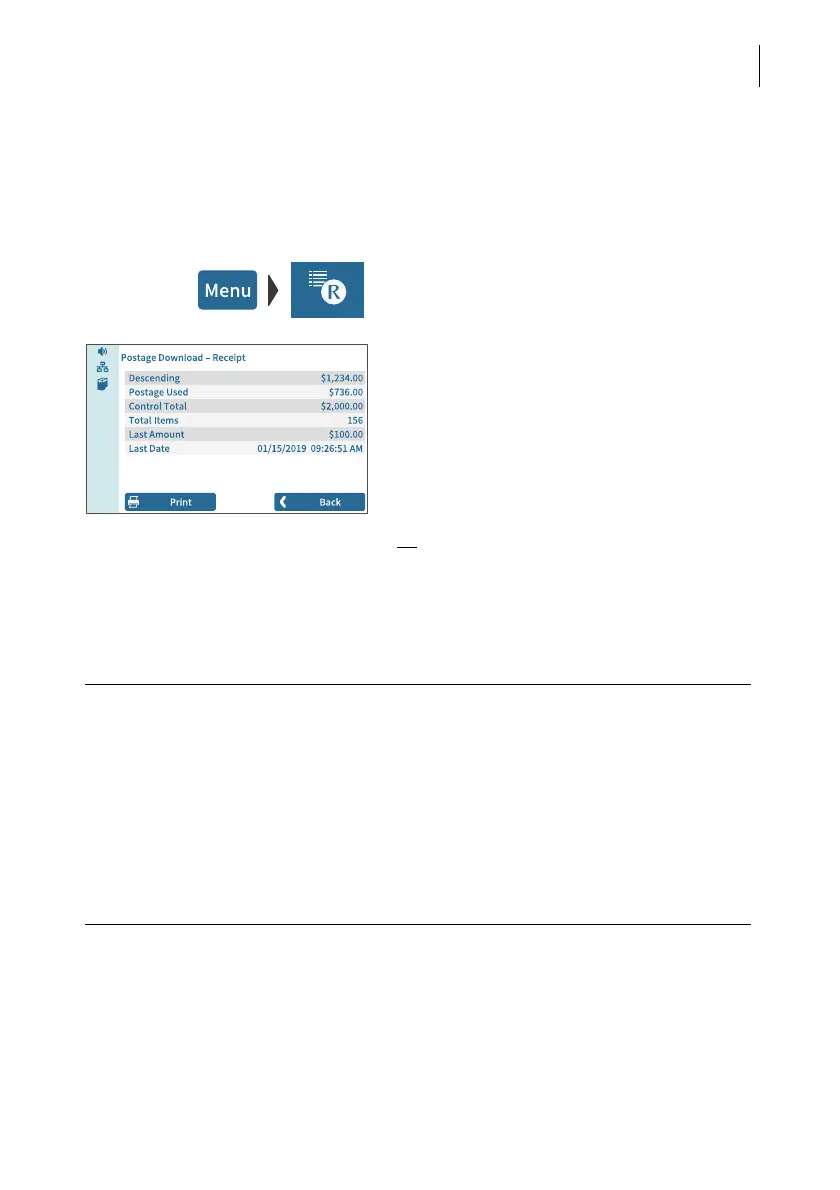
OSTAGE DOWNLOAD RECEIPT displays
the current register states.
Printing registers
• Tap the P
RINT button.
• Tap the 1 L
ABEL button to print the report
on a label.
Or:
• Position an empty envelope (or a postcard)
to print the report.
The registers store the following information:
DESCENDING Available postage (= credit)
POSTAGE USED Total value of all meter imprints performed
C
ONTROL TOTAL Sum total of all loaded sums
TOTAL ITEMS Number of all meter imprints performed
LAST AMOUNT Last amount loaded
L
AST DATE Date and time of last postage loading



 To Next Page