PostBase Vision
90
10 Manage shortcuts
By default, PostBase Vision offers you typical USPS products as shortcuts. You can
assign all shortcuts – depending on the version, you have up to 20 storage spaces
available – with postal products of your choice. You can see the current assignment
directly on the short cut button in the Home screen.
You can delete shortcuts, overwrite them with a new assignment, issue your own
names and also revert to the default assignment. Whenever a new rate table goes
into effect, the shortcuts are updated and may receive a new default assignment.
10.1 Saving a product as a shortcut
You can always save the product set in the Home screen as a shortcut (mailing data
and weight). The product stored on the first shortcut is used by PostBase Vision as
the default setting after it is turned on.
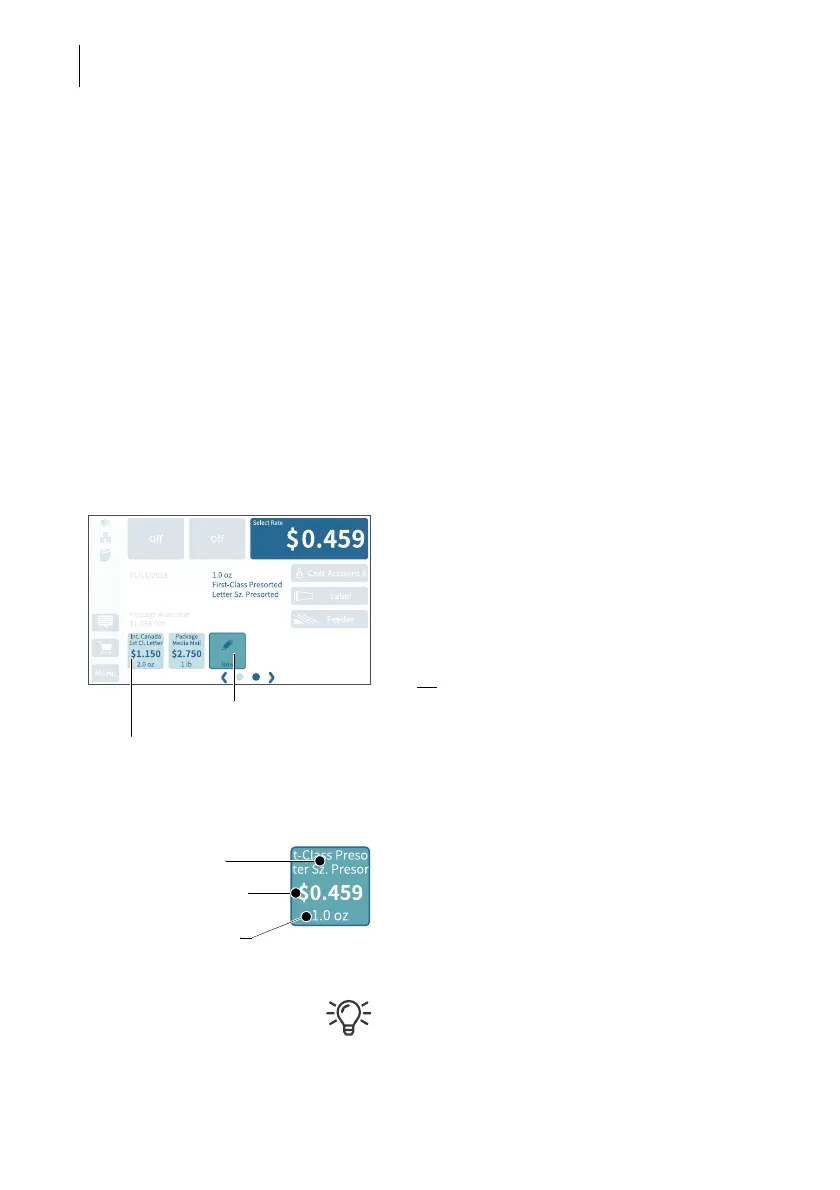
• Set the product that you would like to save
as a shortcut.
To set mailing data and weight, please
read chapters 5.1.2 and 5.1.3.
• Press the button N
EW for about two
seconds.
Or:
Press on an existing shortcut for about two
seconds to overwrite it with a new assign-
ment.
• To save the product on this shortcut, con-
firm the query in the pop-up with YES.
The current assignment is displayed on the
shortcut button:
– Name (mailing data, if necessary, strongly
abbreviated)
– Postage
–Weight.
Once all of the storage spaces have been
assigned, the N
EW button will no longer
appear.
Shortcut
(assigned)
Press longer



 To Next Page