Tips for troubleshooting
169
17.7 Manually moving the ink cartridge to the exchange
position
If need be, the ink cartridge can be removed without the postage meter running (e.g.
in case the postage meter is defective and is to be send to the Customer Service).
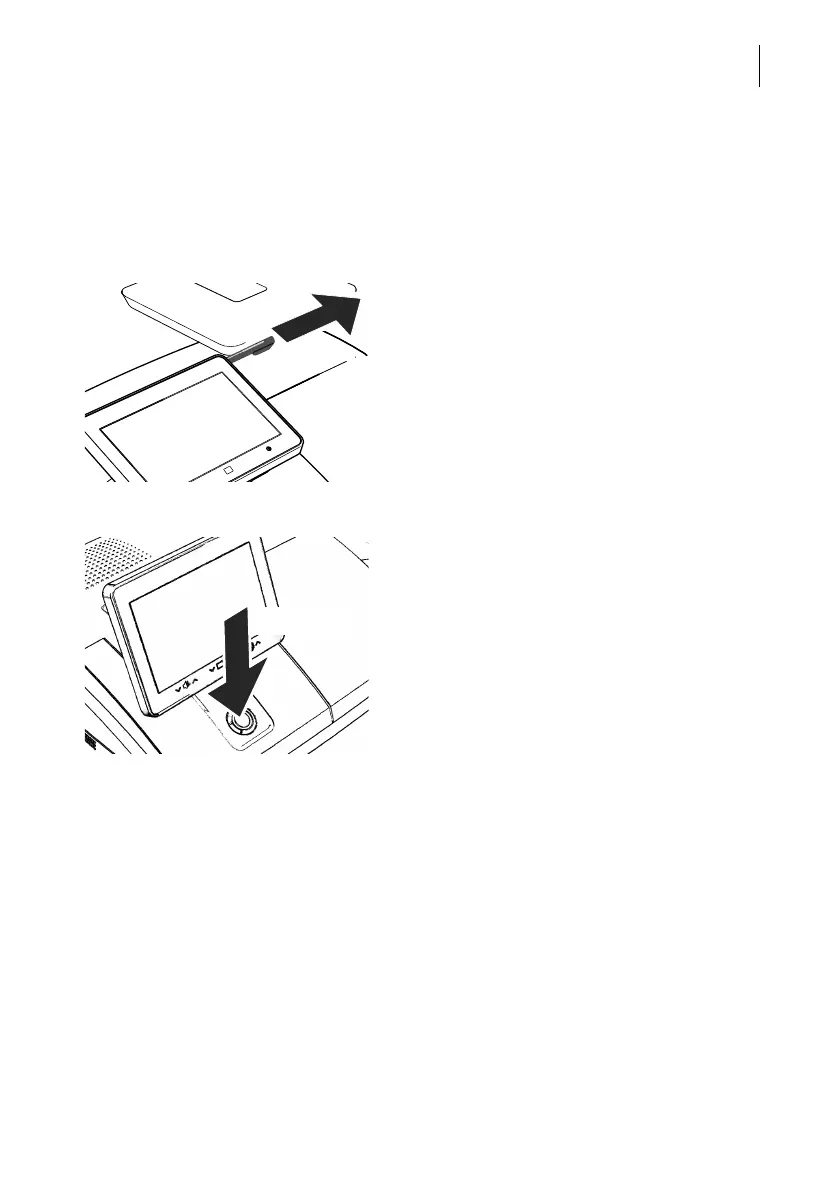
• Take the stylus from its carrier behind the
display. You will need the stylus to operate
the cartridge mechanism.
Disconnect PostBase Vision from the mains • Turn PostBase Vision off.
The PostBase Vision will complete any cur-
rent actions, lowers the display and then
switches off. The display light and button illu-
mination go out.
• Unplug the power plug from the socket.
Remove all cable connections On the back of the postage meter:
• Unplug the power cable from the power
connection of the postage meter.
• If necessary, remove the ethernet cable:
Press the spring on the plug and carefully
pull the plug out.
• If necessary, remove the CAN bus connec-
tion to the feeder: Unscrew and carefully
pull off the plug.
• If necessary: Remove USB cable.



 To Next Page