PostBase Vision
50
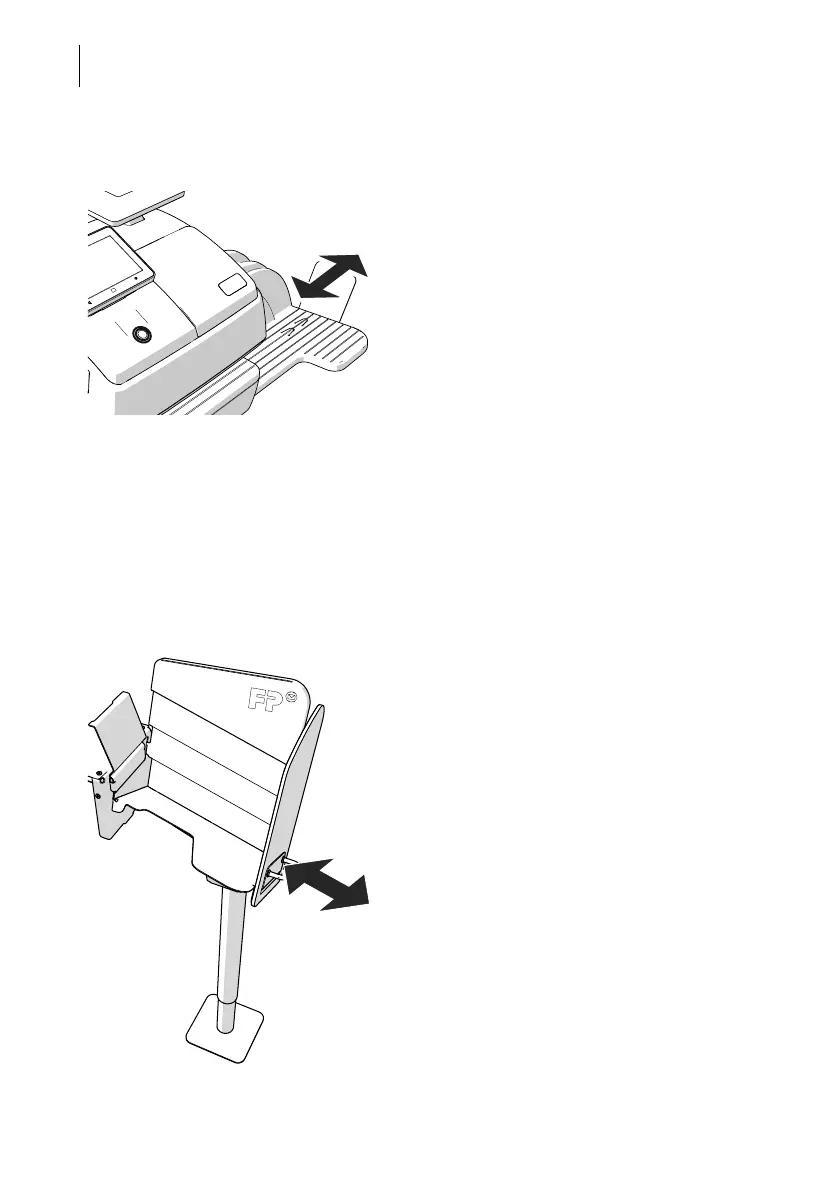
4.8 Setting up the catch tray
The catch tray can be adapted to different
envelope sizes (up to ISO B4 / 10" x 14") by
displacing the catch bracket.
The stop features several catches for the
most common sizes.
4.9 Using the Drop Stacker (optional)
The Drop Stacker, which is available from Francotyp-Postalia as an optional addi-
tional component for the PostBase Vision mailing system, is placed instead of the
catch tray to the right of the postage meter. Retrofitting the PostBase Vision with the
Drop Stacker is also very easy. Especially for larger quantities of outgoing mail, the
Drop Stacker with a capacity of up to 250 letters (ISO DL containing one sheet ISO A4) is a
practical alternative to the letter catch tray.
Installation
• Install the Drop Stacker according to the
assembly instructions. (The detailed
assembly instructions for the Drop Stacker
are included in the package).
Adapting to the envelope format
• You can move the right side wall in direc-
tion of the arrow using the handle. Catch
points, which are spaced apart by approx.
0.6" / 15 mm allow adjustment to match the
different envelope formats.
To remove the letter stack …
Thanks to the specially shaped shaft bottom,
the carefully stacked mail pieces can be easily
accessed from the bottom and removed
stackwise, even when the machine is running.



 To Next Page