The basics of operation
43
4.3.3 The menu bar
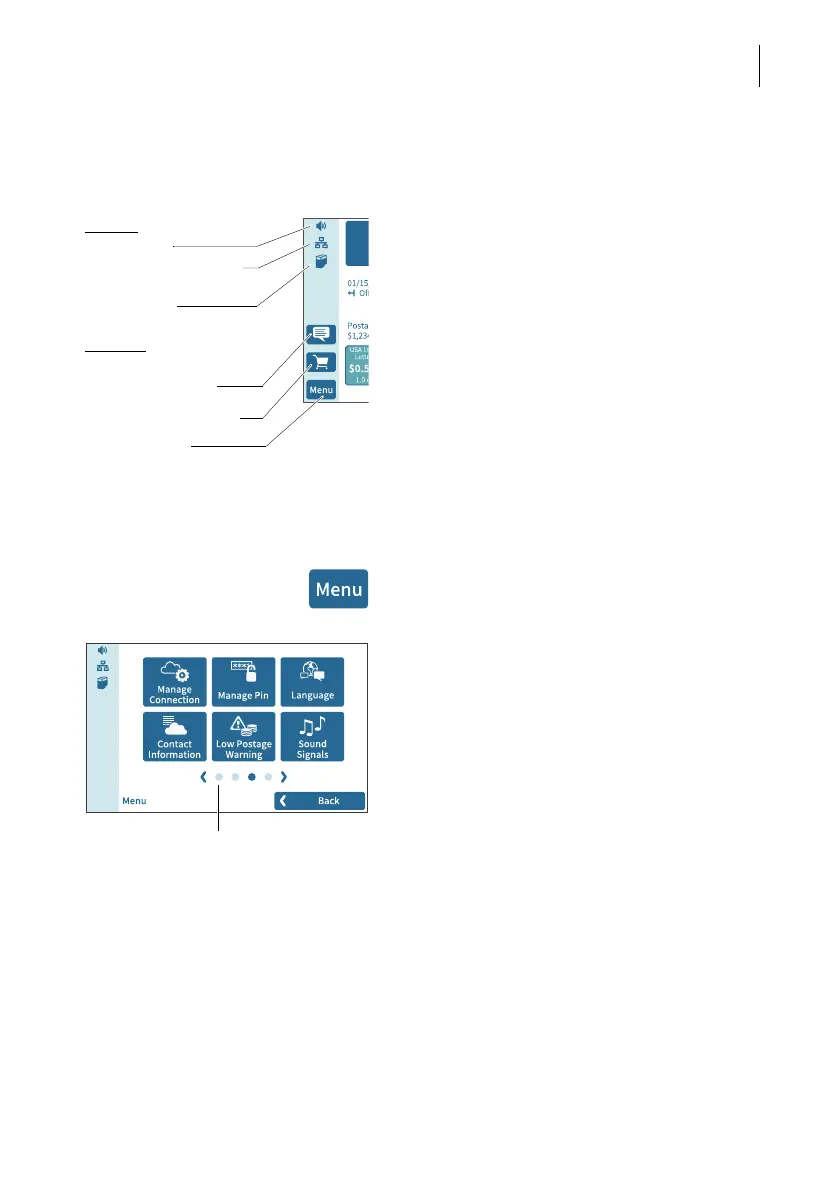
Menu bar (example) The highlighted area on the left of the window
is the menu bar.
In the menu bar, you can see important
status information at a glance, such as the
volume of the sound signals, the type of
network connection and the filling level of the
ink cartridge.
In the Home screen, the menu bar also has
buttons that give you access to system set-
tings and other useful functions.
You can adjust the color of the menu bar
according to your taste. Read more about it in
chapter 14.6 on page 108.
4.3.4 The menu
You can use the MENU button to open the
menu in which you have access to the
system settings, administrative functions,
special features, and service functions.
Use the arrows to scroll through the menu.
By tapping the dots, you jump directly to the
corresponding menu screen.
You can also move through the menu by
swiping (to the right or left).
Functions:
Displays
:
Volume
Network connection
(LAN / Wi-Fi)
Ink level
Read news about your
mailing system
Order consumables
Open menu
Additional menu functions
Menu (example)



 To Next Page