The basics of operation
37
4 The basics of operation
In this chapter, you will learn the basic functions of the PostBase Vision mailing sys-
tem and how to use the touch screen.
4.1 Turning the PostBase Vision on / off
The PostBase Vision mailing system can remain connected to the network at all
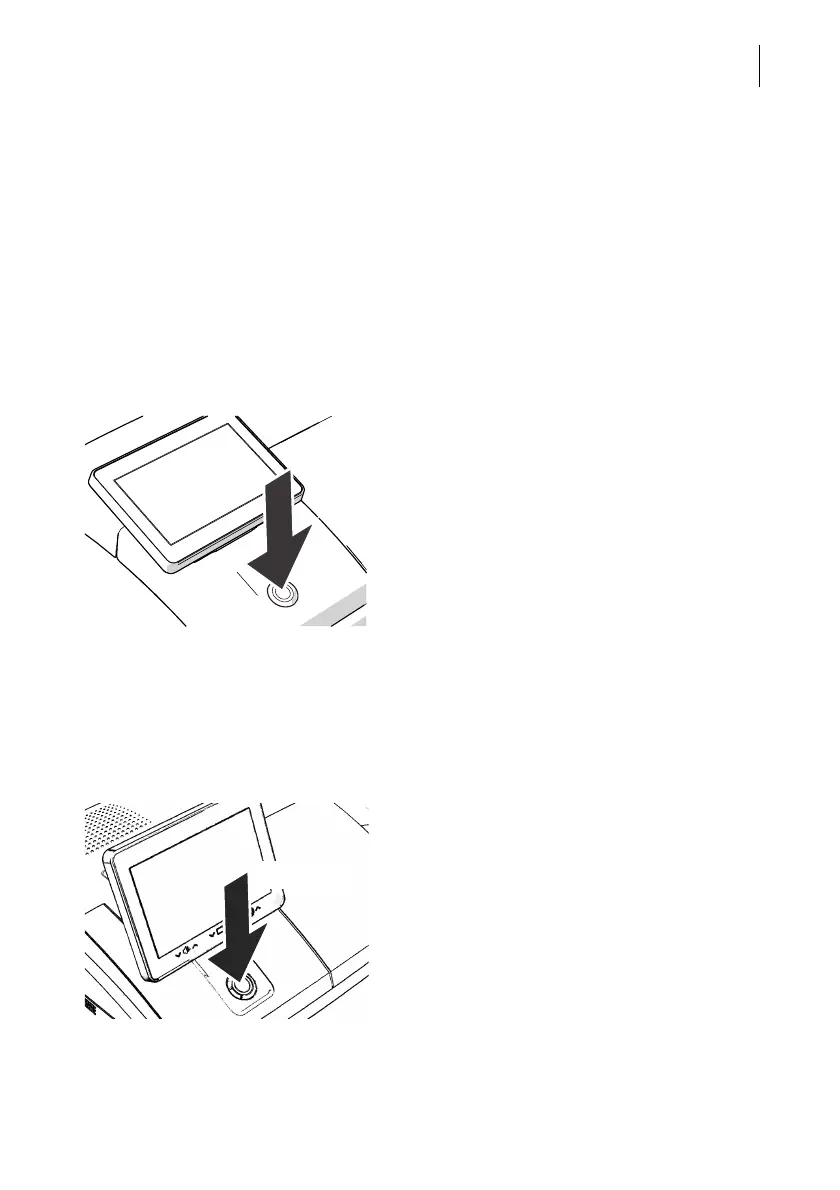
times and is therefore always quickly ready for operation. Use the round button in
front of the display to turn the PostBase Vision mailing system ON / OFF.
Turning on
• Press the ON/OFF button.
The LED lighting on the postage meter (ON/
OFF button, weighing platform, letter
entrance area) lights up and the system
starts. The progress of the process can be
followed on the display. PostBase Vision
greets the user – acoustically accompanied –
the display moves to the last position used
and finally the Home screen appears on the
display.
If access control is activated, you must enter
your PIN during the start routine.
Turning off
• Press the ON/OFF button for three
seconds.
The PostBase Vision will complete any cur-
rent actions, return the display to its home
position, and then turn itself off.



 To Next Page