Installation and commissioning
27
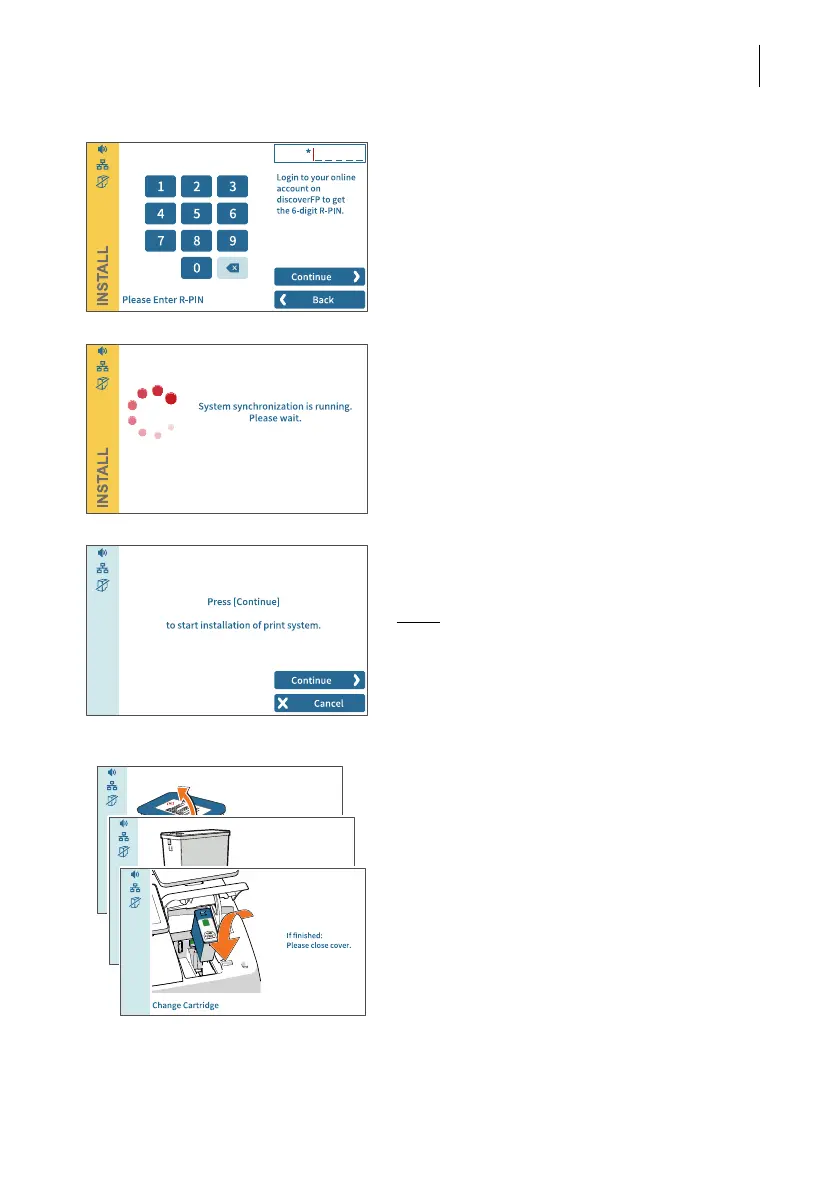
R-PIN
• Enter the R-PIN (Repository-PIN).
• Confirm with CONTINUE and resume the
installation.
Synchronization …
PostBase Vision now loads software and
data and then restarts.
• Follow the information and instructions on
the display.
Inserting the ink cartridge
•Tap C
ONTINUE to insert the ink cartridge.
Note:
Do not touch the cover flap of the print
system or otherwise obstruct the automatic
opening.
PostBase Vision moves the print system to
the change position and then opens the
cover flap. The flashing green LED indicates
that no cartridge has been inserted yet.
The screen sequence in the display shows
the sequence of the cartridge change.
The insertion of the cartridge is described in
detail below.



 To Next Page