PostBase Vision
30
Please wait: The PostBase Vision will now
prepare the cartridge for use.
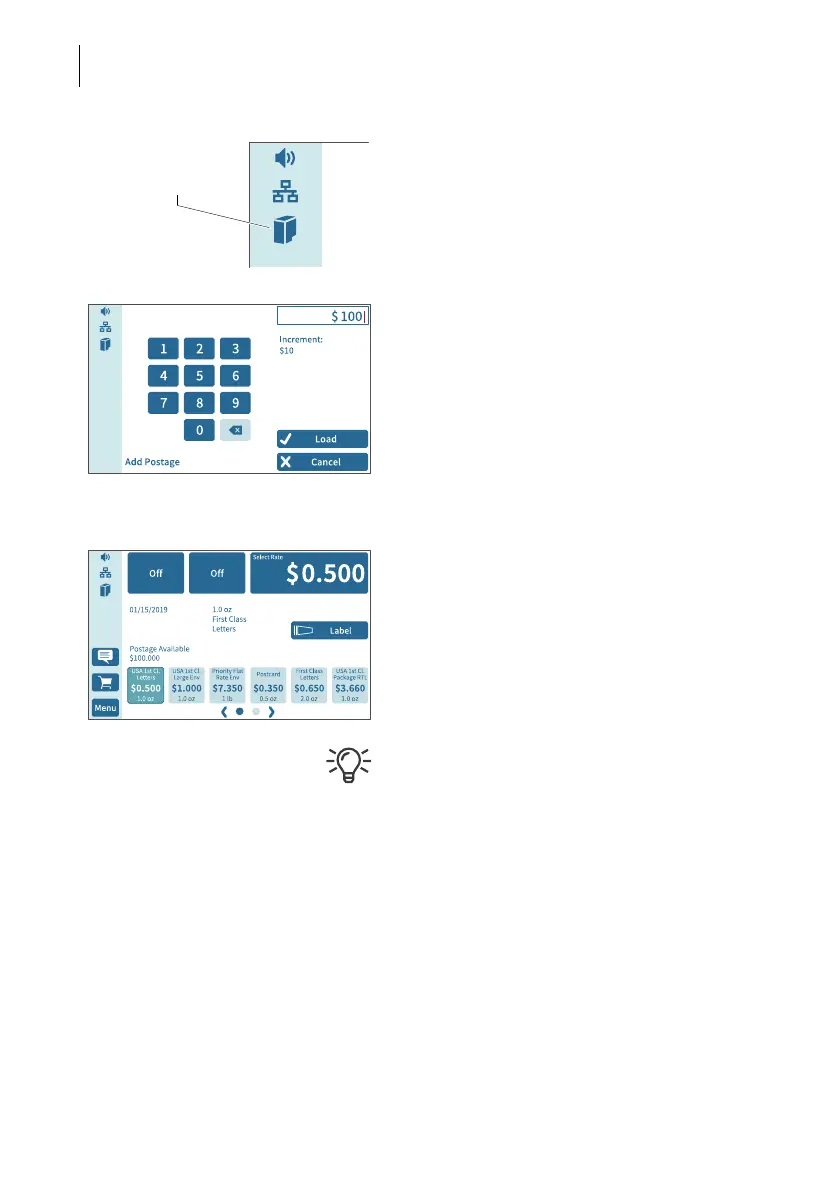
PostBase Vision displays the “Full cartridge”
icon in the menu bar.
Load postage / Contact data center
In order to meter, the PostBase Vision must
have corresponding postage credit. This re-
quires contact with the data center.
• Follow the instructions on the display.
Home screen (example) Installation complete
When PostBase Vision displays the Home
screen, the postage meter installation has
been successfully completed.
To install the “PostBase Vision Feeder”, con-
tinue with Step 7.
The M
ENU button is used to access other
system settings (e.g. PIN protection, standby
time).
Volume, display inclination and brightness
can be adjusted directly on the display frame.



 To Next Page