18
Rev 4/2018
INSTRUMENTS AND CONTROLS
IMPORTANT! If the hydrostatic charge pres-
sure light (see Figure 12 on page 21, Item
D) comes on in the warning display panel
when the lever is moved, check hydrostatic/
hydraulic oil level or replace filter. If this
doesn’t correct the problem, contact your
Freeman dealer.
NOTE: Charge pressure light may activate if
raising or lowering pickup with engine speed
at idle.
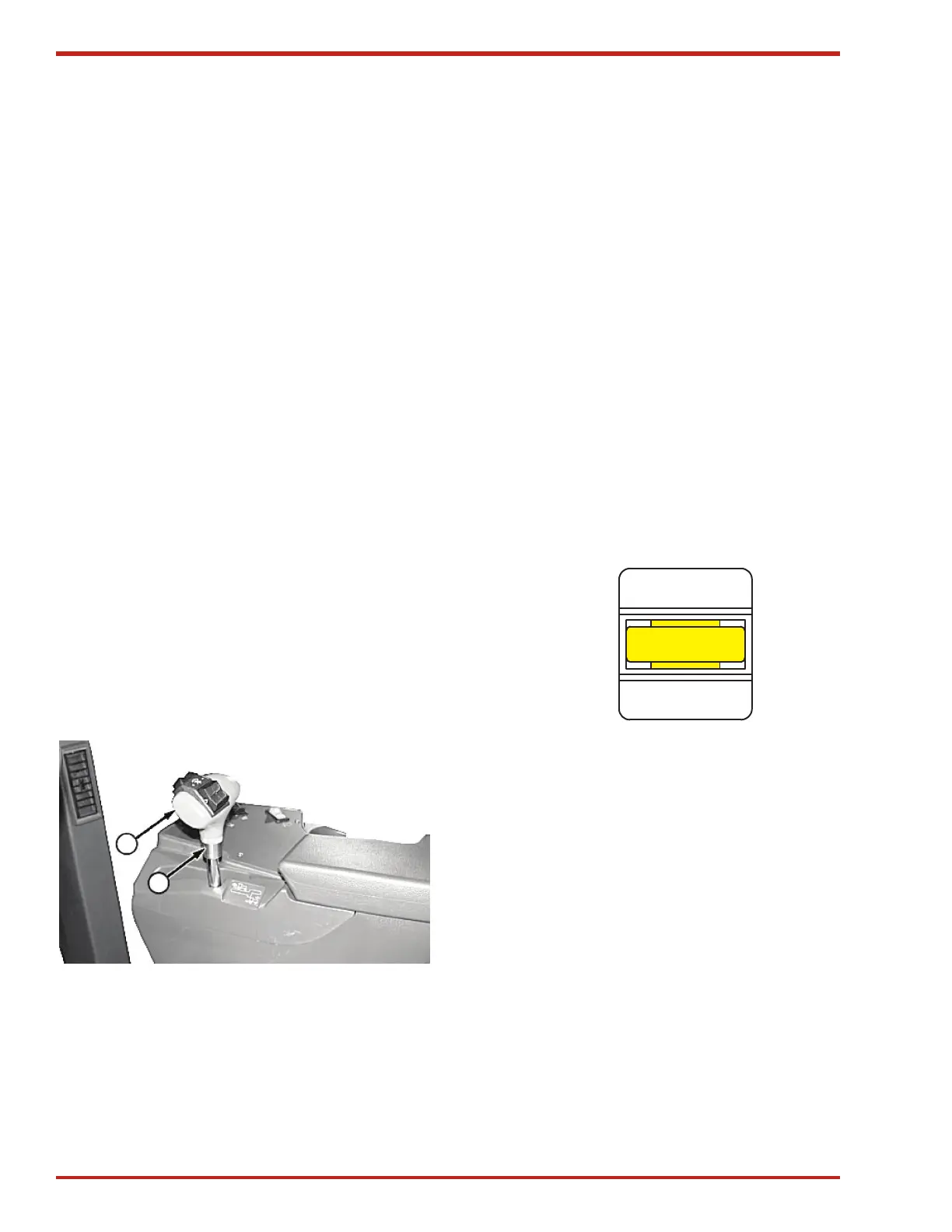
To adjust handle angle (see Figure 7), turn handle
(A) counterclockwise to loosen collar (B). Position
handle, tighten collar with fingers, then turn handle
clockwise to tighten collar firmly.
If additional tightening of the handle is required,
position hydrostatic handle approximately 20
degrees counterclockwise from the desired posi-
tion. Tighten collar with fingers. Hold collar with
fingers and turn handle clockwise to desired posi-
tion. Do not use pliers on collar, tighten with fingers
only.
A. Handle
B. Collar
A
B
Figure 7. Adjusting Hydrostatic Drive
Baler Drive Switch
NOTE: Operator must be in the seat to
engage baler. Baler will disengage if operator
leaves the seat for more than 5 seconds.
Baler will disengage if engine is started
with Baler switch in the ON position. If this
happens, cycle the switch to the OFF posi-
tion, then back to the ON position to engage
the baler.
Operate the baler by engaging the yellow switch
(see Figure 8). Push down on the switch and push
forward to engage baler. Pull switch back to the
OFF position to disengage baler.
Note: When the baler is engaged it will begin at 5
strokes per minute (SPM).
On
Off
Baler
Figure 8. Baler Drive Switch


 To Next Page