36
Rev 4/2018
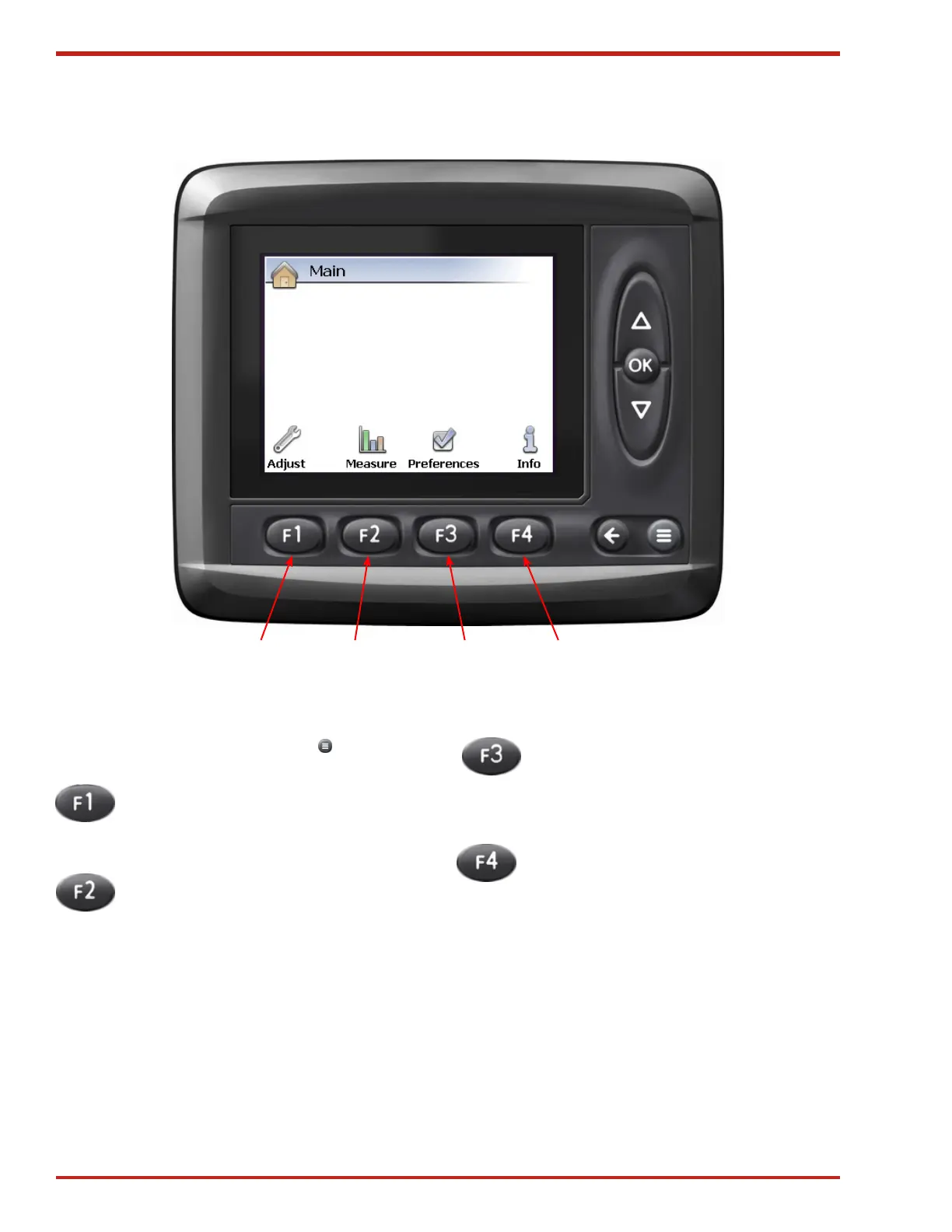
Figure 41. Main Screen
Main Screen
The Main screen can be accessed from either of
the baling screens by pressing the Menu button.
1. ADJUST Pressing F1 will access the
Adjust screen where changes can be
made to the tension system (see "Adjust
Screen" on page 37).
2. MEASURE Pressing F2 will access the
Measure screen where Machine Sensor
and Module Diagnostics information can
be viewed (see "Measure Screen" on
page 39).
3. PREFERENCES Pressing F3 will
access the Preferences screen where
changes can be made to the displays
appearance, the date and time, and
language (see "Preferences Screen" on
page 40).
4. INFO Pressing F4 will display informa-
tion about the system and software (see
"Info Screen" on page 42).
21 43



 To Next Page