Rev 4/2018
37
Main Screen
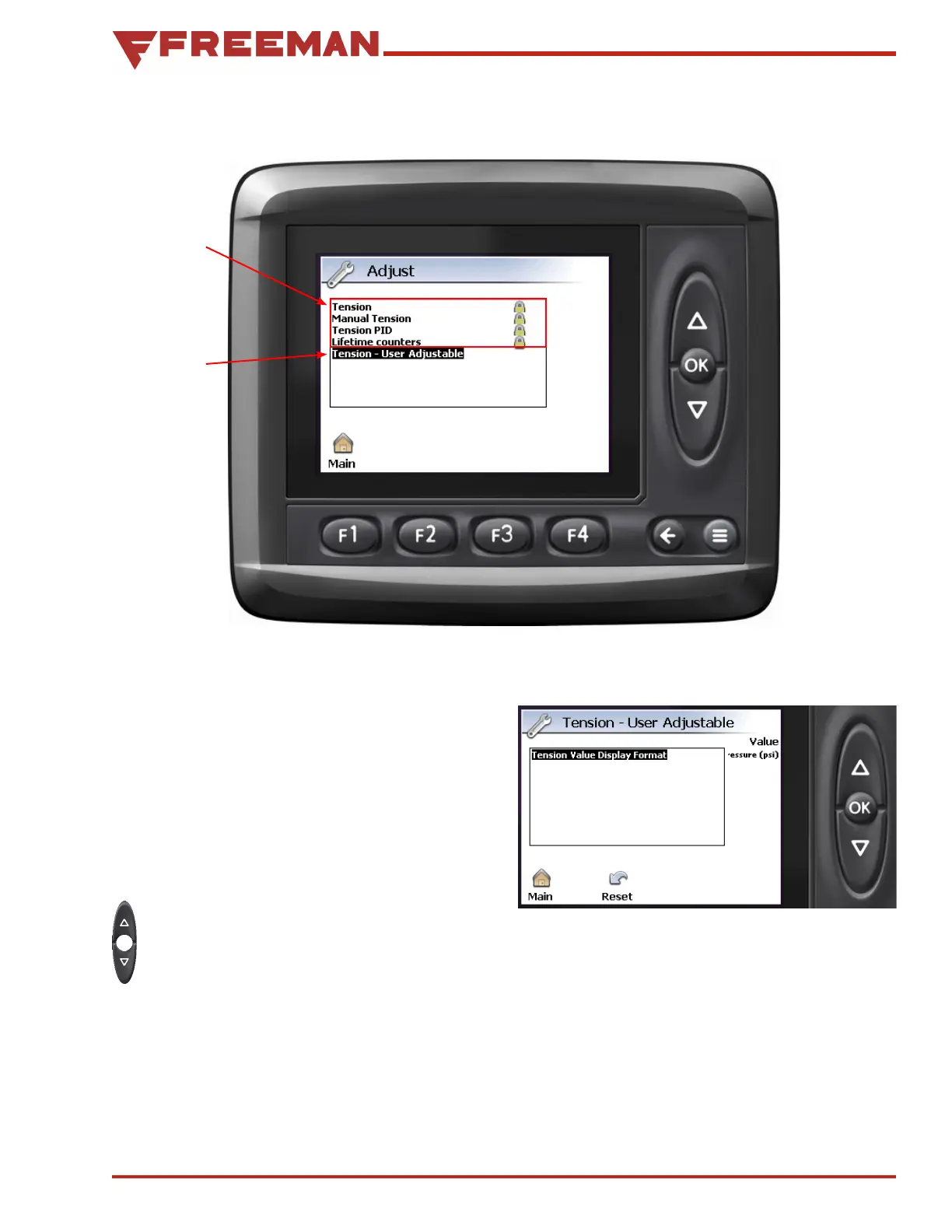
Figure 42. Adjust Screen
Figure 43. Tension - User Adjustment Screen
Adjust Screen
From the Adjust screen, the user may access the
Tension - User Adjustable menu. Only a Freeman
Service Representative can make changes to the
Tension, Manual Tension, Tension PID, and Lifetime
Counters settings.
Tension - User Adjustable - This is used to
change the tension units displayed on the Baling
Screen between psi and %.
Use the Up/Down Arrow buttons to highlight
Tension - User Adjustable, then press the
OK button to select it.
From the Tension - User Adjustable screen (see
Figure 44) press the OK button to select Tension
Value Display Format.
1
2



 To Next Page